
The Raspberry Pi Pico is a microcontroller development board powered by the custom RP2040 chip. With its dual-core ARM Cortex-M0+ processor, extensive GPIO pins, and built-in programmable I/O (PIO), the Pico is used in robotics, home automation, and IoT projects where precise timing and low power consumption are crucial.
This comprehensive collection features Raspberry Pi Pico projects ranging from beginner-friendly tutorials to advanced embedded systems, each complete with detailed circuit diagrams, step-by-step instructions, and downloadable MicroPython or C++ code. Whether you're learning microcontroller programming or developing commercial prototypes, these projects cover everything from basic LED control to complex sensor networks and wireless communication systems.
If you are looking for projects from other development boards of Raspberry Pi, you can check out our: Raspberry Pi Projects and Raspberry Pi Zero Projects
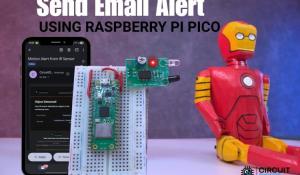
With the rapid growth of IoT-based monitoring systems, staying informed about what’s happening in real time has become extremely important. Whether it’s detecting an intruder, monitoring equipment, or tracking activity, users need instant alerts without constantly checking dashboards or screens. Email notifications offer a simple and reliable way to receive detailed…
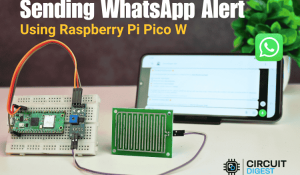
This project shows how to send instant WhatsApp alerts from a Raspberry Pi Pico W using WiFi and CircuitDigest Cloud WhatsApp API. The Pico W reads data from a rain sensor and, when moisture is detected, sends a notification directly to your WhatsApp. No GSM module, SIM card, or cellular hardware is required and everything works over a secure HTTPS request. The same WhatsApp notification…
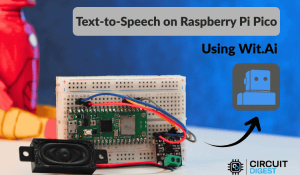
Text-to-Speech, or TTS, is a technology that converts written text into spoken audio. It is widely used in voice assistants, accessibility tools, alert systems, kiosks, and smart devices. On computers and smartphones, TTS works smoothly because these systems have enough processing power and memory to handle speech generation locally. Microcontrollers are different.…
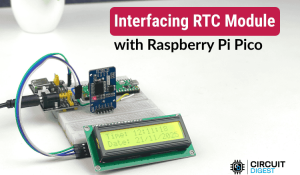
In this guide, we will create a simple and precise digital clock using the Raspberry Pi Pico RTC DS3231 Module through the Arduino IDE. We will use a 16x2 I²C LCD screen to display the information. Since the screen is small, we will write smart code that changes what is shown on the screen. For a few seconds, it will display the time and date, and then switch to show the temperature.…
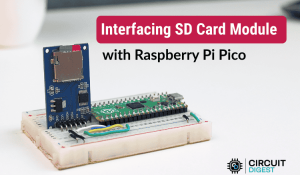
The Raspberry Pi Pico SD card module is a simple yet very handy add-on that lets you store and access a lot of data using a standard microSD card. When interfacing the SD card module with Raspberry Pi Pico, you gain access to gigabytes of storage for sensor logging, configuration files, and time-stamped data. This comprehensive guide will show you how to build…
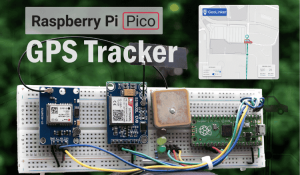
Building a real-time GPS tracker with Raspberry Pi Pico has never been more accessible thanks to affordable cellular communication modules and simplified programming libraries. This comprehensive Raspberry Pi Pico GPS tracker tutorial demonstrates how to create a professional-grade IoT tracking device using the SIM800L GSM module, Neo 6M GPS module with Raspberry Pi…
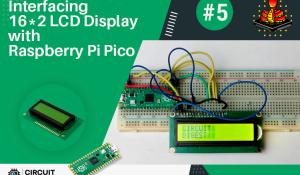
Hey everyone, in this tutorial we are going to interface a Liquid Crystal Display (LCD) module with the Raspberry Pi Pico using Micropython. By the end of this tutorial, you will be able to display strings, characters on the LCD using Micropython. Before beginning this tutorial, I'm presuming that you've already followed our tutorial series on Raspberry Pi Pico.…

Welcome to our blog, where we will take a deep dive into the world of OLED displays and the Raspberry Pi Pico W microcontroller. OLED (Organic Light Emitting Diode) displays are at the forefront of visual technology, offering brilliant colors, high contrast, and a wide viewing angle, making them perfect for a myriad of applications ranging from portable devices to…
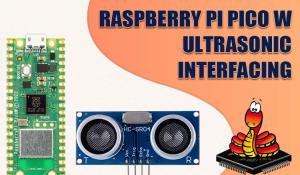
The Raspberry Pi Pico W is a versatile microcontroller board based on the RP2040 chip, featuring built-in Wi-Fi connectivity. It offers a cost-effective and powerful solution for various IoT projects and prototyping. When combined with sensors like the ultrasonic sensor (e.g., HC-SR04), the Pico W becomes an ideal platform to measure…
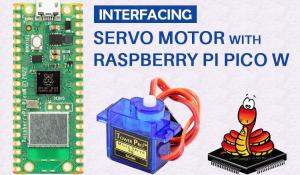
This blog explores interfacing a servo motor with the Raspberry Pi Pico W using MicroPython. The Pico W is an affordable and compact microcontroller board based on the RP2040 chip, ideal for embedded systems and IoT projects. MicroPython, a lightweight implementation of Python, provides a user-friendly environment for microcontroller…
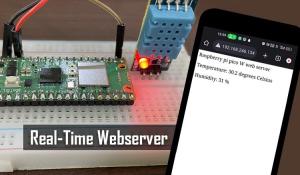
In this blog post, we will explore how to build a real-time webserver using a Raspberry Pi Pico W microcontroller and a DHT11 temperature and humidity sensor. By combining the power of Raspberry Pi Pico's microcontroller capabilities and the DHT11 sensor's ability to measure temperature and humidity, we can create a simple yet effective…
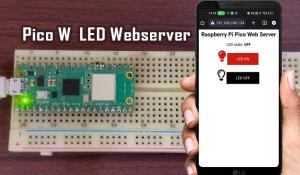
Hello guys, in this blog, we will learn how to program a Raspberry Pi Pico W in Micropython, we will learn in depth about its features, how to use its Wi-Fi to connect to the internet and last but not the least how to control an led, using a custom webserver, from any where in the world. You can also check how to build an ESP32 webserver or a ESP8266 NodeMCU…
