
Raspberry pi 3

|
How to Watch Netflix on Raspberry Pi Streaming media from the internet is getting high popularity due to faster and cheaper internet availability. And because of the COVID-19 pandemic, use of OTT platforms like Amazon Prime, Netflix, Hotstar, YouTube has been increased significantly. It also has many benefits over the downloading of media files. Streamed media requires minimum hard drive space and you can set… |

|
Streaming Amazon Prime Video on Raspberry PiHow to Stream Amazon Prime Video on Raspberry Pi Using Kodi
Streaming media from the internet is gaining popularity due to faster and cheaper internet availability. And because of the COVID-19 pandemic, the use of OTT platforms like Amazon Prime, Netflix, Hotstar, and YouTube has been increased significantly. It also has many benefits over the downloading of media files.… |

|
Interfacing 5 inch HDMI Touchscreen Display with Raspberry Pi Raspberry pi is a compact credit card sized computer, which is very popular nowadays for IoT applications and high computational applications like data science, python, machine learning, etc. Many applications need external displays to be connected with Raspberry Pi. In that case, raspberry pi has its own HDMI interface to connect external displays like TV or monitors.… |
|
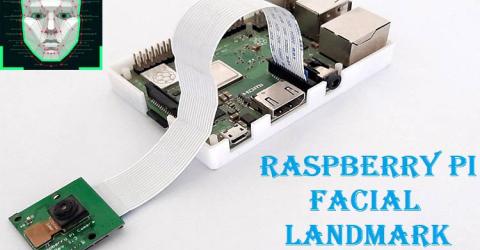
Facial Landmark Detection (Eyes, Nose, Jaw, Mouth, etc.) using Python OpenCV Detection of facial landmarks is the process of detecting various parts on the face such as the Eyebrows, Eyes, Nose, Mouth, and Jaw. There are many applications that use Facial Landmark detection techniques. Previously we build a Face recognition system using OpenCV, today we will use the same OpenCV with Raspberry Pi for facial landmark detection… |
|
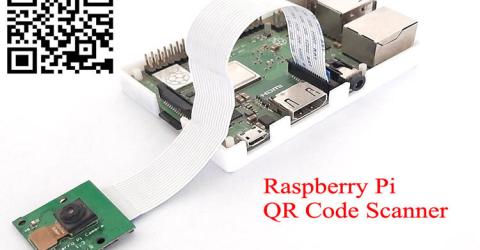
QR Code Scanner using Raspberry Pi and OpenCV QR code (Quick Response code) is a type of matrix barcode that contains information about the item to which it is attached, like location data, identifier, or a tracker that identifies a website or app, etc. It is a machine-readable optical label in the form of a 2D image with a unique pattern. To learn more about QR codes and how to generate a QR code, follow our previous… |

|
Crowd Size Estimation Using OpenCV and Raspberry Pi In today’s world of cutting-edge technologies, Digital Image Processing is growing very fast and become an important part of many digital devices like mobile, security cameras, laptops, etc. The most common applications of Digital Image Processing are object detection, Face Recognition, and people counter. So in this tutorial, we are going to build… |

|
How to run Spotify on Raspberry Pi using Mopidy Music Server In previous article, we covered various Music streaming softwares which can be installed on Raspberry Pi. Here we will pick one of them and install it on Raspberry Pi. Since we covered the installation of media servers like Kodi and Plex in our past tutorials, I feel this time, we should turn the spotlight towards the audiophiles and cover installing one of the music servers… |

|
How to build Raspberry Pi NAS Server using Samba Raspberry Pi is the pocket sized computer having almost all the feature of a normal computer including USB port, LAN port, audio/video output, HDMI port etc. It also has inbuilt Bluetooth and Wi-Fi connectivity which makes it perfect candidate to build various online servers like Webserver, Media server, Print Server, Plex server etc. So here we… |

|
DIY Raspberry Pi Gaming Console using RetroPie Raspberry Pi is an amazing credit-card sized computer most suited for IoT based applications and online servers like Print server, webserver, Media server. Many types of custom ROMs and custom operating systems are available for Raspberry Pi and you just need to burn the custom ROM on SD card and insert it in Raspberry Pi. Like Windows 10 and Android can be easily installed… |

|
How to setup DietPi on Raspberry Pi Raspberry Pi is the pocket sized computer having almost all the feature of a normal computer including USB port, LAN port, audio/video output, HDMI port etc. There are many official and unofficial third party operating systems are available for Raspberry Pi and we previously installed few of them on Raspberry pi like: Installing Raspbian on Raspberry PI Installing… |

|
How to install Node-RED on Raspberry Pi to Control an LED Ever wondered if there was a way to make simple prototypes of IoT solutions without having to spend days writing codes or to build practical advanced projects without coding. Yes, this is possible with the Node-Red Platform. Developed by IBM, Node-RED is an open-source programming tool for wiring together hardware devices, APIs and online services in new and interesting way… |

|
Installing Machine Learning Software TensorFlow on Raspberry Pi Machine Learning and Artificial Intelligence are the trending topics in the industries now days and we can see their increasing involvement with the launch of every new electronics device. Almost every application of Computer science engineering is using Machine Learning for analyzing and predicting the future results. Already, there are many devices rolled in the market… |