If you've received the DIY version of LiteWing, follow these simple steps to assemble your drone. No 3D-printed frame or complex tools are required. Everything fits directly into the LiteWing PCB, which also acts as the drone's structural frame. If you are completely new to LiteWing check out the LiteWing Wiki Page or watch this video on what is LiteWing Drone to learn more about our ESP32-based programmable drone development board.
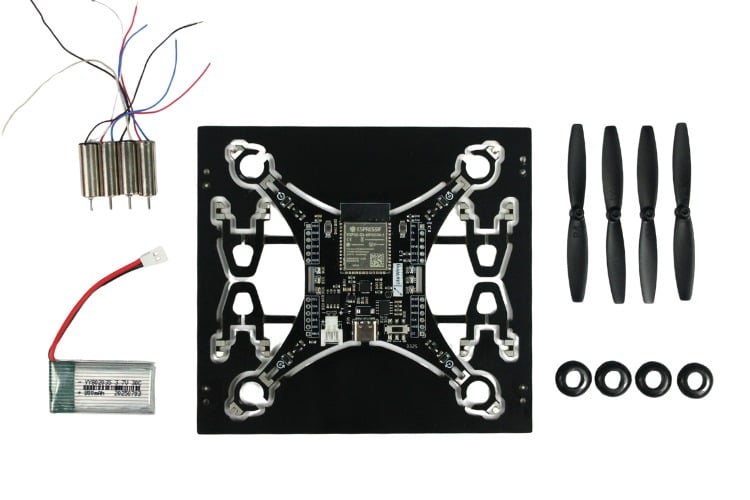
Package Contents
Component
Quantity
Description
LiteWing PCB
1x
Main PCB (also acts as drone frame)
720 Coreless Motors
4x
High-performance coreless DC motors
65mm Propellers
4x
2 Clockwise (CW) - Marked A, 2 Counter-Clockwise (CCW) - Marked B
Rubber Grommets
4x
Motor vibration dampeners
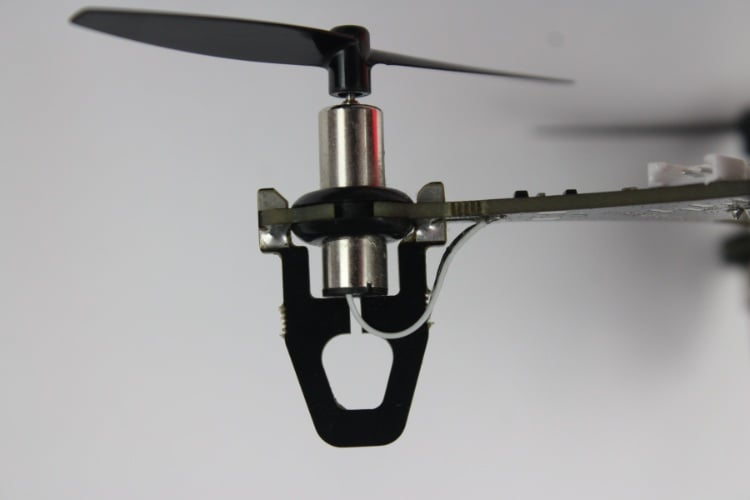
PCB Legs/Stands
4x
Structural support legs
Battery
1x
1S 3.7V 30C LiPo Battery
Required Tools and Materials
Tool/Material
Purpose
Soldering Iron
For securing connections
Solder
Joining components
Solder Flux
Improving solder joints
Wire Cutter
Trimming motor wires
Assembly Steps
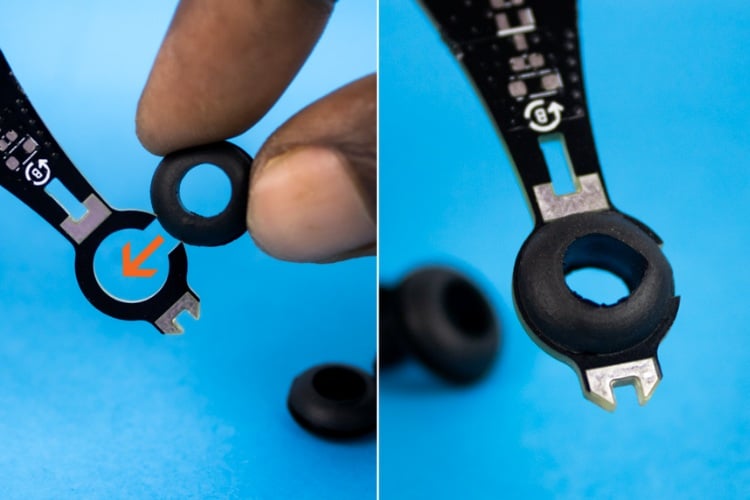
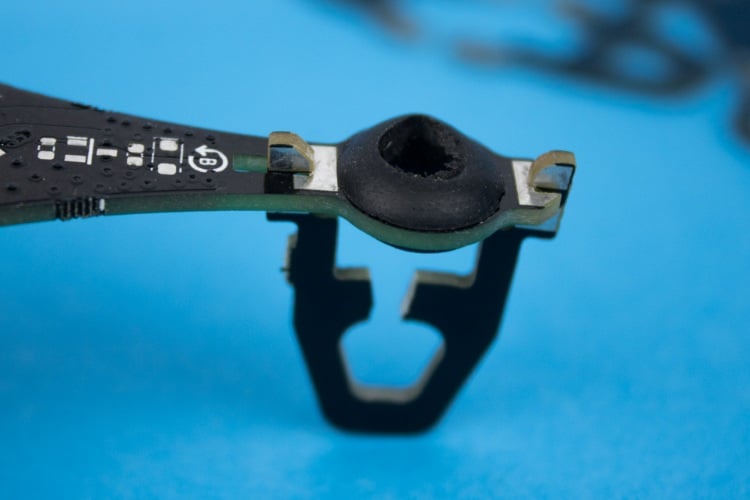
⇒ Step 1: Insert the Rubber Grommets
Step
Action
1
Gently insert the 4 rubber grommets into the motor mounting holes on the PCB
2
Ensure grommets help secure motors and reduce vibration
⇒Step 2: Attach the PCB Legs/Stands
Step
Action
1
Take the 4 PCB legs/stands and align them with the slots at the corners
2
Push each leg into its respective slot until it fits securely
3
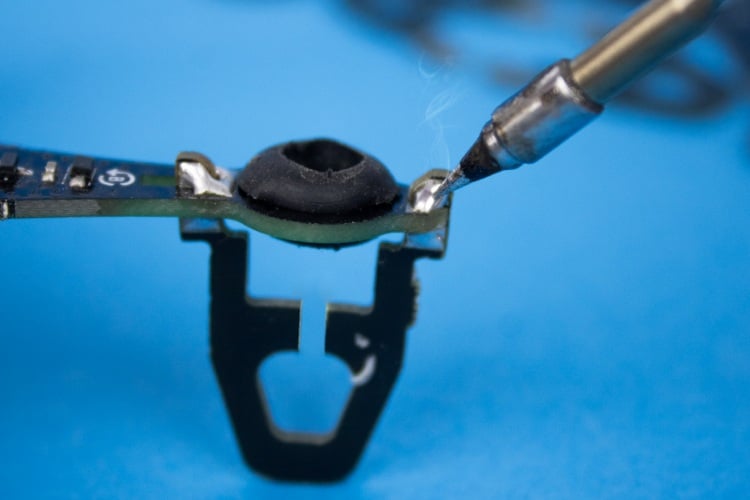
Solder legs to PCB pads for a firm and stable connection
⇒Step 3: Insert Coreless Motors
Step
Action
1
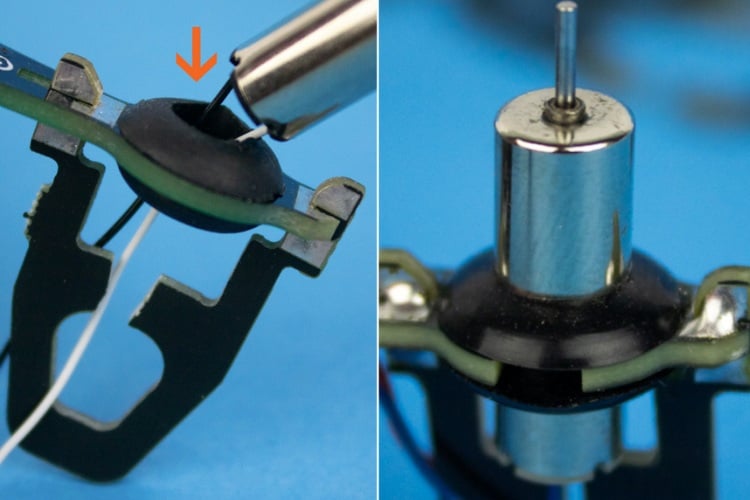
Insert each coreless motor into the rubber grommet slots
2
Match motor wire colours with wire colour markings on PCB bottom
3
Ensure each motor is placed in correct corner as per marking
⇒ Step 4: Trim and Solder Motor Wires
Step
Action
1
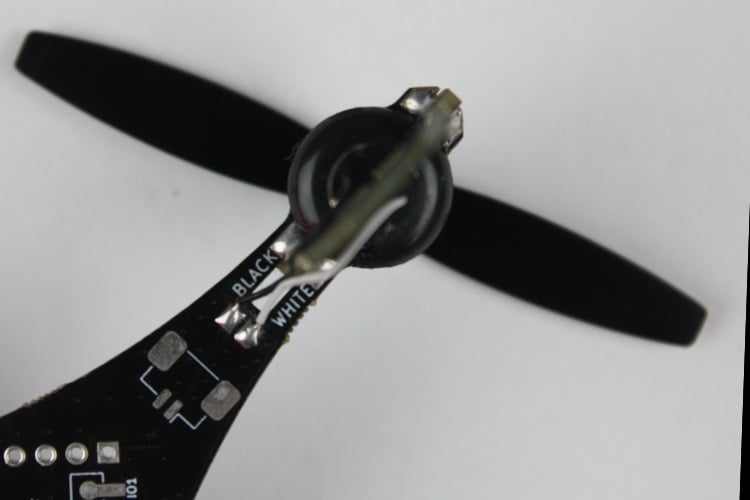
Cut motor wires to the proper length to reach solder pads easily
2
Solder wires to corresponding pads per colour labels on PCB
3
Ensure clean, secure solder joints
⇒ Step 5: Attach the Propellers
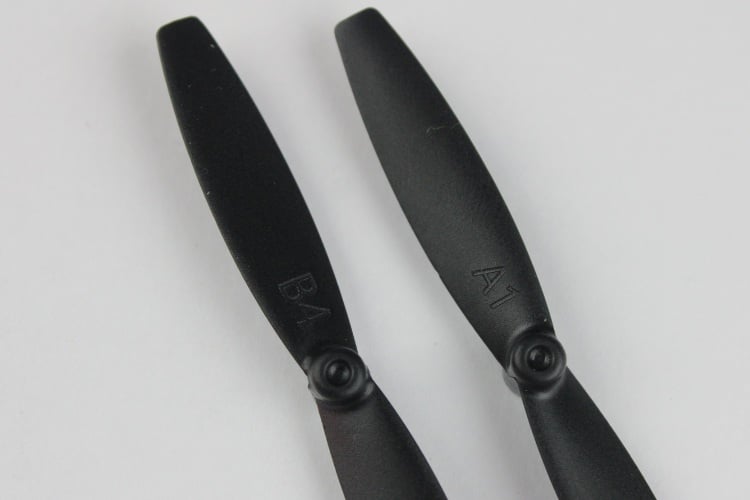
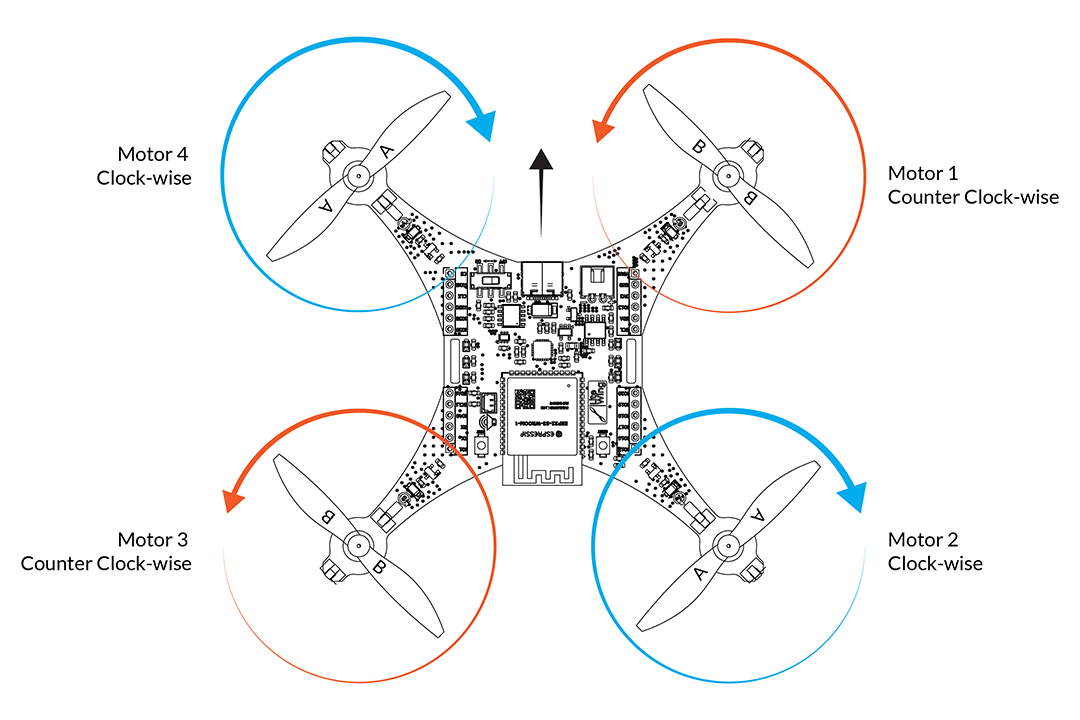
When you receive LiteWing, you will get two sets of propellers (2 CW and 2 CCW). To use the LiteWing, you must fix the four propellers to the correct motors.
Propeller Markings
Marking
Rotation Direction
Propeller Type
A
Clockwise (CW)
65 mm CW Propeller
B
Counter-Clockwise (CCW)
65 mm CCW Propeller
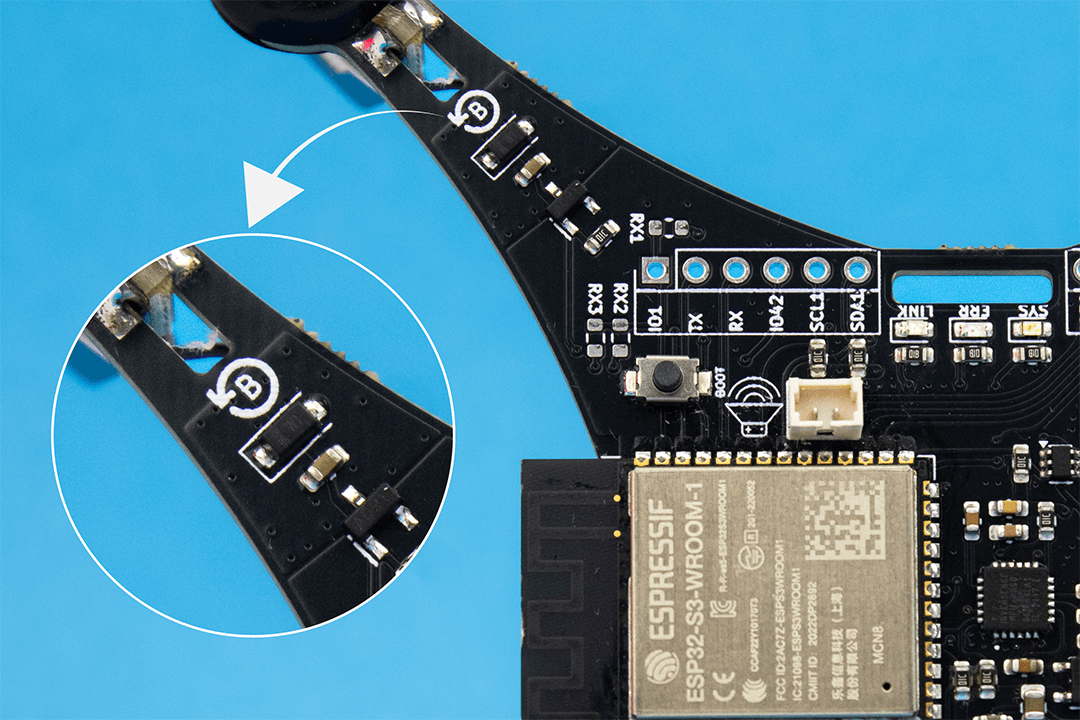
The position where the propellers are installed is critical for proper flight. The corresponding letter and direction of rotation are marked on the PCB near each motor position.
Installation Instructions
Step
Action
1
Attach Propeller A to motors labeled A
2
Attach Propeller B to motors labeled B
3
Push propellers gently onto motor shafts until they fit securely
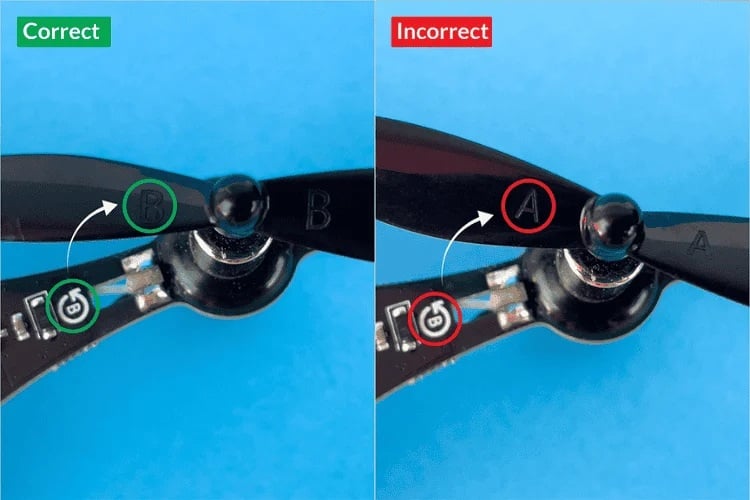
Use the image below to verify both propeller placement and rotation direction during testing:
Correct vs Incorrect Installation:
⇒ Step 6: Install the Battery
Step
Action
1
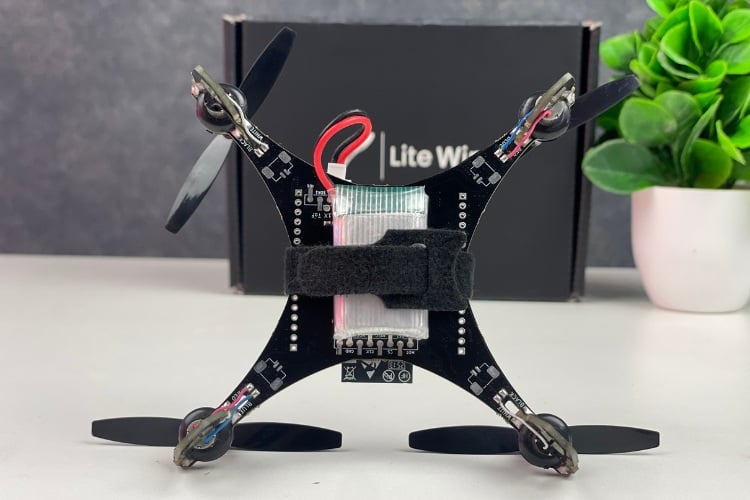
Use Velcro tie (or hook & loop strap) to mount battery to frame
2
Mount battery on either top or bottom side based on preference
3
Ensure battery is secure and wires don't interfere with propellers
What about attaching/ soldering the accesory sensors? There are no pins to attach, Assume they are attached like SMD? If so, I have never done that before. Please explain in detail or a short video would be better. I have requested this on the KickStarter page, but no response for a long time. I do no want to waste a drone or the 3 accessories - NOT cheap. THank you!
Should the Optical Flow Sensor be facing down towards the ground? However, if I were to use the SMD method of attachment the pins are mirrored - IF the lens is facing down on the bottom of the drone! Could you provide a picture of the LiteWing with the sensors attached.
I tried to match the pins of the other sensors, with the SMD in mind, and they will not fit on the bottom of the board. The components of the sensors obstruct the connection. Is it possible that the labels on for the SMD points are mirrored or backward? Has anyone else successfully SMDed the sensors? A picture of success would help. I assume that the ToF and Optical Flow sensor are to face the Ground?
If I were to use the headers, I would like to see a picture of where they go.
Thank you for the response. It would be very helpful to see a picture and source for the sensors. The ones I chose looked just like the one displayed on your site. Am I correct that the ToF and optical sensors must point down to the earth?
I am hoping that someone has attached the optional sensors successfully on the LiteWing and will be kind enough to help a noobie connect the sensors. Pictures, words, video; anything will be helpful. For some reason I am not seeing how the pins match up, no matter how hard I try!
I think I may not have saved my original comment. I found the pcb and assembled pcb on pcbway. Just want to confirm that the pcb on pcbway is the most up to date, as there was mention of the project being updated There are specs here on the props thart are listed as 65mm and I think I saw 55mm for the one on PCBway



What about attaching/ soldering the accesory sensors? There are no pins to attach, Assume they are attached like SMD? If so, I have never done that before. Please explain in detail or a short video would be better. I have requested this on the KickStarter page, but no response for a long time. I do no want to waste a drone or the 3 accessories - NOT cheap. THank you!
You can either attach them to the bottom side, soldering SMD female header.
or use the GPIOs on the side.
Should the Optical Flow Sensor be facing down towards the ground? However, if I were to use the SMD method of attachment the pins are mirrored - IF the lens is facing down on the bottom of the drone! Could you provide a picture of the LiteWing with the sensors attached.
I tried to match the pins of the other sensors, with the SMD in mind, and they will not fit on the bottom of the board. The components of the sensors obstruct the connection. Is it possible that the labels on for the SMD points are mirrored or backward? Has anyone else successfully SMDed the sensors? A picture of success would help. I assume that the ToF and Optical Flow sensor are to face the Ground?
If I were to use the headers, I would like to see a picture of where they go.
Use SMD pin headers to attach the sensors. And there are modules with different pinouts are available. Choose the one with the correct pinout
Thank you for the response. It would be very helpful to see a picture and source for the sensors. The ones I chose looked just like the one displayed on your site. Am I correct that the ToF and optical sensors must point down to the earth?
I am hoping that someone has attached the optional sensors successfully on the LiteWing and will be kind enough to help a noobie connect the sensors. Pictures, words, video; anything will be helpful. For some reason I am not seeing how the pins match up, no matter how hard I try!
We are working on a new addon on shild for the LiteWing and will be released soon. Stay tuned.
How do I break the drone PCB? Is there a guide for that?
I think I may not have saved my original comment. I found the pcb and assembled pcb on pcbway. Just want to confirm that the pcb on pcbway is the most up to date, as there was mention of the project being updated There are specs here on the props thart are listed as 65mm and I think I saw 55mm for the one on PCBway
Add a comment
No account needed. Your comment appears once a moderator has reviewed it.