


Think about the last time you sat down to study, work, or scroll Instagram Reels. Did you get up after one hour? Two hours? Most of us just forget. Sitting for too long slows your metabolism and causes circulation problems. A Smart Sedentary Reminder is a small device that detects when you sit down, times the stretch, and nudges you to stand up. Researchers found that those who sat in the longest unbroken stretches faced nearly double the risk of early death. Even if we set a reminder on our mobile and keep it simple, the phone doesn't know whether we are sitting or standing, and it doesn't track how many hours we sat or how many breaks we took. To overcome this, we came up with a simple project which tracks sitting time and alerts you when to take a break.
Sedentary Reminder using ESP32 is a small project that notifies you when you should take a break. When you place a thin pressure sensor on your chair and when you sit down, the system notices. In this project, we build an ESP32 Sedentary Reminder using a thin FSR pressure sensor under the seat. It counts how long you have been sitting. When the time is up, an onboard LED blinks and an SMS is sent to your phone saying it is time for a break. To send the SMS, the system doesn't use a GSM module; instead, the free CircuitDigest Cloud SMS API is used. To know more about the CircuitDigest Cloud, check this link. Looking for more inspiration? Dive into our IoT projects to see what else you can build.
Smart Sedentary Reminder at a Glance
- What it does: detects sitting, counts unbroken sitting time and alerts you when it is time for a break.
- Brain: an ESP32 development board.
- Sensor: an FSR (Force Sensitive Resistor) placed under the middle of the seat.
- Alerts: a blinking onboard LED plus an SMS sent through the CircuitDigest Cloud SMS API.
- Default break limit: 45 minutes, with up to three repeat reminders ten minutes apart.
- Quiet hours: no SMS between 10 PM and 7 AM.
- Extras: live web dashboard on your Wi-Fi, a daily score, a 7 PM evening summary and a demo mode for quick testing.
- Power: a power bank or battery, so no cable to a computer is needed.
Table of Contents
Components Required for Smart Sedentary Reminder
The following components are used to build this Sedentary Reminder using ESP32.
| S.No | Component | Details |
| 1. | ESP32 | An ESP32 development board is the brain of the project. It reads the sensor, maintains the sitting timer, connects to Wi-Fi, displays the web page, and sends SMS. |
| 2. | FSR Sensor | This is used to detect when the chair is empty and when it is occupied |
| 3. | Power bank or battery | To power the system, we need a power source like a battery or a power bank because it will be easy to fix under the chair |
| 4. | Jumper Cables | To connect all the components. |

Hardware Setup of the ESP32 Sedentary Reminder
The whole circuit is made up of mainly two components, which are the ESP32 and the FSR sensor. The FSR sensor's one leg is connected to the ESP32 3.3V, and the other pin is connected to the ESP32’s GPIO18. For the connections, we used jumper cables, and for the power, we used a power bank so it would be easy to place under the chair.

How the ESP32 Sedentary Reminder Works
Before starting with this project, it's handy to know how the CircuitDigest Cloud SMS API works. Go through our How to send SMS using ESP32 to get a clear idea about it. The smart sedentary reminder works like a helper attached to your chair, keeping track of how long you sit. It uses an FSR (Force Sensitive Resistor), a thin pressure-sensitive sensor that changes its electrical resistance when force is applied to its surface. When no one is sitting on the chair, the sensor experiences very little pressure and its resistance remains high. As soon as someone sits down, their body weight presses against the sensor, causing its resistance to decrease. This change allows more current to flow through the connected circuit, changing the voltage at the ESP32's input pin. The ESP32 reads this change and identifies that someone is sitting on the chair. When the person gets up, the pressure is removed, the sensor's resistance increases again, and the ESP32 detects that the chair is unoccupied. When your sitting time reaches the break limit, which starts at 45 minutes, an LED blinks on the board, and an SMS asks you to get up and take a break. If you ignore it, a reminder comes after ten more minutes, at most three times in one sitting, and no messages are sent between 10 PM and 7 AM. The Sedentary reminder uses the Circuit Digest Cloud SMS service, so no GSM module or SIM card is needed. The ESP32 only sends a small request over the internet through your Wi-Fi, and the cloud service delivers the SMS to your phone, so a working internet connection is all that is required.

Its main features are automatic sitting detection and a break alert. A daily score with an evening summary at 7 PM, and a live web page that works on any phone or laptop connected to the same Wi-Fi. The webpage shows whether you are sitting, how close you are to your next break, your alerts, breaks, day score, and longest sitting. And in demo mode, it lets one second count as one minute, so the whole alert can be shown in under a minute. Because it runs from a power bank, it can be placed on any chair without a wire to a computer. It is useful for students, office workers, programmers and people working from home; for anyone advised by a doctor to avoid long periods of sitting; and for parents and teachers who want children to build a break habit.

Sedentary reminder also has some limitations; the sensor only tells whether the chair is pressed or not, so it cannot measure how hard you press or tell a straight back from a slouch, and the alert depends on sitting time alone. The pad covers a small area, so it must sit under the middle of the seat and be reset if it is moved. The dashboard opens only on the same network; SMS needs the internet and a free service that allows 15 messages a day and 100 a month. The device serves one chair and one person and keeps no history after the day ends.
Source Code Explanation
The code is divided into different sections to handle sensor readings, sitting-time detection, session tracking, alert generation and web dashboard updates. It uses the ESP32 to read pressure data from the FSR sensor, calculate sitting duration and monitor breaks. Based on the user's sitting-time limit, it calculates a score and triggers reminders through an LED and optional SMS alerts. It also connects to Wi-Fi and hosts a web dashboard to display live sensor readings, sitting status, daily statistics and alerts.
#include <Preferences.h>
#include <WebServer.h>
…….
#include <WiFiClientSecure.h>
#include <time.h>
#define DEMO_MODE 1
#define SMS_ENABLED 1
#define FSR_PIN 18
…….
const int SIT_DELTA = 3000;
const int SHIFT_DELTA = 80;
……
The program begins by including the required libraries for Wi-Fi, the web dashboard, data storage and timekeeping. It then defines the sensor pins, settings and detection thresholds. Also set DEMO_MODE to 1 for demonstrations, where 1 real second equals 1 simulated minute, or 0 for real-time tracking. Set SMS_ENABLED to 1 to send SMS alerts or 0 to disable them. For normal use, keep demo mode off and SMS enabled; for testing, enable demo mode and disable SMS to avoid using SMS credits.
int readFsr() {
#if FSR_DIGITAL
   return digitalRead(FSR_PIN) ? 4095 : 0;
#else
   return analogRead(FSR_PIN);
#endif
}
void calibrate() {
   // Read the sensor while the chair is empty
   baseline = s / n;
   thresh = baseline + SIT_DELTA;
   offThresh = baseline + SIT_DELTA * 0.8f;
   smooth = baseline;
}
The FSR (Force Sensitive Resistor) detects pressure on the chair. The readFsr() function reads the sensor output, while calibrate() measures the empty-chair reading and establishes the baseline. The program uses this baseline to set the threshold for detecting when someone sits down or gets up.
void startSession() {
   state = SITTING;
   sitStartMs = millis();
   sessionsToday++;
   alertsThisSession = 0;
}
void endSession() {
   float sitMin = (awayStartMs - sitStartMs)
   state = AWAY;
   breaksToday++;
   totalSitSimMin += sitMin;
}
void computeScore(float sitMin) {
   float frac = min(1.0f, sitMin / personalLimitMin);
   scoreTime = 100.0f * frac;
   fatigue = scoreTime;
}
Once the sensor confirms that someone is sitting, the program starts a sitting session and tracks its duration. When the person gets up for a confirmed break, it records the session and updates the daily statistics. The score increases as sitting time approaches the user's set limit. The program also collects movement and pressure-change data, although the current alert score is based on sitting time alone.
void checkAlert(float sitMin) {
   if (fatigue >= ALERT_SCORE) {
       alertsThisSession++;
       alertsToday++;
       beep(1500);
       if (!quietHours())
           sendSMS(TPL_REMINDER, reason,
                   String((int)sitMin) + " min");
   }
}
When the sitting score reaches the alert limit, the system triggers a local LED indication and can send an SMS reminder through Circuit Digest Cloud. It also tracks the number of alerts and includes a quiet-hours function to avoid sending notifications during restricted times. Daily reports can summarise sitting duration, breaks and the day's score.
void setup() {
   Serial.begin(115200);
   pinMode(FSR_PIN, INPUT_PULLDOWN);
   WiFi.begin(WIFI_SSID, WIFI_PASS);
   server.on("/", []() {
       server.send_P(200, "text/html", PAGE);
   });
   server.on("/data", handleData);
   server.begin();
   calibrate();
}
void loop() {
   server.handleClient();
}
Finally, the ESP32 connects to Wi-Fi, starts the web server, calibrates the sensor and begins its main loop. The dashboard displays live sitting status, sitting duration, break count, alerts, daily score and sensor readings. The loop() continuously handles webpage requests, reads the sensor, processes the data and updates the alert system.
Live Demo of the ESP32 Sedentary Reminder
Watch the ESP32 Sedentary Reminder in action: the FSR sensor under the seat detects when you sit, and the board starts timing your sitting session. Demo mode makes one second count as one minute, so you can see the LED blink and the SMS break alert arrive in under a minute.
Troubleshooting
If something doesn’t work as expected, don’t worry. Most issues have a simple cause and can be fixed easily. Check the troubleshooting table below to find the problem you’re facing and its possible solution.
| S.No | Problem | Cause | Solution |
| 1. | Message "Baseline is too high" | Someone is on the chair, the FSR is pressed, or the two wires are touching | Stand up, check the wires and press C in the Serial Monitor with an empty chair |
| 2. | Sitting is never detected | The FSR is not pressed hard enough, or there is a loose wire | Place the FSR under the middle of the seat, check both jumper cables, and try sitting in the middle of the sensor |
| 3. | It shows sitting when the chair is empty | Something is pressing the FSR | Remove the objects on the sensor, separate the wires, and recalibrate by typing “c” in the serial monitor |
| 4. | No SMS arrives | SMS_ENABLED is 0, the key is wrong, the number is not verified, or the free limit is finished | Set SMS_ENABLED to 1. Check the key and the number on the Circuit Digest Cloud dashboard. Press t to send a test. The free key allows 15 SMS per day |
| 5. | Board restarts again and again | Weak power | Use a better USB cable or a power bank that gives at least 1 A |
Conclusion
Sedentary Reminder shows that a useful gadget does not need to be big or costly. With one ESP32, one FSR, a power bank and two jumper cables, we built a chair that knows when you sit, counts your time, and politely tells you to get up. Also, a two-minute walk every hour keeps the body fresh and the mind sharp. Build it, try it, change the settings to suit you, and then add your own ideas from the future list. We also did a Smoke and Fire Alarm System using Arduino, which will give you more understanding of the SMS tool in the cloud; check it out once to get a clear idea. If you’d like to work on similar ideas, take a look at our other ESP32 projects. Happy making!
GitHub Repository
A smart sitting timer that uses an FSR sensor to detect when you sit, track unbroken sitting time and count your breaks. It blinks an LED and sends SMS break alerts through the CircuitDigest Cloud SMS API, with a live Wi-Fi dashboard and a demo mode for quick testing.


Frequently Asked Questions About the Smart Sedentary Reminder
⇥ When should you take a break from sitting?
In a 2017 study from the Annals of Internal Medicine, it was shown that the lowest risk of death was among people who limited their sitting bouts to 30 minutes. According to the study, the recommended activity break should happen every 30 minutes. The suggested time in the code is 45 minutes, but it can be changed as required.
⇥ Can an ESP32 send text messages without a GSM module?
Yes. The ESP32 can send a small secure message via Wi-Fi to the CircuitDigest Cloud SMS API, and your phone will receive this text. No need for a GSM module or SIM card. Just an internet connection, an API key and a phone number registered on the CircuitDigest SMS API.
⇥ Why use an FSR instead of a PIR or ultrasonic sensor?
A PIR sensor detects movement, which might mean that a person staying in one position will not be seen by this sensor. An ultrasonic sensor measures the distance to the object rather than detecting presence. With FSR, we get detection of presence due to pressure, and therefore the detection process is more convenient and inexpensive. FSR has a disadvantage: a small sensing region, and it is sensitive to position.
⇥ How do I simulate the alert without waiting for 45 minutes?
Set the DEMO_MODE to 1. Demo Mode uses one real second to simulate one minute, so the full alert cycle occurs within seconds. For testing purposes, you can set SMS_ENABLED to 0 to avoid using SMS credit, and then proceed to Real Time mode in case you are about to use it regularly.
Similar SMS Alert and Notification Projects
Explore innovative IoT-based projects that enable real-time monitoring and instant SMS notifications using Arduino, ESP32, and Raspberry Pi. Learn how to integrate cloud-based SMS APIs to send alerts over the internet without requiring dedicated GSM modules.
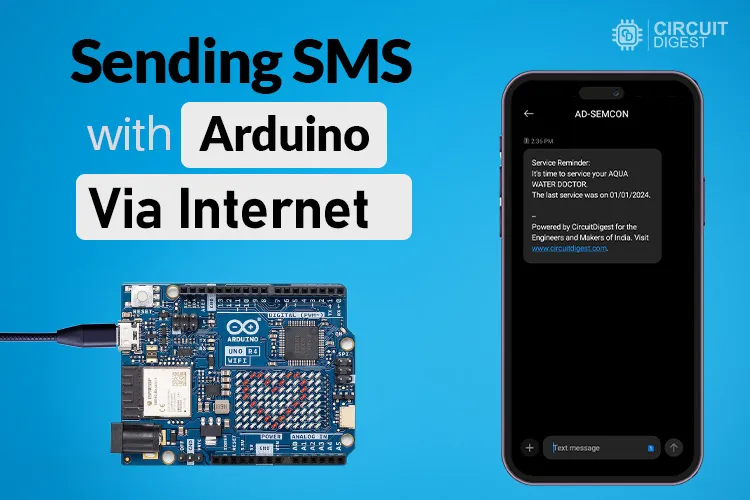
SMS with Arduino UNO R4 via Internet
In this tutorial, I’ll show you how to send SMS using Arduino UNO R4 and the free CircuitDigest Cloud SMS API. The CircuitDigest SMS API is a free service designed to support the electronics and maker community.
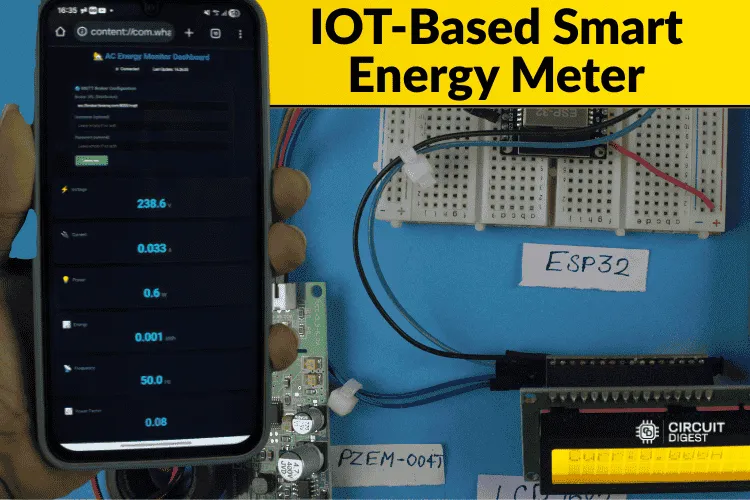
This smart energy meter using IoT project mostly focuses on reducing the latency of the data and adding an important safety feature. Whenever the system detects abnormal conditions like low voltage, high current, or any unusual behaviour, an SMS alert is sent to the registered phone number.
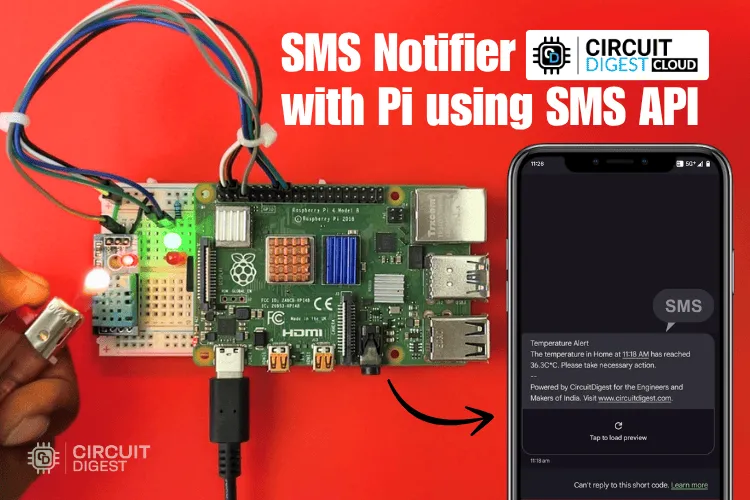
Raspberry Pi-Based SMS Alert System
In this project, I’ll show you how I built a temperature alert system using a Raspberry Pi and a DHT11 sensor. The best part is it uses only Wi-Fi and a free SMS API from Circuit Digest Cloud- no SIM cards, no GSM shields.
Complete Project Code
/*
 SitSense - adaptive sitting / fatigue break coach
 Hardware : ESP32 + 1 square FSR (3.3V -> FSR -> GPIO34 -> 10k -> GND)
 Alerts   : Circuit Digest Cloud SMS API (template based, 2 variables)
 Dashboard: http://<esp32-ip>/  (live graph, state, fatigue score)
 Serial commands (115200): c = recalibrate empty chair, t = send test SMS, s = send daily summary
*/
#include <Preferences.h>
#include <WebServer.h>
#include <WiFi.h>
#include <WiFiClientSecure.h>
#include <time.h>
// ===================== USER SETTINGS =====================
const char *WIFI_SSID = "your_wifi_ssid";
const char *WIFI_PASS = "your_wifi_password";
const char *CD_API_KEY = "Your_Api_key";
const char *MOBILE = "91XXXXXXXXXX"; // country code + number, must be linked/verified in dashboard
#define DEMO_MODE 1 // 1 = 1 real second counts as 1 sitting minute (for demos/video)
#define SMS_ENABLED                                                                                \
   1 // 0 = only print SMS to Serial (free key: 15 SMS/day, 100/month!). Set 1 only for real sends
#define SEND_BREAK_SMS 0 // optional "break logged" SMS (uses quota)
#define PLOT_MODE 0      // 1 = print "raw,smooth,threshold" for the Arduino Serial Plotter only
#define FSR_PIN                                                                                    \
   18 // no external resistor: wire 3.3V -> FSR -> GPIO18 (plain GPIO, internal pull-down)
#define FSR_DIGITAL                                                                                \
   1 // 1 = read FSR as digital (pull-down stays active, no floating pin). Use 0 only with a real
     // 10k resistor
#define LED_PIN 2
#define BUZZER_PIN -1 // set a GPIO number if you add a buzzer
#define SUMMARY_HOUR 19 // daily summary SMS hour (IST)
#define QUIET_START 22  // no SMS from 22:00 ...
#define QUIET_END 7     // ... until 07:00
// Sensor tuning (ADC counts 0..4095) - check values on the dashboard and adjust
const int SIT_DELTA = 3000;      // above baseline by this much = someone is sitting (raise if false
                                // "sitting", lower if never detects)
const int SHIFT_DELTA = 80;      // change in 1 s mean that counts as a weight shift
const float FIDGET_HIGH = 150.0; // avg 1 s range considered "very restless"
const float DRIFT_HIGH = 25.0;   // % slow pressure drift considered "slumping"
// =========================================================
#if DEMO_MODE
const float TIME_SCALE = 60.0; // sim minutes per real minute
const int CONFIRM_SIT_S = 3;
const int CONFIRM_AWAY_S = 3; // = 3 sim minutes
const int FIDGET_WIN_S = 15;
const int REF_S = 8;
#else
const float TIME_SCALE = 1.0;
const int CONFIRM_SIT_S = 10;
const int CONFIRM_AWAY_S = 120; // 2 min away = real break
const int FIDGET_WIN_S = 60;
const int REF_S = 120;
#endif
const int SHIFT_BUF = 600;
const int SHIFT_WIN_S = (int)max(10.0f, 600.0f / TIME_SCALE); // "10 sim minutes"
const int SHIFTS_EXPECTED = 3;
const float ALERT_SCORE = 100.0; // reached exactly when sitting time = personal limit
const float REMIND_MIN = DEMO_MODE ? 20.0 : 10.0; // sim minutes between reminders
const int MAX_ALERTS = 3;
// SMS templates (Circuit Digest Cloud)
const int TPL_STATUS = 101;   // "Your {#var#} is currently at {#var#}."
const int TPL_REMINDER = 105; // "Your {#var#} is currently at {#var#}."
WebServer server(80);
Preferences prefs;
// ---------- sensor state ----------
float baseline = 0, thresh = 0, offThresh = 0; // offThresh = lower "stand up" level (hysteresis)
float sitLevel = 0; // typical reading while sitting (follows your weight)
float smooth = 0;
int rawNow = 0;
uint32_t lastSample = 0, lastSecond = 0;
float secMin = 4095, secMax = 0, secSum = 0;
int secN = 0;
float prevSecMean = -1;
// ---------- presence ----------
enum State { AWAY, SITTING };
State state = AWAY;
int aboveS = 0, belowS = 0;
uint32_t sitStartMs = 0; // real ms since sitting began
uint32_t awayStartMs = 0;
// ---------- features ----------
float rangeBuf[120];
int rangeIdx = 0, rangeCnt = 0;
bool shiftBuf[SHIFT_BUF];
int shiftIdx = 0, shiftCnt = 0;
float refMean = 0;
int refN = 0;
float refSum = 0;
bool refSet = false;
float slowMean = 0;
float fidgetAvg = 0, driftPct = 0;
int shiftsRecent = 0;
float scoreTime = 0, scoreFrozen = 0, scoreFidget = 0, scoreDrift = 0, fatigue = 0;
// ---------- alerts ----------
int alertsThisSession = 0;
float lastAlertSimMin = -100;
uint32_t ledUntil = 0;
// ---------- learning + daily stats ----------
float personalLimitMin = 45; // learned break point (sim minutes)
float totalSitSimMin = 0, longestSimMin = 0;
int breaksToday = 0, sessionsToday = 0, alertsToday = 0;
bool summarySentToday = false;
bool timeOk = false;
// =============== helpers ===============
float simSitMinutes() {
   if (state != SITTING)
       return 0;
   return (millis() - sitStartMs) / 60000.0f * TIME_SCALE;
}
String clean(const String &in, int maxLen = 30) { // template vars: alphanumeric only
   String o;
   for (size_t i = 0; i < in.length() && (int)o.length() < maxLen; i++) {
       char c = in[i];
       if (isalnum(c) || c == ' ')
           o += c;
   }
   return o;
}
// valid only once NTP has synced
bool timeValid(struct tm &t) {
   time_t n = time(nullptr);
   if (n < 1700000000)
       return false;
   localtime_r(&n, &t);
   return true;
}
bool quietHours() {
#if DEMO_MODE
   return false; // never block SMS while demoing/testing
#endif
   struct tm t;
   if (!timeValid(t))
       return false;
   bool q = (t.tm_hour >= QUIET_START || t.tm_hour < QUIET_END);
   if (q)
       Serial.println("[SMS] blocked: quiet hours");
   return q;
}
// POST one request on an already-connected client; returns HTTP status, fills body
int postSMS(Client &client, const char *host, int tpl, const String &payload, String &body) {
   client.print("POST /api/v1/send_sms?ID=" + String(tpl) + " HTTP/1.1\r\nHost: " + host +
                "\r\nAuthorization: " + CD_API_KEY +
                "\r\nContent-Type: application/json\r\nContent-Length: " + payload.length() +
                "\r\nConnection: close\r\n\r\n" + payload);
   uint32_t t0 = millis();
   int code = 0;
   bool headers = true;
   while (millis() - t0 < 8000 && (client.connected() || client.available())) {
       if (!client.available()) {
           delay(10);
           continue;
       }
       String line = client.readStringUntil('\n');
       if (code == 0 && line.startsWith("HTTP/"))
           code = line.substring(9, 12).toInt();
       else if (headers && line == "\r")
           headers = false;
       else if (!headers && body.length() < 200)
           body += line;
   }
   return code;
}
// Blocking send - only called from the SMS background task
bool sendSMSNow(int tpl, String v1, String v2) {
   Serial.printf("[SMS tpl %d] var1='%s' var2='%s'\n", tpl, v1.c_str(), v2.c_str());
#if !SMS_ENABLED
   Serial.println("[SMS] SMS_ENABLED=0, not sent");
   return true;
#endif
   if (WiFi.status() != WL_CONNECTED) {
       Serial.println("[SMS] FAILED: no WiFi");
       return false;
   }
   const char *host = "www.circuitdigest.cloud";
   String payload =
       "{\"mobiles\":\"" + String(MOBILE) + "\",\"var1\":\"" + v1 + "\",\"var2\":\"" + v2 + "\"}";
   String body;
   int code = 0;
   {
       WiFiClient c;
       if (c.connect(host, 80, 5000))
           code = postSMS(c, host, tpl, payload, body);
       else
           Serial.println("[SMS] http connect failed");
       c.stop();
   }
   if (code == 0 || (code >= 300 && code < 400)) { // no answer / redirect -> try HTTPS
       Serial.println("[SMS] retrying over HTTPS");
       body = "";
       WiFiClientSecure s;
       s.setInsecure();
       if (s.connect(host, 443, 5000))
           code = postSMS(s, host, tpl, payload, body);
       else
           Serial.println("[SMS] https connect failed");
       s.stop();
   }
   // the API answers HTTP 200 even when it rejects the SMS, so also read the JSON status
   bool apiError = body.indexOf("\"status\":\"error\"") >= 0;
   bool ok = code >= 200 && code < 300 && !apiError;
   Serial.printf("[SMS] %s  HTTP %d  reply: %s\n", ok ? "SENT" : "FAILED", code, body.c_str());
   if (apiError && body.indexOf("usage_limit_exceeded") >= 0) {
       Serial.println(
           "[SMS] !! API limit reached (free key: 15/day, 100/month). No SMS until it resets.");
       return true; // retrying would not help
   }
   return ok;
}
// ---- SMS queue: sending runs in its own task so sensing + dashboard never freeze ----
struct SmsJob {
   int tpl;
   char v1[32];
   char v2[32];
};
QueueHandle_t smsQ;
void smsTask(void *) {
   SmsJob j;
   for (;;) {
       if (xQueueReceive(smsQ, &j, portMAX_DELAY) == pdTRUE) {
           bool ok = sendSMSNow(j.tpl, String(j.v1), String(j.v2));
           if (!ok) { // e.g. HTTP 429 rate limit: wait and retry once
               vTaskDelay(7000 / portTICK_PERIOD_MS);
               sendSMSNow(j.tpl, String(j.v1), String(j.v2));
           }
           vTaskDelay(6000 / portTICK_PERIOD_MS); // keep SMS spaced out for the API rate limit
       }
   }
}
bool sendSMS(int tpl, String v1, String v2) {
   SmsJob j;
   j.tpl = tpl;
   clean(v1).toCharArray(j.v1, sizeof(j.v1));
   clean(v2).toCharArray(j.v2, sizeof(j.v2));
   bool ok = xQueueSend(smsQ, &j, 0) == pdTRUE;
   if (!ok)
       Serial.println("[SMS] queue full, dropped");
   return ok;
}
void beep(uint32_t ms) {
   ledUntil = millis() + ms;
   if (BUZZER_PIN >= 0)
       digitalWrite(BUZZER_PIN, HIGH);
}
// One FSR reading on a 0..4095 scale.
// Digital mode: HIGH (FSR under ~45k = firm press) -> 4095, LOW -> 0. The internal pull-down
// keeps the pin from floating, which analogRead() on a no-resistor setup does not guarantee.
int readFsr() {
#if FSR_DIGITAL
   return digitalRead(FSR_PIN) ? 4095 : 0;
#else
   return analogRead(FSR_PIN);
#endif
}
// =============== calibration ===============
void calibrate() {
   // An empty chair must read LOW. If not, the chair is occupied or the FSR is pressed/shorted.
   for (int attempt = 1; attempt <= 6; attempt++) {
       Serial.println("Calibrating empty chair... keep it empty (2 s)");
       float s = 0;
       int n = 0;
       uint32_t t0 = millis();
       while (millis() - t0 < 2000) {
           s += readFsr();
           n++;
           delay(10);
           server.handleClient();
       }
       baseline = s / n;
       if (baseline < 1500)
           break;
       Serial.printf(
           "!! Baseline %.0f is too high: someone is on the chair, or the FSR is pressed "
           "/ wires shorted. Stand up and check wiring (try %d/6)\n",
           baseline, attempt);
       if (attempt == 6) {
           Serial.println(
               "!! Giving up: assuming empty = 0. Press 'c' with an empty chair later.");
           baseline = 0;
       } else
           delay(2000);
   }
   thresh = baseline + SIT_DELTA;
   offThresh = baseline + SIT_DELTA * 0.8f;
   smooth = baseline;
   Serial.printf("Baseline=%.0f  sit>%.0f  stand<%.0f\n", baseline, thresh, offThresh);
}
// =============== session logic ===============
void startSession() {
   state = SITTING;
   sitStartMs = millis();
   sessionsToday++;
   alertsThisSession = 0;
   lastAlertSimMin = -100;
   rangeCnt = 0;
   rangeIdx = 0;
   shiftCnt = 0;
   shiftIdx = 0;
   memset(shiftBuf, 0, sizeof(shiftBuf));
   refSet = false;
   refN = 0;
   refSum = 0;
   driftPct = 0;
   Serial.println(">> SITTING started");
}
void endSession() { // real break confirmed
   float sitMin = (awayStartMs - sitStartMs) / 60000.0f * TIME_SCALE;
   state = AWAY;
   breaksToday++;
   totalSitSimMin += sitMin;
   if (sitMin > longestSimMin)
       longestSimMin = sitMin;
   // learn: people naturally stand at their own limit; remind a bit before it
   if (!DEMO_MODE && sitMin >= 10 && sitMin <= 120) { // never learn from compressed demo time
       float target = constrain(sitMin * 0.85f, 20.0f, 60.0f);
       personalLimitMin = 0.7f * personalLimitMin + 0.3f * target;
       prefs.putFloat("limit", personalLimitMin);
   }
   Serial.printf(">> BREAK logged. Sat %.0f min. Personal limit now %.0f min\n", sitMin,
                 personalLimitMin);
#if SEND_BREAK_SMS
   if (!quietHours())
       sendSMS(TPL_STATUS, "Break", "logged");
#endif
}
const char *topReason() {
   float m = max(max(scoreTime, scoreFrozen), max(scoreFidget, scoreDrift));
   if (m == scoreFrozen && scoreFrozen > 0)
       return "FROZEN sitting";
   if (m == scoreFidget && scoreFidget > 0)
       return "RESTLESS sitting";
   if (m == scoreDrift && scoreDrift > 0)
       return "SLOUCH sitting";
   return "Long sitting";
}
void computeScore(float sitMin) {
   float frac = min(1.0f, sitMin / personalLimitMin);
   // timer only: score goes 0..100 as sitting time approaches your limit
   scoreTime = 100.0f * frac;
   scoreFrozen = 0;
   scoreFidget = 0;
   scoreDrift = 0;
   fatigue = scoreTime;
}
void checkAlert(float sitMin) {
   if (smooth < max(offThresh, sitLevel * 0.4f))
       return; // current reading looks like an empty chair: never alert
   if (aboveS < 3)
       return;             // pressure must be steady for 3 s (not mid stand-up / sit-down)
   bool hardLimit = false; // timer only: alert once sitting time reaches the limit
   if (!(fatigue >= ALERT_SCORE || hardLimit))
       return;
   if (alertsThisSession >= MAX_ALERTS)
       return;
   if (sitMin - lastAlertSimMin < REMIND_MIN)
       return;
   lastAlertSimMin = sitMin;
   alertsThisSession++;
   alertsToday++;
   String reason = hardLimit && fatigue < ALERT_SCORE ? "Long sitting" : String(topReason());
   Serial.printf("!! ALERT #%d  %s  %.0f min  score %.0f\n", alertsThisSession, reason.c_str(),
                 sitMin, fatigue);
   beep(1500);
   if (!quietHours())
       sendSMS(TPL_REMINDER, reason, String((int)sitMin) + " min");
}
float dailyScore() {
   float sitH = max(0.25f, (totalSitSimMin + simSitMinutes()) / 60.0f);
   float perHour = breaksToday / sitH;
   float s = 40.0f + 60.0f * min(1.0f, perHour) - max(0.0f, longestSimMin - 60.0f) * 0.5f;
   return constrain(s, 0.0f, 100.0f);
}
void sendSummary(bool resetDay = true) {
   float tot = totalSitSimMin + simSitMinutes();
   String v2 = String((int)dailyScore()) + " of 100 sat " + String((int)(tot / 60)) + "h " +
               String((int)tot % 60) + "m";
   Serial.println("Report -> " + v2);
   sendSMS(TPL_STATUS, "SitSense score", v2);
   if (!resetDay)
       return;
   totalSitSimMin = 0;
   longestSimMin = 0;
   breaksToday = 0;
   sessionsToday = 0;
   alertsToday = 0;
}
// =============== per-second processing ===============
void onSecond(float mean, float range) {
   // presence with debounce
   // standing up = reading falls below the fixed stand level OR below 40% of your own sitting
   // level
   float limit = state == SITTING ? max(offThresh, sitLevel * 0.4f) : thresh;
   bool above = mean > limit;
   if (state == SITTING && above)
       sitLevel += 0.05f * (mean - sitLevel);
   // while the chair is empty, slowly follow drift of the resting value
   if (state == AWAY && mean < baseline + SIT_DELTA * 0.5f) {
       baseline += 0.02f * (mean - baseline);
       thresh = baseline + SIT_DELTA;
       offThresh = baseline + SIT_DELTA * 0.8f;
   }
   static int logTick = 0;
   if (state == SITTING && ++logTick % 3 == 0) // live trace every 3 s while "sitting"
       Serial.printf("[sit] reading %.0f  noise %.0f  stand-below %.0f  sit-level %.0f  %s\n",
                     mean, range, limit, sitLevel, above ? "PRESSED" : "released");
   if (above) {
       aboveS++;
       belowS = 0;
   } else {
       belowS++;
       aboveS = 0;
   }
   if (state == AWAY && aboveS >= CONFIRM_SIT_S) {
       Serial.printf("(sit detected: reading %.0f > %.0f, baseline %.0f)\n", mean, thresh,
                     baseline);
       sitLevel = mean;
       startSession();
   }
   if (state == SITTING) {
       if (!above && belowS == 1) {
           awayStartMs = millis();
           Serial.println("(released - waiting to confirm break)");
       }
       if (belowS >= CONFIRM_AWAY_S) {
           Serial.printf("(stand detected: reading %.0f < %.0f, sit level %.0f)\n", mean, limit,
                         sitLevel);
           endSession();
           return;
       }
       if (!above)
           return; // brief lean-forward: ignore features
       rangeBuf[rangeIdx] = range;
       rangeIdx = (rangeIdx + 1) % 120;
       if (rangeCnt < 120)
           rangeCnt++;
       int n = min(rangeCnt, FIDGET_WIN_S);
       float s = 0;
       for (int i = 0; i < n; i++)
           s += rangeBuf[(rangeIdx - 1 - i + 120) % 120];
       fidgetAvg = n ? s / n : 0;
       bool shifted = prevSecMean > 0 && fabs(mean - prevSecMean) > SHIFT_DELTA;
       shiftBuf[shiftIdx] = shifted;
       shiftIdx = (shiftIdx + 1) % SHIFT_BUF;
       if (shiftCnt < SHIFT_BUF)
           shiftCnt++;
       int w = min(shiftCnt, SHIFT_WIN_S);
       shiftsRecent = 0;
       for (int i = 0; i < w; i++)
           if (shiftBuf[(shiftIdx - 1 - i + SHIFT_BUF) % SHIFT_BUF])
               shiftsRecent++;
       if (!refSet) {
           refSum += mean;
           if (++refN >= REF_S) {
               refMean = refSum / refN;
               slowMean = refMean;
               refSet = true;
           }
       } else {
           slowMean += 0.05f * (mean - slowMean);
           driftPct = fabs(slowMean - refMean) / refMean * 100.0f;
       }
       float sitMin = simSitMinutes();
       computeScore(sitMin);
       checkAlert(sitMin);
   }
   prevSecMean = mean;
}
// =============== web dashboard ===============
const char PAGE[] PROGMEM =
   R"HTML(<!doctype html><html><head><meta name=viewport content="width=device-width,initial-scale=1">
<title>SitSense</title><style>
body{margin:0;font-family:system-ui,sans-serif;background:#0f1720;color:#e8eef5;text-align:center}
h1{margin:14px 0 0;font-size:20px;letter-spacing:2px;color:#7fd1ff}
#st{font-size:44px;font-weight:700;margin:6px}
.sit{color:#ff8a65}.away{color:#69f0ae}
.grid{display:grid;grid-template-columns:repeat(3,1fr);gap:8px;padding:8px 12px}
.c{background:#18232f;border-radius:10px;padding:8px}.c b{display:block;font-size:22px}.c span{font-size:11px;color:#8aa0b5}
canvas{width:96%;height:170px;background:#18232f;border-radius:10px}
.bar{height:14px;background:#233343;border-radius:7px;margin:6px 14px;overflow:hidden}#f{height:100%;width:0;background:linear-gradient(90deg,#69f0ae,#ffd54f,#ff5252)}
button{background:#233343;color:#e8eef5;border:0;border-radius:8px;padding:8px 14px;margin:8px}
</style></head><body><h1>SITSENSE</h1><div id=st class=away>AWAY</div>
<div>Time to break <b id=sc>0</b>%</div><div class=bar><div id=f></div></div>
<div class=grid>
<div class=c><b id=tm>0</b><span>sit min</span></div><div class=c><b id=lim>0</b><span>your limit min</span></div><div class=c><b id=al>0</b><span>alerts today</span></div>
<div class=c><b id=br>0</b><span>breaks</span></div><div class=c><b id=ds>0</b><span>day score</span></div><div class=c><b id=lg>0</b><span>longest min</span></div></div>
<canvas id=g width=600 height=170></canvas><br><button onclick="fetch('/cal')">Recalibrate (empty chair)</button>
<button onclick="fetch('/report').then(()=>alert('Report SMS queued'))">Send report SMS now</button>
<button onclick="fetch('/test').then(()=>alert('Test SMS queued'))">Send test SMS</button>
<script>
const h=[];const g=document.getElementById('g').getContext('2d');const $=i=>document.getElementById(i);
async function u(){try{const d=await (await fetch('/data')).json();
$('st').textContent=d.state;$('st').className=d.state=='SITTING'?'sit':'away';
$('sc').textContent=d.score;$('f').style.width=d.score+'%';
$('tm').textContent=d.sit;$('lim').textContent=d.limit;$('al').textContent=d.alerts;
$('br').textContent=d.breaks;$('ds').textContent=d.day;$('lg').textContent=d.longest;
h.push([d.raw,d.thr]);if(h.length>120)h.shift();
g.clearRect(0,0,600,170);g.strokeStyle='#ffd54f';g.beginPath();h.forEach((p,i)=>{const y=170-p[1]/4095*170;i?g.lineTo(i*5,y):g.moveTo(0,y)});g.stroke();
g.strokeStyle='#7fd1ff';g.lineWidth=2;g.beginPath();h.forEach((p,i)=>{const y=170-p[0]/4095*170;i?g.lineTo(i*5,y):g.moveTo(0,y)});g.stroke();g.lineWidth=1;
}catch(e){}}
setInterval(u,1000);u();
</script></body></html>)HTML";
void handleData() {
   float sitMin = simSitMinutes();
   String j = "{";
   j += "\"state\":\"" + String(state == SITTING ? "SITTING" : "AWAY") + "\",";
   j += "\"raw\":" + String((int)smooth) + ",\"thr\":" + String((int)thresh) + ",";
   j += "\"sit\":" + String((int)sitMin) + ",\"limit\":" + String((int)personalLimitMin) + ",";
   j += "\"score\":" + String((int)(state == SITTING ? fatigue : 0)) + ",";
   j += "\"why\":\"" + String(state == SITTING ? topReason() : "") + "\",";
   j += "\"alerts\":" + String(alertsToday) + ",\"fidget\":" + String((int)fidgetAvg) + ",";
   j += "\"shifts\":" + String(shiftsRecent) + ",\"drift\":" + String((int)driftPct) + ",";
   j += "\"breaks\":" + String(breaksToday) + ",\"day\":" + String((int)dailyScore()) + ",";
   j += "\"longest\":" + String((int)max(longestSimMin, sitMin)) + "}";
   server.send(200, "application/json", j);
}
// =============== setup / loop ===============
void setup() {
   Serial.begin(115200);
   pinMode(LED_PIN, OUTPUT);
   if (BUZZER_PIN >= 0)
       pinMode(BUZZER_PIN, OUTPUT);
#if !FSR_DIGITAL
   analogReadResolution(12);
   analogSetPinAttenuation(FSR_PIN, ADC_11db);
#endif
   pinMode(FSR_PIN, INPUT_PULLDOWN); // internal ~45k pull-down replaces the 10k resistor
   prefs.begin("sitsense", false);
   personalLimitMin = DEMO_MODE ? 45.0f : prefs.getFloat("limit", 45); // demo always starts at 45
   WiFi.begin(WIFI_SSID, WIFI_PASS);
   Serial.print("WiFi");
   for (int i = 0; i < 40 && WiFi.status() != WL_CONNECTED; i++) {
       delay(500);
       Serial.print(".");
   }
   if (WiFi.status() == WL_CONNECTED) {
       Serial.println("\nDashboard: http://" + WiFi.localIP().toString() + "/");
       configTime(19800, 0, "pool.ntp.org"); // IST
   } else
       Serial.println("\nNo WiFi - running offline (no SMS/dashboard)");
   server.on("/", []() { server.send_P(200, "text/html", PAGE); });
   server.on("/data", handleData);
   server.on("/cal", []() {
       calibrate();
       server.send(200, "text/plain", "ok");
   });
   server.on("/report", []() {
       sendSummary(false); // report without resetting today's stats
       server.send(200, "text/plain", "queued");
   });
   server.on("/test", []() {
       sendSMS(TPL_STATUS, "SitSense", "test");
       server.send(200, "text/plain", "queued");
   });
   server.begin();
   smsQ = xQueueCreate(8, sizeof(SmsJob));
   xTaskCreatePinnedToCore(smsTask, "sms", 8192, nullptr, 1, nullptr, 0);
   calibrate();
   Serial.printf("Mode: %s | SMS: %s | personal limit %.0f min\n",
                 DEMO_MODE ? "DEMO (1s = 1min)" : "REAL", SMS_ENABLED ? "ON" : "print only",
                 personalLimitMin);
}
void loop() {
   server.handleClient();
   if (Serial.available()) {
       char c = Serial.read();
       if (c == 'c')
           calibrate();
       if (c == 't')
           sendSMS(TPL_STATUS, "SitSense", "test");
       if (c == 's')
           sendSummary(false);
       if (c == 'r') { // reset the learned personal limit back to 45 min
           personalLimitMin = 45;
           prefs.putFloat("limit", 45);
           Serial.println("Personal limit reset to 45 min");
       }
   }
   uint32_t now = millis();
   if (now - lastSample >= 50) { // 20 Hz
       lastSample = now;
       rawNow = readFsr();
       smooth += 0.3f * (rawNow - smooth);
       secMin = min(secMin, smooth);
       secMax = max(secMax, smooth);
       secSum += smooth;
       secN++;
#if PLOT_MODE
       if (now % 100 < 50)
           Serial.printf("%d,%.0f,%.0f\n", rawNow, smooth, thresh);
#endif
   }
   if (now - lastSecond >= 1000) {
       lastSecond = now;
       if (secN)
           onSecond(secSum / secN, secMax - secMin);
       secMin = 4095;
       secMax = 0;
       secSum = 0;
       secN = 0;
       // daily summary at SUMMARY_HOUR
       struct tm t;
       if (timeValid(t)) {
           if (t.tm_hour == SUMMARY_HOUR && !summarySentToday) {
               summarySentToday = true;
               sendSummary(true);
           }
           if (t.tm_hour != SUMMARY_HOUR)
               summarySentToday = false;
       }
   }
   // LED / buzzer
   bool on =
       now < ledUntil ? ((now / 150) % 2 == 0) : (state == SITTING && fatigue >= ALERT_SCORE);
   digitalWrite(LED_PIN, on);
   if (BUZZER_PIN >= 0 && now >= ledUntil)
       digitalWrite(BUZZER_PIN, LOW);
}

Add a comment
No account needed. Your comment appears once a moderator has reviewed it.