


If you are working on IoT projects, you already know the importance of an M2M IoT SIM card for remote monitoring and tracking. For those who are new and wondering why you need a special M2M SIM card when you can just use your normal SIM card, here are two strong reasons to consider one.
Cost: If you are running a remote IoT device for a year and sending just a few MB of data every month, you will still have to spend at least 300 INR per month recharging your normal SIM cards (assuming Airtel and JIO have not increased their basic plans again). These standard user plans include voice, 2GB data per day, and subscriptions to OTT platforms, but all of this is wasted when using your SIM card with an IoT device. You will hardly consume a few MB of data every day, but still be forced to pay for a full package just to keep your SIM and device active. But with an M2M IoT SIM card, you can get data plans for as low as 30 INR per month if you are only using data.
Scaling: Now, say you are building a small pilot lot to test your own fleet of GPS trackers that you have just built; it is not feasible to manage multiple consumer SIM cards for each of your devices.
Now, apart from solving the above two problems, there are also other benefits in using an M2M SIM card, like better reliability, security, multi-network roaming, eSIM/embedded SIM support, downtime notifications, and centralized management when you are using an M2M SIM card compared to normal consumer SIM cards.

At CircuitDigest, we wanted our GeoLinker GPS modules, like the GL868 ESP32 GSM module, to be sold with M2M IoT SIM cards, so that every maker and small-scale startup can enjoy the benefits of M2M SIM cards. And after spending months figuring out registrations, telecom onboarding, whitelisting, KYC handling, and deployment challenges, we finally got everything set up (more on that later). The journey was quite a ride, so we thought it would make sense to document the entire process for others trying to build connected hardware in India.
Also, if you are completely new here, GeoLinker is a GPS tracking and cellular monitoring cloud platform with both software and hardware stack from CircuitDigest. Basically, GeoLinker GPS visualizer is a free tool on CircuitDigest Cloud that allows you to store and visualise GPS coordinates on a neat map. GeoLinker also has hardware modules, like the GL868 ESP32 GSM/GPS module that comes with a M2M SIM IoT card and tons of other interesting features. That being said, let’s get back to our story of M2M IoT SIM cards.
What Exactly is an M2M IoT SIM Card?
An M2M (Machine-to-Machine) SIM card is basically a SIM card designed specifically for machines instead of human users. Unlike the SIM card inside your smartphone, these SIMs are meant for devices like GPS trackers, smart meters, industrial sensors, fleet monitoring systems, and other cellular IoT products.
The difference is not just in pricing. The entire network architecture around M2M SIM cards is different. Normal SIM cards are designed assuming a human is using the device for browsing websites, making calls, watching videos, and moving between towers constantly.
But IoT devices behave very differently. For example, a GPS tracker sitting inside a vehicle might only send a few kilobytes every few minutes. A remote sensor might wake up once an hour, upload data, and go back to sleep. Telecom operators treat these deployments differently, which is why M2M infrastructure exists in the first place.
Why Normal SIM Cards Become a Problem in IoT Projects
This is something most tutorials on the internet never really explain properly. Using a normal SIM card for a single prototype is fine, and most people still do it during early testing. But once the project becomes serious, where you want to keep it running 24x7 or scale it across multiple deployed devices, consumer SIM cards slowly become painful to manage.
The biggest issue is that consumer plans are not optimised for IoT usage at all. Imagine paying for 1 GB or 2 GB monthly plans when your actual device only consumes 100 MB. You are essentially paying for voice calls, entertainment bundles, and mobile usage patterns that your hardware will never use.
Then comes the operational side of things. Once you have multiple deployed devices, keeping track of recharges becomes frustrating. Some SIMs expire, some go inactive, and sometimes you discover a device stopped reporting simply because the recharge validity ended weeks ago. Debugging connectivity issues becomes difficult because you are never sure whether the problem is hardware, firmware, server-side, or simply the SIM itself.
We also noticed that some telecom networks behave differently when consumer SIM cards are continuously used inside GSM modules or embedded devices. Again, this is not usually a problem during prototyping, but for long-term deployments, it starts becoming unreliable. This is exactly the problem M2M IoT SIM cards are designed to solve.
Getting an M2M SIM Card in India is Surprisingly Difficult (Until Now)
After understanding the importance of M2M SIM cards, we decided that all GeoLinker boards should eventually be sold along with an M2M SIM card. And honestly, we assumed M2M SIM cards would be easy to obtain. We thought it would be similar to getting a corporate SIM connection or maybe a postpaid enterprise plan. It turned out to be much more complicated.
In India, M2M services are offered by major telecom operators like Bharti Airtel, Reliance Jio, and Vodafone Idea, but directly obtaining these SIM cards as a small company or startup is not straightforward at all.

Even today, if you search online for “M2M IoT SIM Card India,” you mostly end up finding random resellers, unclear IndiaMART listings, enterprise vendors with almost no documentation, and expensive industrial providers. The biggest problem is that nobody clearly explains the actual process.
After bumping around for quite some time, we finally found that we had to work directly with a telecom operator and register ourselves as an M2MSP (M2M Service Provider), after which we would become eligible to get M2M SIM cards and distribute them with our GeoLinker modules.
The SARAL and M2MSP Process
So yes, if you want to directly get M2M IoT SIM cards from telecom operators in India, you should be registered as an M2M Service Provider (M2MSP). And to become an M2MSP, you would need to register through the SARAL Sanchar Portal on the Department of Telecommunications website and obtain your SARAL number.
For this registration, your company should be a registered business in India, and you would typically need to submit a GST certificate, PAN card, Certificate of incorporation, MoA documents, Aadhaar, Company address proof on a company letterhead with seal and signature

After getting the SARAL number approved, you can register with a telecom operator to become an M2MSP. All this might sound easier said than done, but it took us almost 6 months for everything to be completed, so expect some delays if you are planning to go through the process yourself.
From there, you can raise a PO for the type of plans you need on your M2M SIM cards, get the SIM cards issued, activate them, and start using them with your IoT GSM modems. At least, that’s what we thought until we discovered whitelisting.
The Whitelisting Part Nobody Explains
This was honestly one of the most confusing parts when we first started using M2M SIM cards. With a normal mobile SIM, you can access almost anything on the internet without thinking twice. But M2M SIM cards often operate in a more controlled environment.
In simple terms, the SIM card may only allow access to whitelisted servers, domains, IP addresses, or services. Not just internet access, even to send an SMS or make a call from your M2M SIM card, you may have to whitelist the receiver’s number before it works.
At first, this feels restrictive, but after understanding the reason behind it, it actually makes sense. These SIMs are designed for industrial deployments where security and controlled communication matter much more than unrestricted browsing.
For large OEMs building thousands of devices, this is normal. They already know exactly which cloud server or backend infrastructure their device will communicate with. But for makers, startups, and developers experimenting with different platforms, this quickly becomes frustrating.
During development, you constantly switch between services like MQTT brokers, cloud dashboards, automation platforms, and testing servers. Managing whitelisting manually for every deployment becomes painful very quickly.
Why We Built GeoLinker Around This Problem
At some point, we realized we were spending more time solving telecom and deployment problems than actually building hardware. That frustration is honestly what led to GeoLinker.
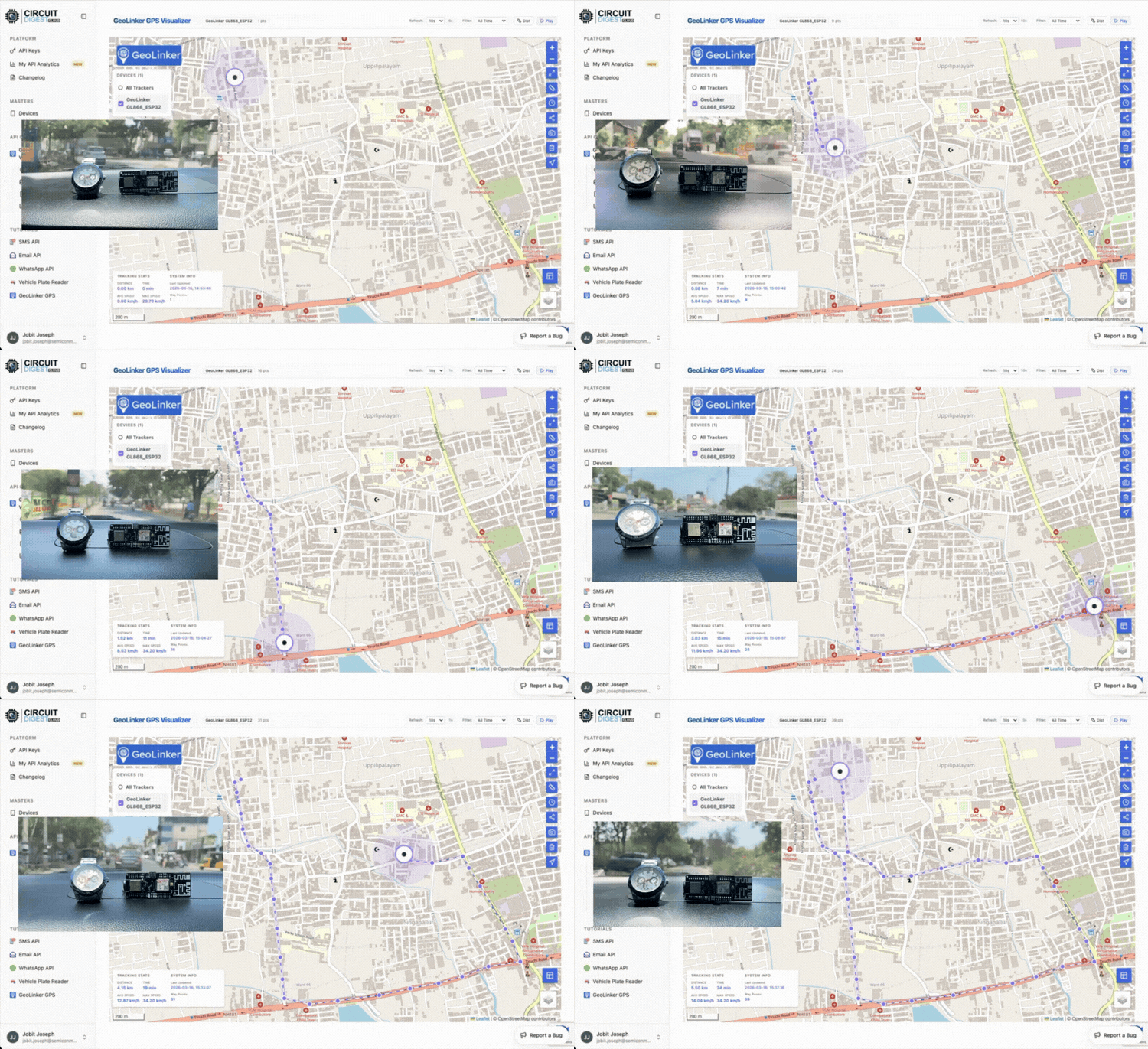
GeoLinker is part of the CircuitDigest Cloud ecosystem and was built as a GPS tracking and cellular IoT platform that combines both hardware and cloud infrastructure together. Instead of treating connectivity as a separate complicated process, we wanted developers to simply power up a module and start building. That is where the GeoLinker GL868 came in.

The GL868 is an ESP32-based GPS tracking and cellular IoT module built around the SIMCom SIM868 modem. When you purchase the module, it is sold with an M2M IoT SIM card, along with 3 months of free data and voice plans (120MB/month | 200 SMS | 100 outgoing minutes) already included. You can check out the article on how to activate the GeoLinker M2M IoT sim card if you have already purchased a GeoLinker board and are interested in seeing how to activate the sim card and start building.
Since the SIM868 modem already supports GSM and GNSS functionality, the module can handle both cellular communication and location tracking together. Developers can use it for vehicle tracking, remote monitoring, asset tracking, telemetry, and general IoT applications without having to combine multiple separate modules together.
Making the Activation Process Simpler
One thing we wanted to avoid was forcing users through telecom-level paperwork just to test a hardware module with an M2M SIM card. So instead of making developers manually figure out activation workflows, the SIM onboarding process was simplified through the GeoLinker portal itself.
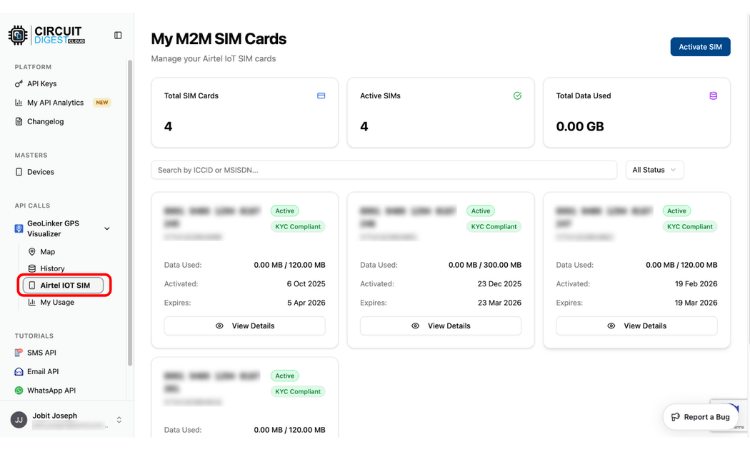
The activation flow is intentionally simple. Users receive the module with the M2M SIM card already included. They can then link the SIM with an existing phone number through OTP verification and activate it through the portal.
In most cases, activation happens within a few minutes or, at worst, a couple of hours. KYC can later be completed to continue long-term usage.
The goal here was not to hide the telecom process completely, because that is still required legally, but rather to remove unnecessary friction for developers trying to build and test products quickly.
Solving the Whitelisting Problem for Developers
One thing we quickly realized is that most developers do not want to spend days dealing with network whitelisting during prototyping. So we pre-whitelisted many commonly used IoT and cloud platforms on the network side itself.
This includes popular services like AWS IoT, Arduino Cloud, Firebase, Adafruit IO, ThingsBoard, Blynk, Google Cloud, IFTTT, and many other commonly used IoT platforms.
For custom deployments, users can also request additional domains or IPs to be approved after verification. Similarly, phone numbers for SMS and voice communication can also be managed through the platform.
Again, the idea here was simple: developers should spend more time building hardware and less time fighting telecom infrastructure.
Recharge Plans for M2M IoT SIM Cards
Just like prepaid SIM cards, IoT M2M SIM cards also have different plans that developers can select based on their requirements. But here is a small catch: these plans have to be pre-approved by the telecom operator before they can be activated.
This means that when you get M2M SIM cards from the telecom provider, you have to raise a PO and specify what plans are needed for those SIM cards. Only the plans mentioned there will be available for activation. However, once a SIM is active, you can later switch between supported plans whenever required.
The image below shows the Airtel M2M plans that can be used with M2M IoT SIM cards.

Another important thing to note here is that, as a registered M2MSP, you will get the M2M IoT SIM cards free of cost from Airtel. But as soon as you activate a SIM under a plan, billing starts from day one. These charges will be added to your account irrespective of whether the SIM is actively being used or not.
Once activated under a monthly plan, recurring deductions will continue automatically.
If you are an M2MSP, you can suspend a SIM card to avoid full charges, but even in the suspended state, you still have to pay around Rs. 10/month. If you want to completely stop charges, the SIM card has to be terminated by the M2MSP. Once terminated, the SIM becomes unusable and cannot be reactivated later.
How to use M2M IoT SIM Card - The Basics
For our GeoLinker range of boards, we are currently using Airtel M2M IoT SIM cards. A typical Airtel IoT SIM card looks like the one shown below.

On top of the SIM card cover, you will find the SIM Number and IMSI Number printed on it. On the actual SIM card itself, you can again find the SIM Number printed.
Do note that these numbers should be kept confidential, and they should not be confused with the actual phone number of your M2M IoT SIM card.
For a typical consumer SIM card, the phone number is normally +91 followed by 10 digits. But for IoT M2M SIM cards, you may get a 13-digit number, and this phone number is usually assigned only after activation through the portal and is not printed anywhere on the SIM card.
If you have purchased our GeoLinker board with an M2M IoT SIM card, you can check out our separate article on how to activate an Airtel M2M IoT SIM card using GeoLinker.
Currently, all GeoLinker boards are sold with physical SIM cards from Airtel, but we also have plans to introduce MFF2 SIM cards (SIM cards in VQFN chip packages) and eSIM support with our future radio modules and boards.
Getting MFF2 SIM cards in India still remains slightly confusing for us, and eSIM support is currently limited to a few high-end radio modules from Quectel and Nordic Semiconductor, so that is something we will continue exploring in the future.
Whitelisting, Terminating and Plan Extension on GeoLinker Modules
If you are using the Airtel M2M IoT SIM card from GeoLinker, you get free data, calls, and SMS for the first three months. You can activate it by entering your IMSI number, shown on the SIM cover, along with your personal phone number and verifying the OTP as shown below.

After the SIM is activated, you will be able to use it immediately. However, within a week of activation, you have to complete the KYC process by submitting your ID proof and picture verification through the GeoLinker portal itself.
By default, all popular platforms are already whitelisted by us. If you want to whitelist a particular phone number to send SMS or make calls, you can do that through the GeoLinker dashboard as shown below.
After three months of usage, you will get a notification to recharge your SIM card and extend your plan, which again can be done directly from the GeoLinker dashboard itself. If there is no active recharge, your SIM card will eventually be terminated within a week.
FAQ
1. Can I use a normal SIM card for IoT projects?
Yes, for basic prototyping, you can use a normal SIM card. But for long-term deployment, scalability, and industrial reliability, M2M IoT SIM cards are much better.
2. What is the difference between an M2M SIM and a normal SIM?
M2M SIM cards are designed specifically for machine communication and industrial deployments, whereas normal SIM cards are optimised for consumer smartphone usage.
3. Why does M2M SIM require whitelisting?
Whitelisting improves security, prevents misuse, and allows telecom operators to maintain controlled industrial-grade network access.
4. Can I use M2M SIM with ESP32?
Yes. M2M SIM cards work well with ESP32-based GSM and cellular IoT modules.
5. Does the GeoLinker GL868 support GPS?
Yes. The module supports GPS, GLONASS, Galileo, and BeiDou GNSS positioning.
6. Can M2M SIM cards send SMS and make calls?
Yes. Depending on the selected plan, M2M SIM cards can support Data, SMS, Incoming calls, and Outgoing calls
7. Do I need SARAL registration to get M2M SIM cards?
If you want to directly source M2M SIM cards from telecom operators in India, SARAL registration and M2MSP onboarding are generally required.
8. Where can I get M2M IoT SIM cards in India?
You can either register directly with telecom operators as an M2MSP, Work with authorised providers or use integrated IoT ecosystems like GeoLinker that simplify onboarding and activation
Related GPS Tracking Projects
Explore these exciting GPS tracking and IoT projects originally built using 2G GSM modules. Now, with Circuit Digest’s M2M IoT SIM solutions, these projects can be upgraded with more reliable connectivity, easier deployment, and better support for real-world IoT applications.
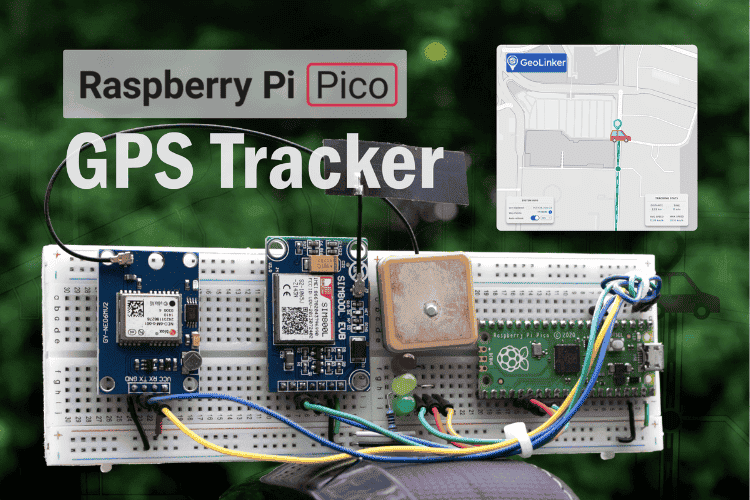
Build a Real-Time GPS Tracker with Raspberry Pi Pico & SIM800L GSM Module
Learn how to build a Raspberry Pi Pico GPS Tracker using the Neo 6M GPS module and SIM800L. This hands-on guide covers interfacing, real-time data logging, and API-based location updates
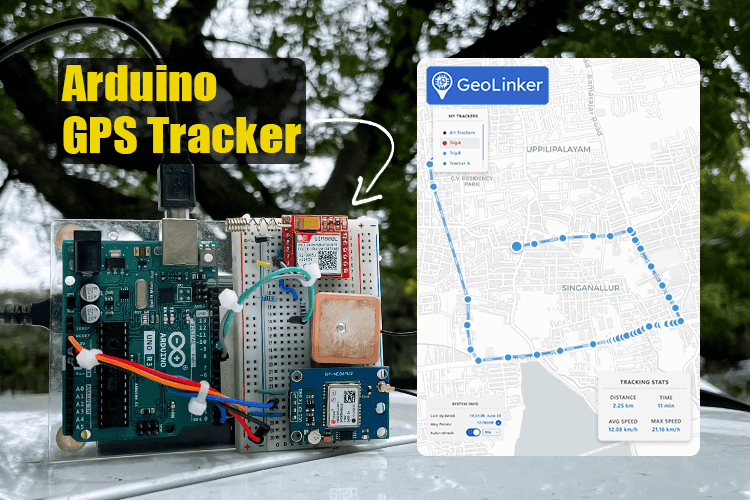
Arduino Location Tracker using SIM800L GSM Module and NEO-6M GPS Module
Learn how to build a GPS tracker using Arduino UNO, SIM800L GSM module, and NEO-6M GPS with GeoLinker. This DIY project offers real-time location tracking, historical
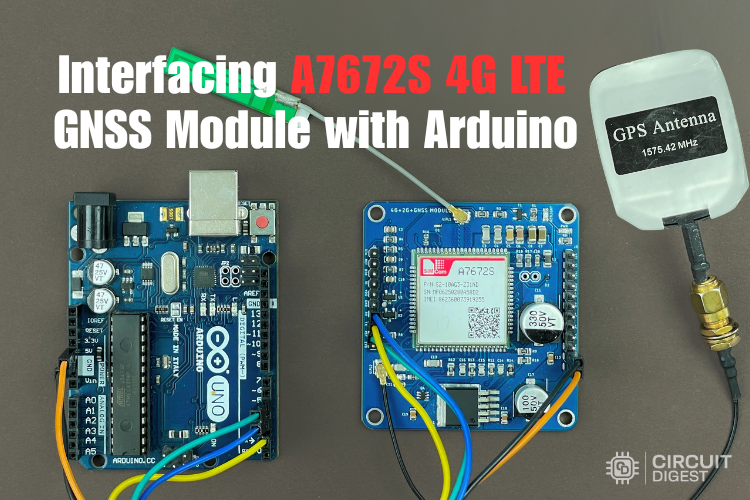
Interfacing the A7672S 4G LTE GNSS Module with Arduino
Learn how to use the A7672S 4G LTE GNSS module with Arduino for GPS tracking and IoT communication. This guide covers pinout, interfacing, AT commands, and HTTPS data upload.

Add a comment
No account needed. Your comment appears once a moderator has reviewed it.