
Raspberry Pi Zero
|
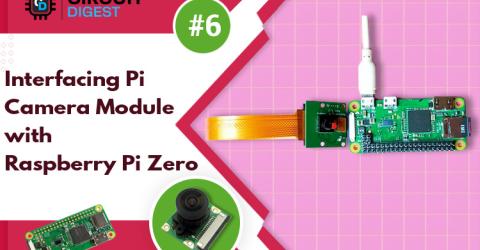
Interfacing Pi Camera Module with Raspberry Pi Zero W Raspberry Pi camera module is a tiny board that can be interfaced with Raspberry Pi for capturing pictures and streaming videos. In our previous tutorials, we used Pi camera module with Raspberry 3 & 4 to build many OpenCV based projects. In this tutorial, we are going to interface the Pi camera module with Raspberry Pi Zero W and try taking pictures and record… |

|
Build Your Own Media Center Using Kodi and Raspberry Pi Zero W Kodi is one of the most popular media centre applications available today. It comes with many features like Live TV, PVR/DVR, video player, audio player, image, comic book and games, etc. Talking about Raspberry Pi Zero series, it is ideal for building media centre applications as it is the cheapest Raspberry Pi microcomputer range that costs… |

|
Interfacing I2C LCD and 4 x 4 keypad with Raspberry Pi zero W The Raspberry Pi Zero W is the new and improved upgrade of Raspberry Pi Zero family. In this getting started series for Raspberry Pi Zero W, we have previously controlled an LED with Pi GPIO, interfaced a 3.5-inch TFT display with Raspberry Pi Zero W and in this tutorial, we are going to interface I2C 16x2 LCD and 4x4 keyboard with Raspberry Pi zero W. Throughout… |

|
Interfacing 3.5 inch TFT LCD Display with Raspberry Pi Zero W In this tutorial, we are going to interface a 3.5-inch TFT display with Raspberry Pi Zero W development board. Although Raspberry pi zero itself has an HDMI output that can be directly connected to a Monitor, but in projects where space is a constrain, we need smaller displays. This TFT touch screen display can be easily interfaced to the Raspberry Pi to display… |

|
Basic GPIO Control on Raspberry Pi Zero W – Blinking an LED In our previous tutorial Getting Started with the RASPBERRY PI ZERO, we had an overview Raspberry Pi zero W and setup the Pi Zero. In this tutorial we are going to design a simple LED circuit and control it with the Raspberry Pi Zero W by connecting the circuit to its GPIO pins. So lets discuss the basics of the GPIO (general purpose… |

|
Getting Started with the RASPBERRY PI ZERO W – Headless Setup without Monitor Raspberry Pi zero W is an affordable and compact derivative of Raspberry Pi but if you attach Raspberry Pi zero W with monitor, keyboard, and mouse, it takes up a lot more space. There's no need to connect Reaspberry Pi to a display or input devices if you're only trying to program it or using it to operate electronics like lights, motors, and… |