
By Affan Danish
The Story Behind CARE
While researching why people weren't buying air purifiers (beyond just the cost), we stumbled upon something fascinating: most people simply don't care enough about air quality. And that's exactly how CARE was born.
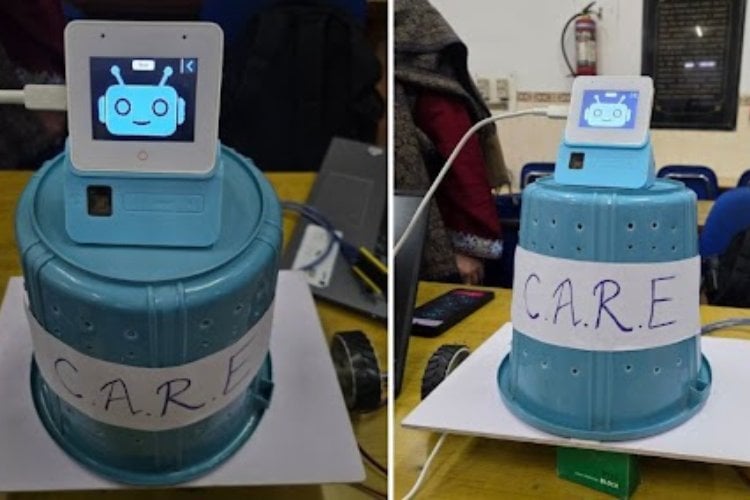
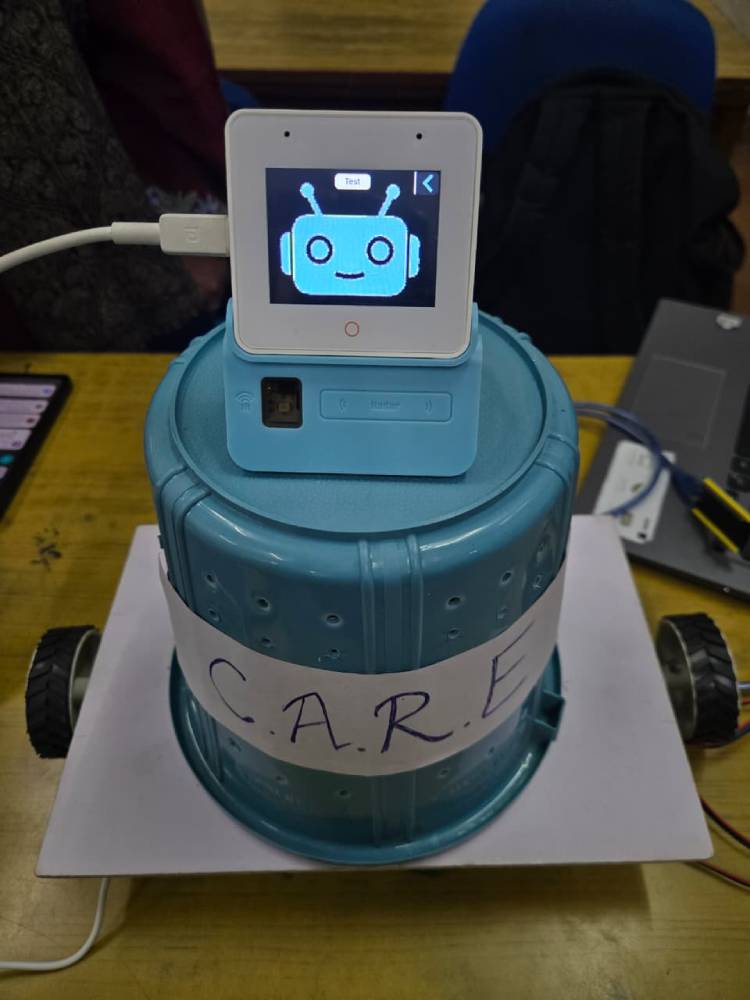
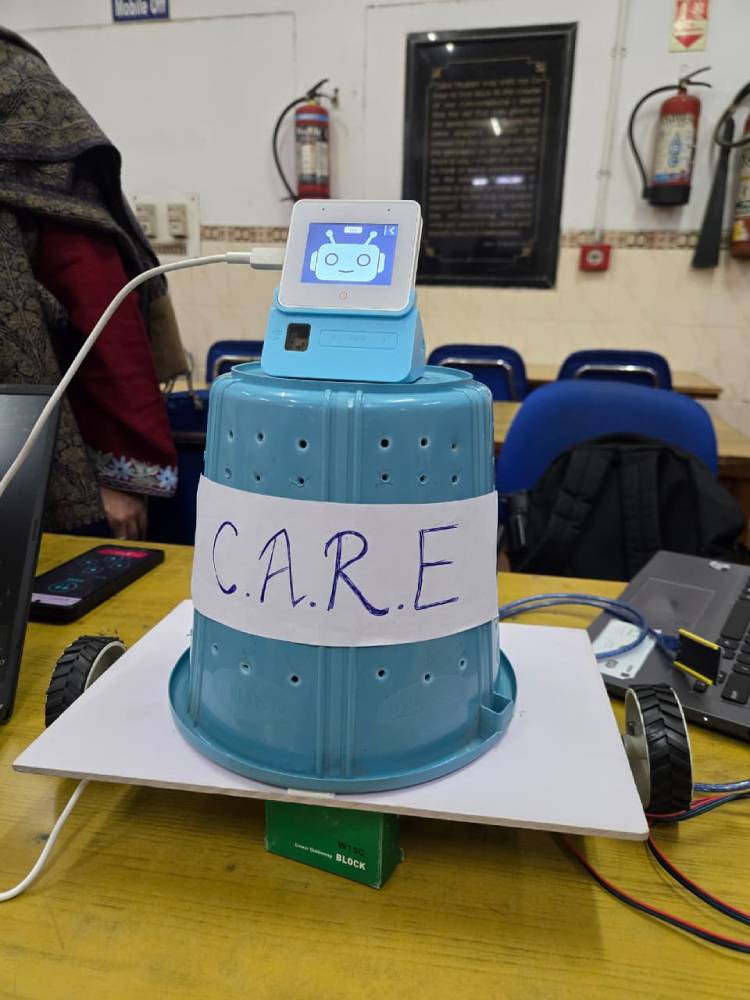
CARE is an adorable companion robot that roams around your home, cleaning the air as it goes. It has a cute face on its screen that shows different expressions, changes it expression and mood as per the user's mood and talks to you through and its built-in voice assistant, and even acts as your central smart home controller. Imagine having one friendly robot that chats with you, controls your lights and temperature, and keeps your air fresh, all at the same time.
Why Did We Create CARE?
Here's the thing: everyone knows air pollution is bad, but standalone air purifiers just sit there like boring appliances. They're static, forgettable, and frankly, easy to ignore. CARE changes that game entirely. With its cute design, expressive personality, and daily interactions, it becomes something you genuinely care about. A lovable helper you actually want around, not just another "dust box in the corner."
And we're not making this up, companion robots are already living in people's homes, providing conversation and emotional support. People are ready for social robots in their daily lives.
Why Does CARE Need to Move?
Sure, you can tell CARE to "stop moving" and it'll stay put, but here's where the magic really happens: mobility is CARE's superpower.
Think about traditional air purifiers. They sit in one spot with their air quality sensor measuring only that exact location—usually the cleanest part of the room. They might shut off thinking the job is done while pollution lingers in other corners of your home.
CARE doesn't have that problem. It patrols different rooms, measures air quality throughout your entire home, and intelligently moves to areas that need attention most. You get clean air wherever you are—whether you're working at your desk, studying in your room, or sleeping in your bedroom. No more being stuck near one machine.
And of course, CARE always follows your lead. Just use voice commands to tell it where you want it to go.
CARE: Your All-in-One Home Companion + Health Buddy
CARE is basically a walking comfort hub. It purifies your air, adjusts your lighting and temperature, plays your favorite music, and answers questions or sets reminders through simple voice commands. By combining air purification, smart home control, and emotional companionship into one lovable device, CARE transforms what used to be a low-priority health product into an everyday lifestyle gadget you'll actually be excited to own.
Components Required
| Component Name | Quantity | Datasheet/Link |
| ESP 32 S3 Box 3 | 1 | View Datasheet |
| Stepper motors | 2 | - |
| A4988 Motor Drivers | 2 | - |
| Wheels | 2 | - |
| ESP 32 Dev Module | 1 | - |
| 12V DC Fan | 1 | - |
| Roll of Cotton or Filter material (For Purifier Filter) | 1 | - |
Circuit Diagram

Hardware Assembly
Phase 1: Preparing the Mobility Base
Goal: Build a stable moving platform that can carry the filtration unit without tipping.
- Build the base platform: Create a simple rectangular base using a flat wooden board, acrylic sheet, or thick foam board. Fix four wheels at the corners. You can use DC geared motors on two wheels (rear) and keep the front two as free caster wheels, or use four geared motors for better balance and traction. Keep the base wide and low to improve stability once the upper unit is mounted.
- Check structural stability: Make sure all wheels are aligned and firmly attached. Tighten motor mounts and ensure the base does not wobble. Since the filtration unit will add height, a stable and slightly wider base helps prevent tipping during movement.
- Prepare the mounting surface: Identify the center area on the top of the base where the cylindrical housing will sit. If there are no mounting holes, use strong double-sided tape, clamps, or industrial Velcro to create a firm but removable attachment point.
Phase 2: Building the Filtration Housing
Goal: Convert the cylindrical container into an air intake and filtering chamber.
- Create intake holes: Drill small, evenly spaced holes around the lower part of the cylinder. This allows air from near the ground (where dust collects) to enter the system.
- Add the filter material: Place cotton over the perforated areas and secure it using mesh, tape, or light adhesive. The cotton acts as a basic dust filter. Avoid making it too dense, or the fan will struggle to pull air through.
- Install the fan: Mount the CPU fan inside the cylinder so it pushes air upward. This pulls air in through the lower holes, through the cotton layer, and then pushes the air out from the top.
Phase 3: Electronics and Sensor Setup
Goal: Position the controller and sensors where they can work effectively.
- Mount the filtration unit: Fix the completed cylindrical housing onto the center of the base. Keeping it centered helps maintain balance while the system moves.
- Place the ESP32-S3-BOX-3: Mount the ESP32 unit on top of the cylinder using screws, brackets, or strong tape. This keeps it away from dust entering from below and allows better interaction with the surroundings.
- Attach external sensors: Connect any air-quality or environmental sensors to the ESP32 and make sure they are exposed to open air and not blocked by tape or the enclosure.
Phase 4: Power and Cable Management
Goal: Ensure clean power delivery and safe internal wiring.
- Separate power lines if possible: Power the fan using its required 5V or 12V supply, and power the ESP32 using a stable 3.3V/5V regulated source. This reduces the chance of voltage drops or noise affecting the controller.
- Organize the wiring: Route wires along the inner wall of the cylinder and across the base. Secure them using tape or zip ties so they don’t touch the fan blades or get tangled in the wheels.
Code Explanation
The Care Companion Bot operates through a structured voice-processing pipeline that enables natural and intelligent interaction between the user and the system. The device continuously listens to ambient audio through its microphone and uses WakeNet to detect a predefined wake word. Once the wake word is recognized, the system becomes active and starts recording the user’s voice command. The captured audio is then prepared for cloud-based processing, where it is analyzed and converted into meaningful digital information. This pipeline allows the bot to understand spoken language, process it intelligently, and respond in a human-like manner.
Main Processing Stages:
Wake word detection using WakeNet Voice recording through the onboard microphone Speech-to-text conversion using the Deepgram API Natural language processing and response generation using Gemini AI Text-to-speech conversion using the TTS engine Audio playback through the speaker system User interface update with interactive animations
After completing these processing stages, the Care Companion Bot delivers a clear spoken response while synchronizing visual feedback on the display. The user interface reflects system states such as listening, processing, and speaking, providing an engaging and intuitive experience. Once the interaction is complete, the system clears temporary data, resets internal modules, and returns to idle mode. It then resumes continuous wake-word monitoring, ensuring readiness for the next user command while maintaining efficient performance and reliability.
GitHub Repository



Add a comment
No account needed. Your comment appears once a moderator has reviewed it.