



 Vedhathiri
Author
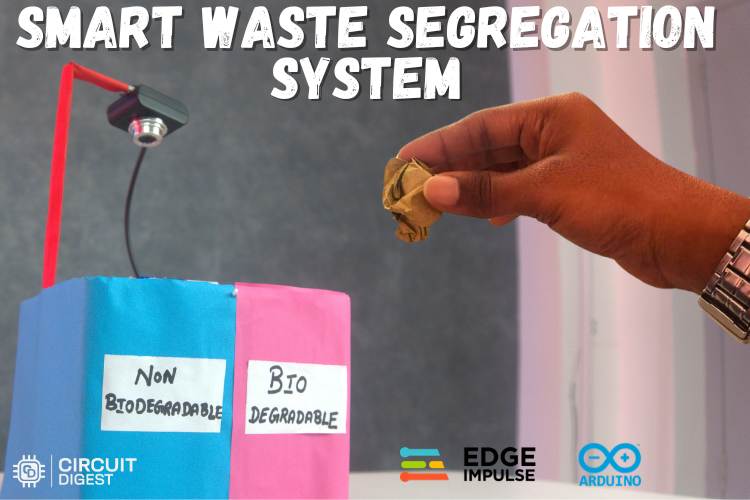
Proper waste sorting is very important for keeping our neighbourhoods clean and saving resources for the future. When we mix food scraps, plastic, paper, and batteries in the same bin, recycling becomes hard, landfills fill up quickly, and harmful chemicals leak into the soil and water. Over time, this creates bigger problems like higher cleanup costs and more damage to the environment. In our busy daily lives, many people find sorting waste into different bins too much effort or simply forget. Because of tiredness, rush, or habit, most just throw everything into one bin, and that's completely normal. To solve this common problem, we have to build an automatic waste segregation system using the Arduino UNO Q. An automatic waste segregation system eliminates that burden by using computer vision and embedded AI to identify and sort waste in real time, with zero manual effort from the user. This is one of the most practical demonstrations of an automated waste segregation system that you can build at home with low-cost components.
How does this automated waste segregation system work?
The Arduino UNO Q receives video via a USB camera, where an Object Detection Model is trained on and run with Edge Impulse. When the Object is identified multiple consecutive times (with enough confidence) to be waste (Paper, Plastic, Cardboard, or Battery), the microcontroller will rotate a servo to direct the instance of waste into the appropriate bin compartment or will activate a buzzer to alert users of a hazardous battery instance detected.
Table of Contents
Why the Arduino UNO Q is Ideal for an Automated Waste Segregation System?
In this project, we used the Arduino UNO Q as the main controller because of its unique hybrid dual-brain architecture, which combines high-performance computing with reliable real-time hardware control in a single compact board. An automatic waste segregation system solves this problem at the source. This capability allows the board to handle both intelligent processing and hardware interaction efficiently, something that traditional Arduino boards or simple microcontrollers cannot easily achieve on their own. The Arduino UNO Q is the central controller for this automatic waste segregation system project because of its unique hybrid dual-brain architecture.
Before starting the implementation, it is important to understand how to work with the Arduino UNO Q board. Therefore, refer to the official documentation and related resources to learn how to log in to the board, configure it, and use its features effectively.
The Arduino App Lab was used to integrate the trained model and develop the final application according to the project requirements. This platform helps in deploying the model to the Arduino board and controlling the hardware components effectively. Now, if you are new to Edge Impulse, we've got you covered. Our object detection using edge impulse tutorial will guide you. In this project, two main software platforms were used: Arduino App Lab and Edge Impulse. The Edge Impulse online platform was used to collect data, train machine learning models, and generate the dataset required for the project. It provides tools for building and optimizing embedded AI models that can run on microcontroller-based devices.
Components Required for Automatic Waste Segregation System Project
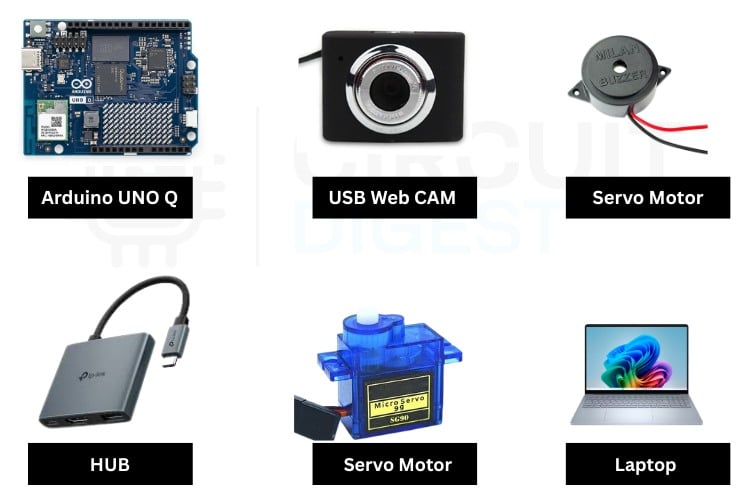
The components below are the ones which are used to build the complete working setup for automatic waste segregation using Arduino.
Software Platforms Used in This Smart Waste Segregation System
This automated waste segregation system project uses two primary software environments:
Edge Impulse: serves as the platform that enables users to collect data, label images, train models and export an optimized object detection model, which they can deploy on embedded hardware.
The Arduino App Lab: enables users to integrate their trained model with the Python application layer while they use RouterBridge to control the servo and buzzer hardware.
Circuit Diagram for Automatic Waste Segregation System
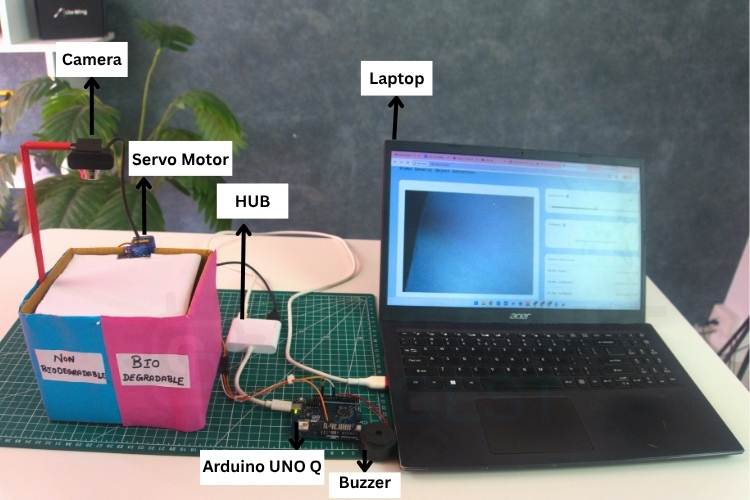
The circuit diagram explains how to connect the components to complete the setup. Here, the camera and Arduino Uno Q are connected to the hub, and the hub is powered by the Laptop’s USB port. The buzzer is connected to the 8th pin of the Arduino Uno Q, and the motor is connected to the 9th pin.

Hardware Connection for Automatic Waste Segregation System
The image shows how the components are connected in real time to get the full working automatic waste segregation system.
How the Automated Waste Segregation System - Detailed Explanation
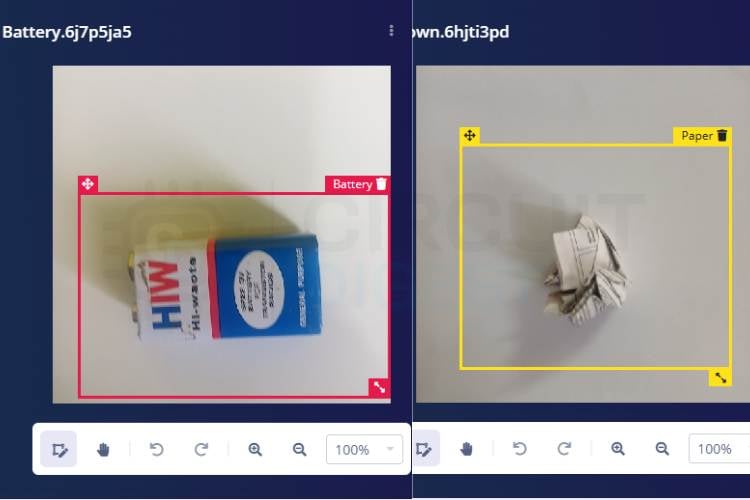
The Automatic waste segregation system using Arduino project is designed to automatically identify and sort four types of waste materials: Paper, Plastic, Cardboard, and batteries, using real-time computer vision and embedded control.
System Initialisation
The system operates on the Arduino UNO Q board running the Arduino App Lab environment, which integrates a USB camera, an Edge Impulse-trained object detection model, a servo motor for physical sorting, and an active buzzer for hazardous item alert.
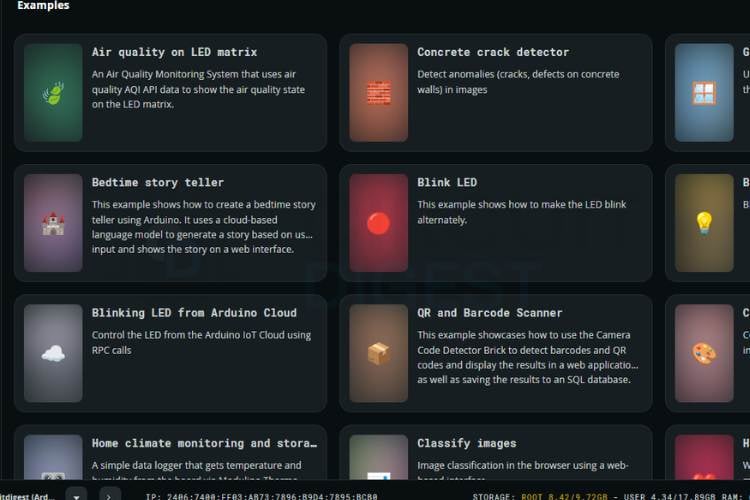
At startup, the microcontroller firmware initializes the servo motor to its default neutral position of 90 degrees and configures the buzzer pin as an output in the OFF state. The Router Bridge is started to enable communication between the Python application and the MCU functions (set_servo and buzz). A short double buzz is emitted to confirm successful boot and program execution.
Real-Time Object Detection Pipeline
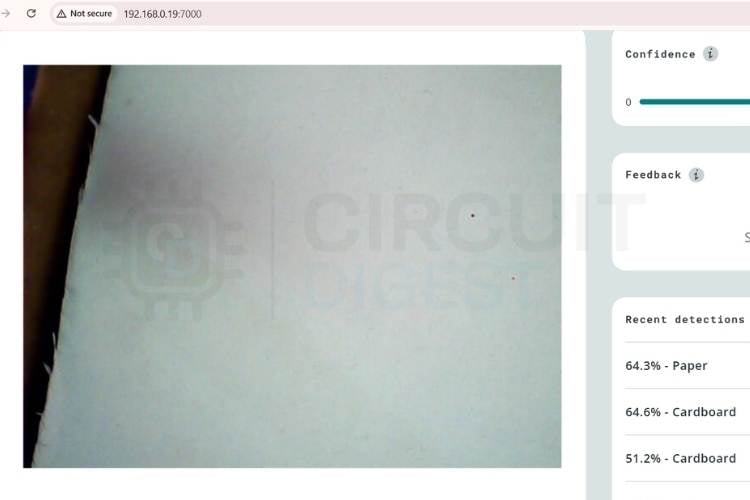
The core processing occurs in the Python application, which continuously receives video frames from the connected USB camera. The VideoObjectDetection brick, loaded with the custom Edge Impulse object detection model, analyzes each frame and generates a detections dictionary containing detected class names along with their confidence scores and bounding box information. To reduce noise and false positives caused by frame-to-frame variations, a debounce time of 0.5 seconds is applied, and a confidence threshold of 0.82 (0.88 specifically for Battery) is enforced.
For each detected class, the system maintains a stability counter. The confidence score of the highest-confidence instance for that class is checked against the threshold. If the confidence is above the threshold, the stability counter for that class is incremented; otherwise, it is reset to zero. An action (servo movement or buzzer) is only triggered when the stability counter reaches 4 consecutive valid frames and the class-specific cooldown period has elapsed since the last action for that class. This stability mechanism prevents jittery or repeated triggering due to momentary detections. These thresholds are key to reliable performance in a real-world automatic waste segregation system using Arduino.
Waste Sorting Logic - Servo Motor and Buzzer Actions
| Detected Waste Class | Category | Servo Angle | Buzzer | Reset Delay |
| Paper | Biodegradable | 0° | Off | 5 seconds → returns to 90° |
| Cardboard | Biodegradable | 0° | Off | 5 seconds → returns to 90° |
| Plastic | Non-biodegradable | 180° | Off | 5 seconds → returns to 90° |
| Battery | Hazardous | No movement | On for 2 seconds | 5 seconds cooldown |
When a stable detection occurs:
- For Paper or Cardboard (both biodegradable waste), the servo is commanded to move to 0 degrees, directing the item toward the biodegradable collection side. After exactly 5 seconds, the servo automatically returns to the default 90-degree position.
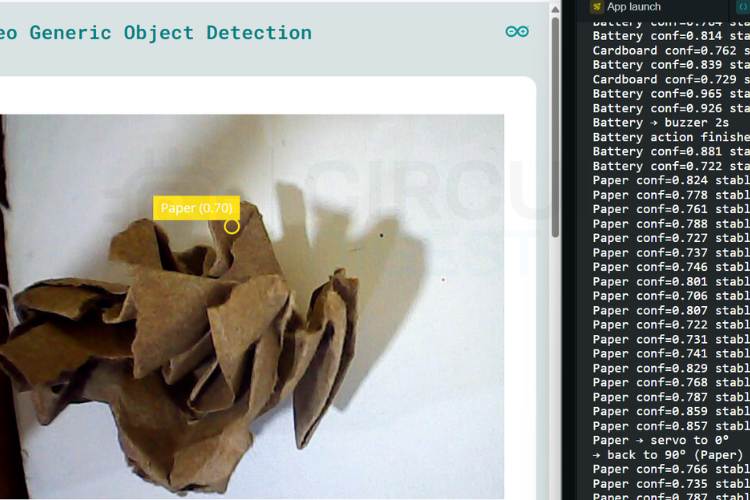
- For Plastic (non-biodegradable), the servo moves to 180 degrees to indicate a different sorting path. After 5 seconds, it returns to 90 degrees.
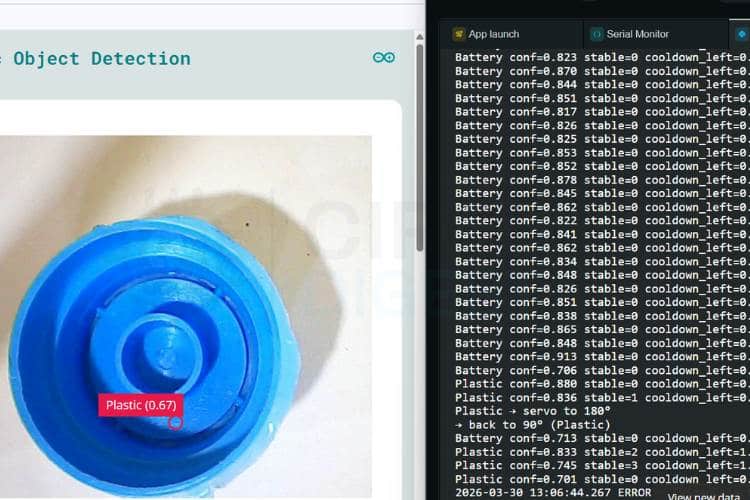
- For Battery (hazardous and non-biodegradable), no servo movement occurs. Instead, the buzzer is activated for 2 seconds to alert the user of a potentially dangerous item. The system then waits 5 seconds before allowing any new action for Battery. If you are more into creating projects in Arduino, check out our Arduino Projects.
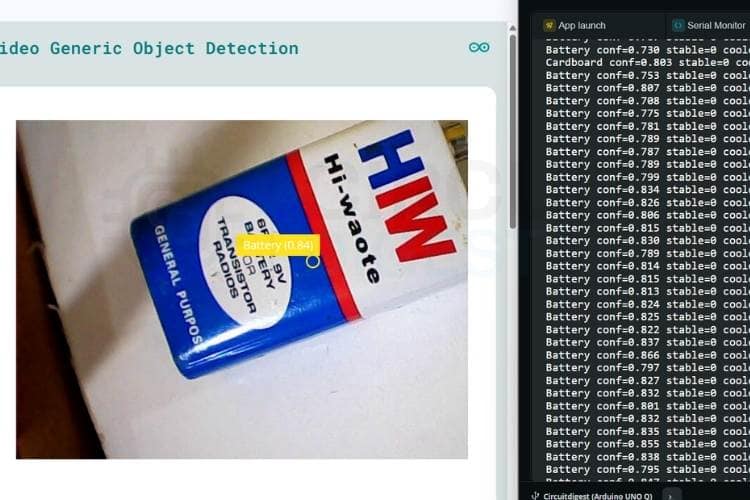
Improper handling of batteries can cause chemical contamination, making this alert mechanism an important safety feature of the overall automated waste segregation system.
Code Explanation - Automatic Waste Segregation System Using Arduino
The system consists of two interconnected codes, where the Python script handles high-level logic, and the Arduino sketch manages hardware control. The Python code uses a video object detection module to identify classes like Paper, Plastic, Cardboard, and Battery, applying confidence thresholds, stability checks, and cooldown timers to ensure reliable detection. Once a valid detection is confirmed, it sends commands through the Bridge interface. On the Arduino side, the RouterBridge receives these commands and executes predefined functions such as controlling a servo motor to specific angles or activating a buzzer for alerts. The setup() initializes pins, servo position, and registers callable functions, while the loop() continuously updates the Bridge to listen for incoming commands, enabling smooth real-time communication between detection logic and physical actuation.
Python Source Code
1. Imports and Initialisation
from arduino.app_utils import App, Bridge
from arduino.app_bricks.web_ui import WebUI
from arduino.app_bricks.video_objectdetection import VideoObjectDetection
ui = WebUI()
detection_stream = VideoObjectDetection(confidence=0.5, debounce_sec=0.5)
This section imports required modules for UI, hardware control, and object detection. In this WebUI(), a function is used to send detection data to the interface. VideoObjectDetection initializes the detection system with a confidence filter and debounce time to avoid repeated triggers. It acts as the core input system for detecting waste objects.
2. Class Definitions and State Tracking
classes = ["Paper", "Plastic", "Cardboard", "Battery"]
stable_counts = {cls: 0 for cls in classes}
last_action_time = {cls: 0 for cls in classes}
in_progress = {cls: False for cls in classes}
This defines the object classes to detect in the system. Dictionaries are used to track detection stability, cooldown timing, and whether an action is currently running. This prevents repeated triggering and overlapping operations. Overall, it ensures reliable and controlled system behavior.
3. Hardware Action Dispatch
if cls == "Paper" or cls == "Cardboard":
Bridge.call("set_servo", 0)
time.sleep(5)
Bridge.call("set_servo", 90)
elif cls == "Plastic":
Bridge.call("set_servo", 180)
time.sleep(5)
Bridge.call("set_servo", 90)
elif cls == "Battery":
Bridge.call("buzz", 2000)
time.sleep(5)
Based on the detected class, specific hardware actions are triggered. The servo motor rotates to different angles for sorting materials. Battery detection activates a buzzer instead of servo movement. Bridge.call() is used to communicate with Arduino hardware for real-time control.
Arduino Source Code
1. Library Includes and Pin Definitions
#include <Arduino_RouterBridge.h>
#include <Servo.h>
const int servoPin  = 9;
const int buzzerPin = 8;
Servo myServo;
This section includes required libraries for communication and servo control. Arduino_RouterBridge is used to connect with external applications (like your Python code). Servo and buzzer pins are defined for hardware interfacing. A Servo object is created to control the motor.
2. set_servo() Function
void set_servo(int angle) {
 angle = constrain(angle, 0, 180);
 myServo.write(angle);
 delay(600);
}
This function controls the servo motor position. constrain() ensures the angle stays within safe limits (0–180°). myServo.write() moves the servo to the desired angle. A small delay is added to allow the servo to physically reach the position.
3. buzz() Function
void buzz(int ms) {
 digitalWrite(buzzerPin, HIGH);
 delay(ms);
 digitalWrite(buzzerPin, LOW);
}
This function activates the buzzer for a specific duration. The buzzer is turned ON using a HIGH signal and OFF using a LOW. The delay controls how long the buzzer sounds. It is mainly used for alerts like battery detection.
4. setup() Initialisation
void setup() {
 pinMode(buzzerPin, OUTPUT);
 myServo.attach(servoPin);
 myServo.write(90);
 Bridge.begin();
 delay(2000);
 Bridge.provide("set_servo", set_servo);
 Bridge.provide("buzz", buzz);
}
This section initializes hardware and communication. The servo is attached and set to a default position (90°). Bridge.begin() starts communication with the external controller (Python side). Bridge.provide() exposes functions so they can be called remotely. Bridge.provide() registers both set_servo and buzz as remotely callable functions, completing the two-way control interface for this automatic waste segregation system using Arduino.
Future Enhancements for the Automatic Waste Segregation System
Multi-Class Expansion
The system can be upgraded to recognize more waste types like glass, metal, organic food waste, and e-waste, allowing for even more detailed sorting in future versions.Mobile App Integration
A smartphone app can be added to notify users about bin fill levels, recycling stats, and reminders, making the smart bin easier to monitor and manage remotely.Solar Power Support
Adding solar panels and a battery system would make the bin fully off-grid and suitable for outdoor public locations where electricity is not always available.Voice Feedback & LED Indicators
The bin can speak simple instructions (e.g., "Thank you for recycling!") or use colored LEDs to guide users on which bin to use, improving user experience and education.Data Analytics & Cloud Reporting
Collected waste data can be sent to the cloud for real-time analytics, helping communities, schools, or municipalities track recycling rates and improve waste management strategies over time.
Real-World Applications of the Automated Waste Segregation System
The Automatic waste segregation system can be applied in various real-world environments to improve waste management efficiency. It can be used in homes and kitchens to automatically sort daily waste, making recycling easier and encouraging better habits without requiring extra effort from users. In public places such as parks, malls, schools, and offices, the system helps maintain cleanliness and ensures that waste is properly categorised even in high-traffic areas. Educational institutions can use this system as a practical demonstration tool to teach students about artificial intelligence, IoT, and environmental sustainability in a real-time and interactive way. In healthcare environments like hospitals and clinics, the system plays an important role in identifying and separating hazardous waste such as batteries or medical plastics, thereby reducing the risk of contamination. Additionally, municipal corporations and community waste collection centres can deploy multiple units of this system to improve waste sorting at the source, reduce landfill usage, and enhance the overall efficiency of recycling processes. We’ve also worked on an interesting project using Edge Impulse and ESP32-Cam, check out the full details.
Troubleshooting the Automatic Waste Segregation System
Issue 1: Camera Detection Issues
One common problem was inaccurate or inconsistent object detection due to poor lighting conditions or cluttered backgrounds. This affected the performance of the trained model. To solve this, the dataset was expanded with images taken under different lighting conditions and backgrounds. This improved the model’s ability to recognise objects more reliably in real-world situations.
Issue 2: Servo Motor Not Responding Properly
At times, the servo motor did not move to the expected angle after object detection. This issue was mainly caused by incorrect pin configuration or an unstable power supply. The problem was resolved by verifying the wiring connections, ensuring proper pin initialisation in the code, and providing a stable power source for the servo.
Issue 3: Unstable or Repeated Detections
The system initially triggered multiple actions for a single object due to continuous frame detection. This created unwanted repeated movements of the servo motor. To address this, stability checks and cooldown timers were implemented so that the system only responds after a consistent detection over several frames.
Issue 4: Model Deployment Errors
During deployment, the Edge Impulse model sometimes failed to run correctly on the Arduino UNO Q board due to incorrect configuration or missing libraries. This issue was solved by re-exporting the model from Edge Impulse and ensuring that all required libraries were properly installed and compatible with Arduino App Lab.
Issue 5: Buzzer Alert Not Triggering
In some cases, the buzzer did not activate when the system detected a battery. This was mainly due to incorrect pin assignment or logic errors in the detection condition. The issue was resolved by verifying the buzzer wiring and updating the code so that the buzzer activates correctly when the battery class is detected.
Conclusion
This project presents an automatic waste segregation system that uses computer vision and embedded machine learning to automatically identify and sort different types of waste. The system is built using the Arduino UNO Q board, with a trained model developed on Edge Impulse and deployed through Arduino App Lab. Based on the detected waste type, the system performs appropriate actions using hardware components such as a servo motor and buzzer. The automatic waste segregation system, which uses Arduino technology, creates a basic system that allows users to implement artificial intelligence solutions for environmental problems, which range from home recycling systems to municipal waste management in smart cities. Overall, the project demonstrates an efficient and low-cost approach to automated waste sorting, improving waste management through intelligent detection and simple hardware control. If you’re new to building electronic systems like this, we’ve got you covered. Check out our latest electronic projects.
Frequently Asked Questions
⇥ Why did you choose the Arduino UNO Q board?
The Arduino UNO Q has two powerful parts in one board — a Linux computer for running AI and camera processing, and a real-time microcontroller for controlling servos accurately. Normal Arduino boards cannot handle both AI and hardware control this well.
⇥ What are the main challenges faced in this project?
Challenges include accurate object detection, handling varying lighting conditions, and ensuring stable hardware performance. These were addressed using better datasets, thresholds, and system optimisation.
⇥ Can more waste categories be added?
Yes, additional waste types like glass, metal, and organic waste can be included by training the model with more datasets and updating the system accordingly
⇥ How does the system handle hazardous waste like batteries?
Instead of sorting, the system activates a buzzer when a battery is detected to alert the user, as improper handling of hazardous waste can be dangerous.
⇥ Why is a confidence threshold used in detection?
A confidence threshold ensures that only reliable detections are considered valid. This reduces false positives and improves the overall accuracy of the system in real-world conditions.
⇥ What is the purpose of the stability counter?
The stability counter ensures that an object is consistently detected across multiple frames before triggering any action. This prevents unnecessary or repeated movements caused by temporary detection errors.
⇥ What is automatic waste sorting?
Automatic waste sorting is accomplished using a camera or sensor array with a microcontroller to determine the category of a piece of waste (for example, paper, plastic, batteries) and to sort it into the correct bin without any manual work. This results in better recycling rates, decreased burden on landfills, and fewer errors caused by human mistakes and fatigue.
⇥ Why use the Arduino UNO Q over a typical Arduino for automatic waste sorting?
An Arduino UNO Q (hybrid dual-brain) is better than a standard (regular) Arduino because it has two brains on the same board; one is used for processing pictures taken by a camera and interpreting them using artificial intelligence (AI), and the other brain is used to control the movement of servos in real time (FAQ#5). Therefore, this dual-brain architecture is capable of performing computer vision computations directly on the board, while traditional Arduinos rely on an external computer or single-board computers (SBCs) to perform calculations required to control an artificial intelligence model.
⇥ What are the positions of the servo motors during waste sorting?
The position of the servo motor will be at 90 degrees (neutral) when idle. The position will change to 0 degrees for paper and cardboard (biosolids) and will direct the item into the biosolid compartment. The position of the servo motor will change to 180 degrees for plastic items (non-biosolids) in order to direct the item to the non-biosolid compartment. All servos will return to the neutral position (90 degrees) after a hold time of 5 seconds (for all waste sorted).
Automatic Waste Segregation System GitHub
Project files, wiring diagrams, and source code are neatly organised in this repository for easy access and quick reference.


Similar Projects Using Edge Impulse
Embedded projects using Edge Impulse and machine learning for real-time detection, automation, and smart decision-making on Arduino, ESP32-cam and Raspberry Pi devices.
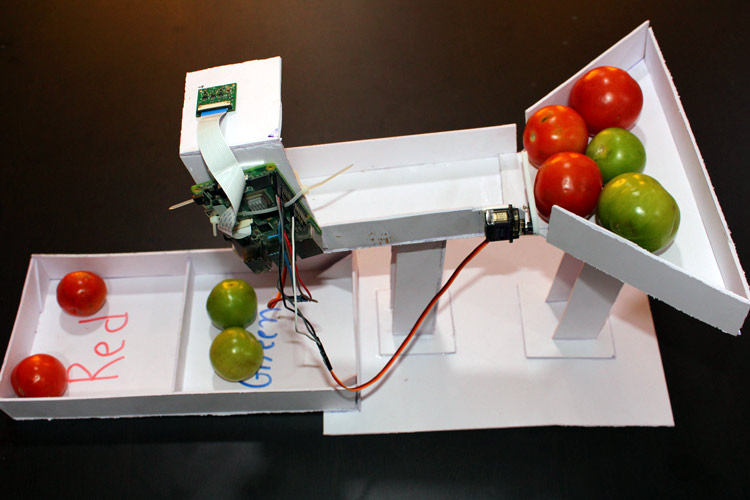
Tomato Sorting Machine using Edge Impulse TinyML on Raspberry Pi
Raspberry Pi - based tomato sorting machine uses AI to detect and separate red and green tomatoes automatically, reducing manual effort and improving efficiency.
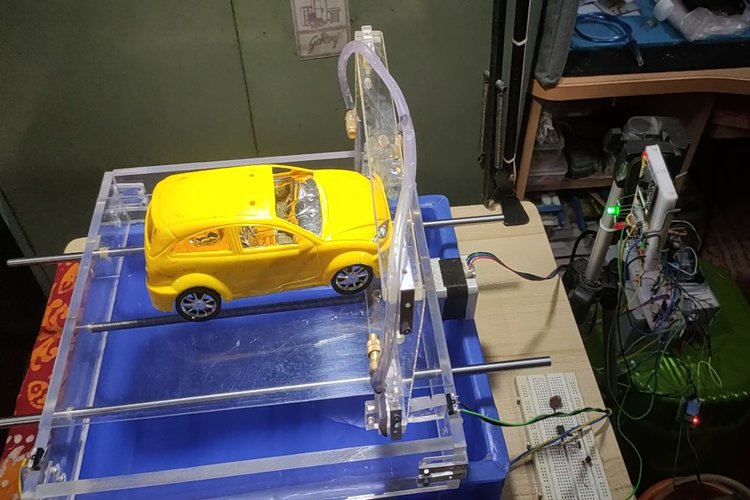
Smart Car Washing System Using Edge Impulse for Object Detection
AI-powered smart car washing system uses ESP32-CAM and Edge Impulse to detect cars and humans, enabling automated, safe, and water-efficient cleaning.
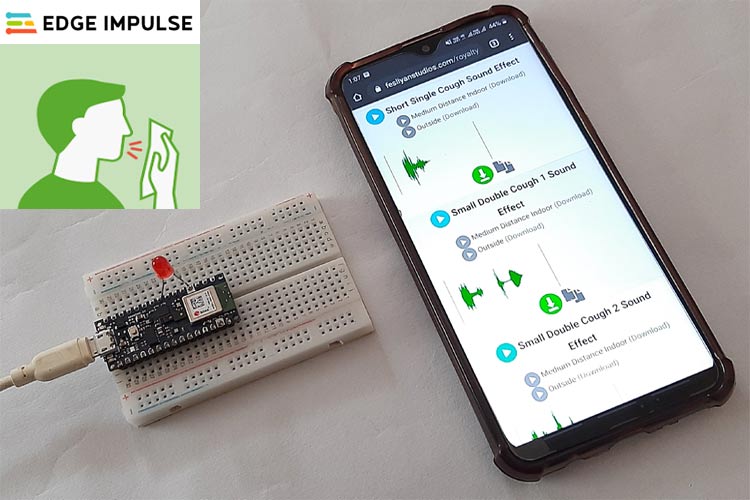
Cough Detection System using Arduino 33 BLE Sense and Edge Impulse
TinyML-based cough detection system uses Arduino Nano 33 BLE Sense and Edge Impulse to identify cough sounds in real-time, distinguishing them from background noise.
Complete Project Code
from arduino.app_utils import App, Bridge
from arduino.app_bricks.web_ui import WebUI
from arduino.app_bricks.video_objectdetection import VideoObjectDetection
from datetime import datetime, UTC
import time
ui = WebUI()
detection_stream = VideoObjectDetection(confidence=0.5, debounce_sec=0.5)  # increased debounce
ui.on_message("override_th", lambda sid, threshold: detection_stream.override_threshold(threshold))
classes = ["Paper", "Plastic", "Cardboard", "Battery"]
stable_counts    = {cls: 0 for cls in classes}
last_action_time = {cls: 0 for cls in classes}
in_progress      = {cls: False for cls in classes}   # prevent overlap
# Cooldowns in seconds
COOLDOWN_NORMAL  = 8.0   # Paper, Plastic, Cardboard
COOLDOWN_BATTERY = 10.0  # longer for Battery (no servo wait)
def send_detections_to_ui(detections: dict):
   global stable_counts, last_action_time, in_progress
   detected_this_frame = {cls: 0.0 for cls in classes}
   now = time.time()
   for key, values in detections.items():
       for value in values:
           entry = {
               "content": key,
               "confidence": value.get("confidence"),
               "timestamp": datetime.now(UTC).isoformat()
           }
           ui.send_message("detection", message=entry)
       if key in classes:
           max_conf = max(v.get("confidence", 0.0) for v in values)
           detected_this_frame[key] = max_conf
   CONF_THRESHOLD = 0.82
   BATTERY_THRESHOLD = 0.88   # stricter for Battery to reduce repeats
   STABLE_FRAMES = 2
   for cls in classes:
       conf = detected_this_frame[cls]
       cooldown = COOLDOWN_BATTERY if cls == "Battery" else COOLDOWN_NORMAL
       # Debug only when relevant
       if conf > 0.7:
           print(f"{cls} conf={conf:.3f} stable={stable_counts[cls]} cooldown_left={max(0, last_action_time[cls] + cooldown - now):.1f}s in_progress={in_progress[cls]}")
       if conf >= (BATTERY_THRESHOLD if cls == "Battery" else CONF_THRESHOLD):
           stable_counts[cls] += 1
       else:
           stable_counts[cls] = 0
       try:
           if stable_counts[cls] >= STABLE_FRAMES and not in_progress[cls] and now - last_action_time[cls] > cooldown:
               in_progress[cls] = True
               last_action_time[cls] = now
               if cls == "Paper" or cls == "Cardboard":
                   Bridge.call("set_servo", 0)
                   print(f"{cls} → servo to 0°")
                   time.sleep(5)
                   Bridge.call("set_servo", 90)
                   print(f"→ back to 90° ({cls})")
               elif cls == "Plastic":
                   Bridge.call("set_servo", 180)
                   print(f"Plastic → servo to 180°")
                   time.sleep(5)
                   Bridge.call("set_servo", 90)
                   print(f"→ back to 90° (Plastic)")
               elif cls == "Battery":
                   Bridge.call("buzz", 2000)
                   print("Battery → buzzer 2s")
                   time.sleep(5)  # wait same duration for consistency
                   print("Battery action finished")
               in_progress[cls] = False
       except Exception as e:
           print(f"Bridge failed for {cls}: {e}")
           in_progress[cls] = False  # reset on error
detection_stream.on_detect_all(send_detections_to_ui)
App.run()




