
computer
|
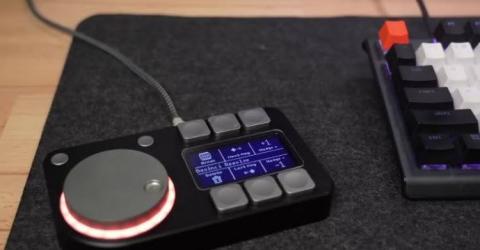
A Smart Macro Pad with Haptic Feedback Ever thought of controlling your computer using buttons and a knob that actually feel different when you use them? Most input devices, like keyboards and mice, only give visual feedback on the screen and do not provide any physical sensation to indicate how an action feels. The Macropad changes this experience by adding the sense of touch to everyday computer controls. This is a six-button… |
|
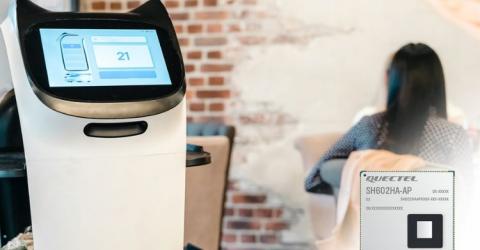
Quectel introduces SH602HA-AP smart robotic computing module to power the next generation of robotic devices Las Vegas, United States, 7 January 2026 – Quectel Wireless Solutions, an end-to-end global IoT solutions provider, today announces the launch of a new-generation smart robotic computing module, the SH602HA-AP. Based on the D-Robotics Sunrise 5 (X5M) chip platform and with an integrated Ubuntu operating system, the module features up to 10 TOPs of brain processing units (BPU) computing… |

|
UK Startup Fires Up 1,000°C Space Furnace, Pushing Semiconductor Manufacturing Beyond Earth The next generation of computer chips may not come from factories on Earth, but from satellites circling the planet. A UK company’s successful test of a 1,000°C furnace in space is bringing that futuristic vision closer to reality. Space Forge, a startup based in Cardiff, Wales, has confirmed that its microwave sized orbital furnace was successfully switched on and reached the temperature… |
|
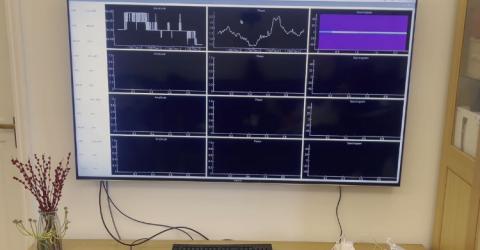
Wi-Fi Localization Tool Pi-RTCSI Runs Self-Contained on Raspberry Pi In a YouTube video, Fangzhan Shi introduced Pi-RTCSI, a self-contained Wi-Fi sensing tool designed for Raspberry Pi CM4 and Raspberry Pi 4B. It’s built using the Nexmon framework and makes use of Round Trip Channel State Information (RTCSI) to achieve phase-accurate localization. It comes ready to use as an SD card image, eliminating any need for environment configuration or compilation. … |
|
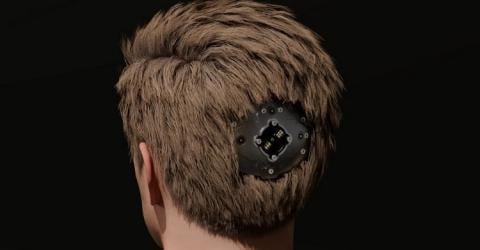
Mind Link: A DIY Brain-Computer Interface Built from Scratch Creator, AstroSam, built a functional prototype of a brain-computer interface (BCI), called Mind Link. It reads brain signals from a simulated 32-electrode array and sends them to a computer to visualize right away and possibly process later. The build combines custom PCBs, firmware, and magnetic connectors. The project is open-source and documented from scratch. The system consists of… |

|
Paralyzed Patient Uses Elon Musk’s Neuralink Chip to Play Games Using Thoughts Rob Grenier became paralyzed after a car accident in 2022. He very recently received a Neuralink brain implant in June 2025 and shared this captivating experience on X, calling it “absolutely amazing”. He was able to move a cursor and play video games using only mental commands. The technology fundamentally is a small implantable chip that’s designed to form a direct communication path… |

|
AI based Brain-Computer Interface Turns Thoughts into Speech in Real Time Researchers at UC Berkeley and UC San Francisco are making a huge breakthrough in brain-computer interfaces (BCIs) with their latest brain-to-voice neuroprosthesis. They’re working on restoring speech for people with severe paralysis by turning brain signals into real-time, natural-sounding speech. One big challenge they had to tackle was cutting down the delay time between… |
|
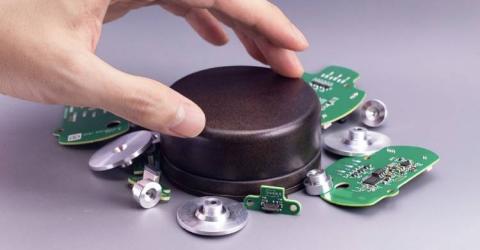
DIY Wireless Scrolling Dial: The Perfect Fix for Endless Scrolling Scrolling has become an essential part of our digital lives, whether it's navigating through lengthy datasheets, coding, or simply reading articles. Yet, the act of scrolling—endlessly flicking a mouse wheel or swiping a trackpad—can become a frustrating ordeal, even physically taxing. Recognising the absence of a perfect off-the-shelf solution, Yoiutuber Engineer Bo took matters into his own… |
|
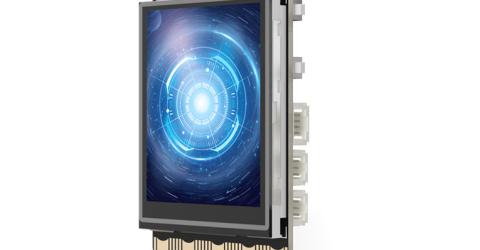
DFRobot Launches UNIHIKER: A User-Friendly Single Board Computer for Learning and Coding DFRobot recently introduced an exciting new all-in-one single board computer (SBC) development platform known as UNIHIKER. This remarkable device comes equipped with its own 2.8" touchscreen, offering seamless plug-and-play programming capabilities. DFRobot representative Liang Li expressed great enthusiasm about the UNIHIKER, hailing it as… |
|
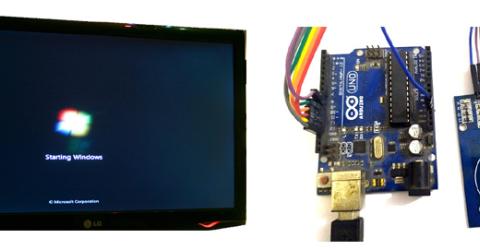
Login to Windows Computers using RFID tag and Arduino As many of us know computers were invented around 1871, but it was not until 1961 we had them password protected. Early in the 19’s we used pins and alphanumeric characters as passwords for our computers, today we have many types of verification methods like Password, Pin, Pattern, Gesture, Fingerprint recognition, Face recognition and much more. But still, it is a… |
|
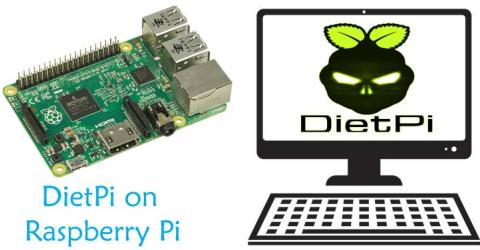
How to setup DietPi on Raspberry Pi Raspberry Pi is the pocket sized computer having almost all the feature of a normal computer including USB port, LAN port, audio/video output, HDMI port etc. There are many official and unofficial third party operating systems are available for Raspberry Pi and we previously installed few of them on Raspberry pi like: Installing Raspbian on Raspberry PI Installing… |
|
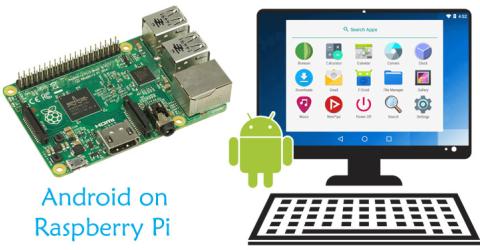
How to install Android on Raspberry Pi The popular operating system used in Raspberry Pi is Raspbian which is a linux based official OS for Raspberry Pi, using which we have build many Raspberry Pi Applications. We can easily install Linux and Windows operating systems on Raspberry Pi, but due to the lack of official support from Android, installing Android on Raspberry Pi has never been that easy. Some… |
