



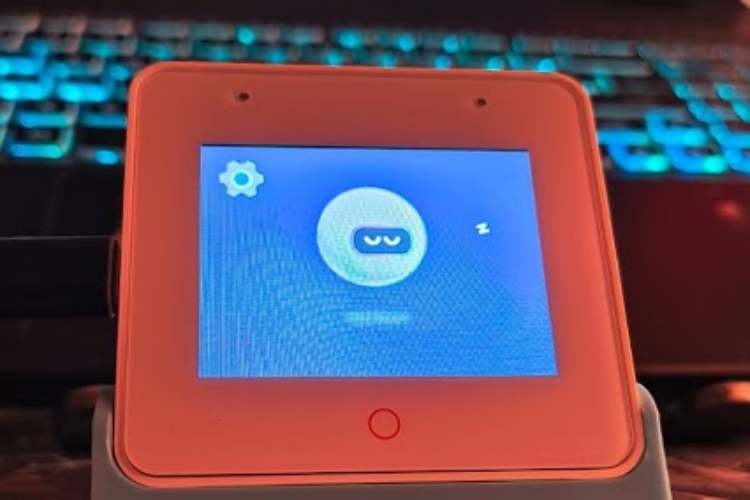
By Biswa Pratik Parida
The Privacy-Centric Edge AI Station
The S3 Private AI Station was developed to address the growing concern regarding data privacy in the ecosystem of smart home assistants. Traditional smart speakers rely heavily on cloud-based processing, which necessitates the continuous transmission of sensitive audio data to external servers. This project leverages the ESP32-S3-BOX-3 to implement a "Hybrid Edge" architecture.
Unlike standard implementations, this project distinguishes itself by prioritizing local execution. It utilizes a dual-layered processing model:
- Local Command Layer: Immediate, offline processing of specific hardware commands via the ESP-Multinet deep learning model.
- Private Cloud Layer: A localized Python-based bridge that handles complex Natural Language Processing (NLP) using an on-premise Large Language Model (Ollama), ensuring that data remains within the user’s personal network.
This approach demonstrates that high-performance AI interaction can be achieved without compromising user privacy or relying on third-party cloud providers.
Components Required
| Component Name | Quantity | Datasheet/Link |
| esp32S3 BOX 3 | 1 | View Datasheet |
Circuit Diagram

Pin 1GNDLED Common Ground (-)Black / White
Pin 14G39Red Channel (R)Red
Pin 15G40Green Channel (G)Green
Pin 16G41Blue Channel (B)Blue
Hardware Assembly
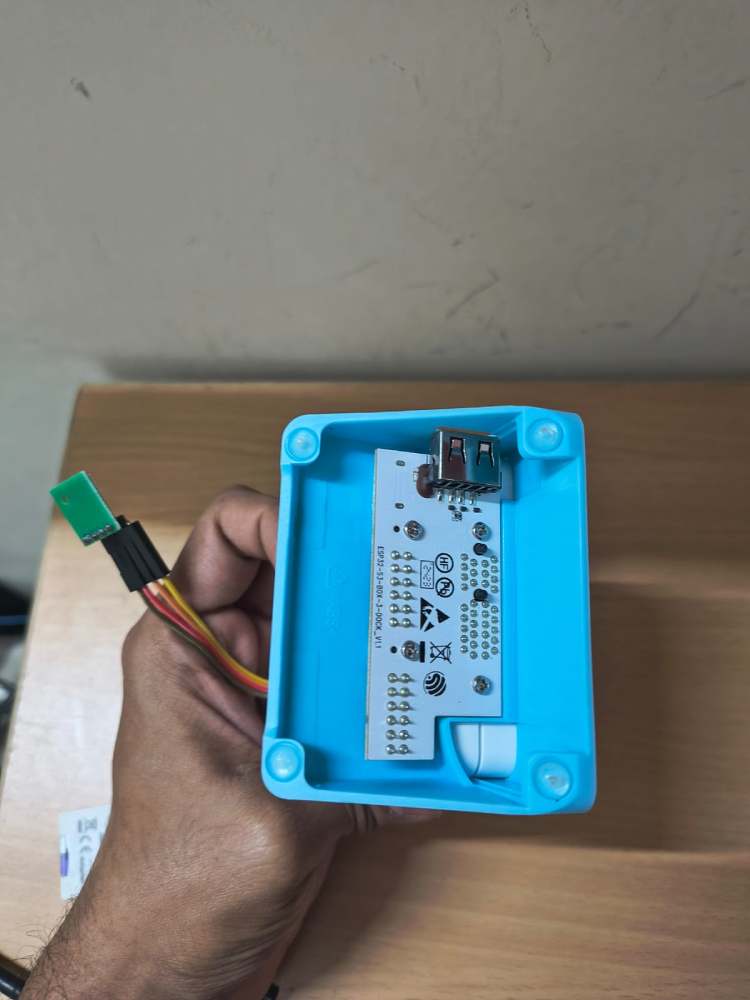
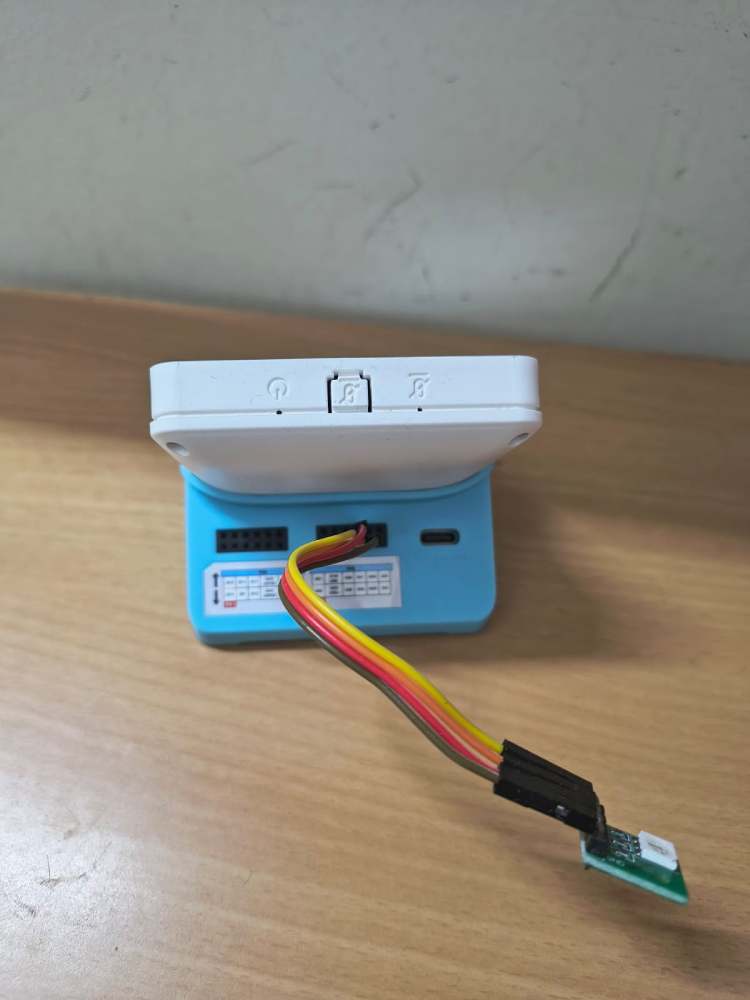
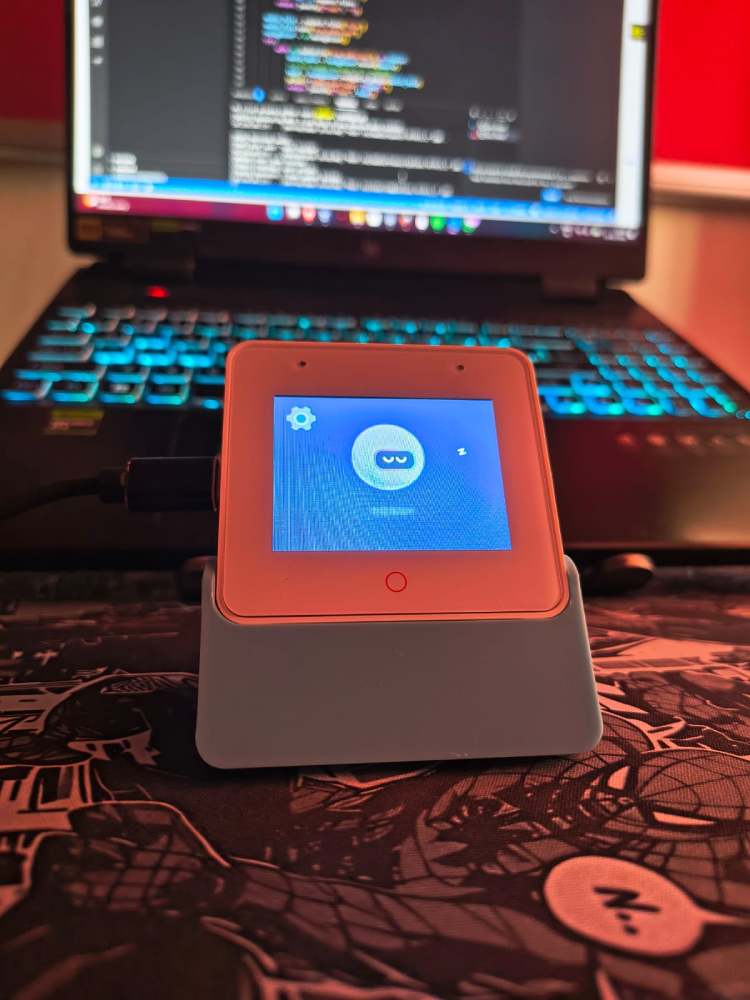
Hardware Assembly and System Provisioning
The assembly of the S3 Private AI Station involves a physical hardware build and a software-defined bridge setup on the host computer. This configuration creates a secure, localized loop where the ESP32-S3 acts as the interface and the PC acts as the "Local Brain."
Phase 1: Physical Hardware Assembly
The ESP32-S3-BOX-3 features a 16-pin expansion header on the rear of the unit. We utilize this to interface with a 4-wire analog RGB strip for visual status feedback.
Pin Connections:
- Common Ground: Connect the LED strip's Ground/Common wire to GND (Pin 1).
- Red Channel: Connect the Red wire to GPIO 39 (Pin 14).
- Green Channel: Connect the Green wire to GPIO 40 (Pin 15).
- Blue Channel: Connect the Blue wire to GPIO 41 (Pin 16).
Power: Ensure the LED strip is powered appropriately (5V from Pin 2 for small strips, or an external power supply for longer strips).
Phase 2: Software Provisioning (USB Folder Method)
The ESP32-S3-BOX-3 simplifies network setup by appearing as a mass storage device on your computer.
- Connect to PC: Plug the device into your laptop via USB.
- Access Folder: Put the device into its "Boot/Storage" mode. It will appear on your laptop as a removable drive (folder).
- Enter Credentials: Open the configuration file within the device folder. Type your WiFi SSID and Password directly into the text fields.
- Save: Save the file. The device writes these credentials to its Non-Volatile Storage (NVS) and will automatically connect to your network on the next boot.
Phase 3: AI Bridge Setup (bridge.py)
The bridge is a Python script that must run on your PC to handle the heavy AI tasks.
- Install Python Dependencies: Open your terminal and run:pip install flask speech_recognition pyautogui edge_tts requests
- Find your PC's IP Address: Run ipconfig in your terminal and note your IPv4 Address (e.g., 192.168.1.50).
- Initialize the Bridge: Execute python bridge.py. The script will start a server on Port 8080, ready to receive audio from the ESP32.
- Launch Ollama: Ensure Ollama is running in the background with your chosen model (e.g., ollama run qwen2.5:7b).
Phase 4: Linking Firmware to Bridge
To complete the loop, the firmware must be told where the bridge is located.
- Code Modification: Open main.c and locate the following line:OpenAIChangeBaseURL(openai, "http://HADES.local:8080/v1/");
- Update IP: Replace HADES.local with the IPv4 Address you found in Phase 3.Example: OpenAIChangeBaseURL(openai, "http://192.168.1.50:8080/v1/");
- Flash: Re-flash the device using idf.py -p COM# flash monitor.
Code Explanation
System Logic and Code Functionality
The software architecture is divided into the embedded firmware (C/ESP-IDF) and the local server bridge (Python).
1. Embedded Firmware (ESP-IDF)
The firmware manages the hardware peripherals and the initial stages of voice interaction.
main.c: This serves as the entry point. It initializes the Non-Volatile Storage (NVS), display drivers (LVGL), and the network stack. It also configures the OpenAI-compatible client, which is redirected to the local Python bridge using the OpenAIChangeBaseURL function. This redirect is critical as it allows the device to use standard API structures while communicating with a private server.
app_audio.c: This file handles the logic of the Speech Recognition (SR) handler task. It manages the transition between different AI states. When a wake word is detected, it triggers audio recording. If a "Local Command" is recognized (e.g., Command ID 13 for "Light On"), the system executes the task immediately without network latency. If no local command is matched, it packages the recorded audio and sends it to the Python bridge for LLM processing.
app_sr.c: This manages the Acoustic Front-End (AFE) and Multinet models. It handles the "Feed" task, which pulls raw audio from the microphones, and the "Detect" task, which runs the neural network models to identify the wake word ("Hi ESP") and specific offline commands.
2. Python Bridge (bridge.py)
The bridge acts as a middleware between the ESP32 and the AI models running on a PC.
Transcription: The /v1/audio/transcriptions route receives raw .wav data from the ESP32. It uses the SpeechRecognition library to convert audio to text.
The Command Interceptor: Before sending text to the LLM, the run_automation function checks for specific keywords. Using pyautogui, the bridge can execute system-level commands on the PC, such as controlling media playback or opening applications.
LLM Integration: If no system command is found, the text is forwarded to a local Ollama instance via the /v1/chat/completions route. This allows the station to answer complex questions using models like Qwen 2.5 without internet access.
Text-to-Speech (TTS): The /v1/audio/speech route uses edge_tts to generate high-quality voice responses, which are streamed back to the ESP32 as MP3 files for playback.
GitHub Repository






