
By Nikhil A E
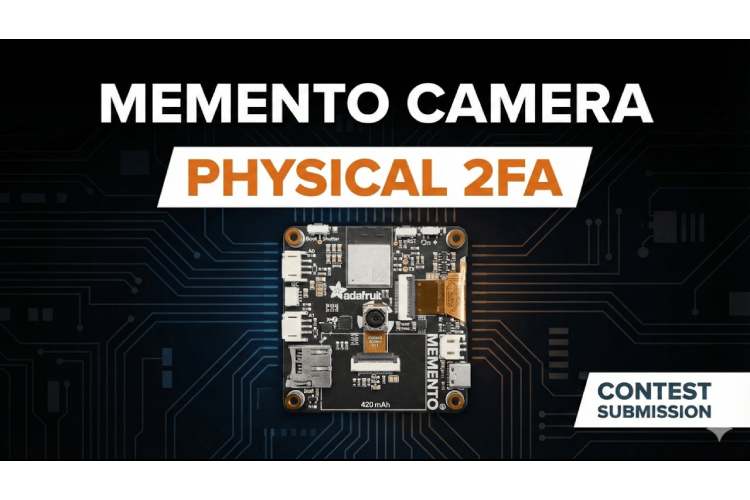
This project is a smart vault built on an Memento Programmable Camera Board that uses physical objects / items for two factor authentication (2FA). Instead of just relying on a standard username and password, the system requires a physical key to grant acces but rather than a metal key, it uses an everyday object like a coffee mug, a toy, or a keychain. When you want to log in, you connect your phone directly to the ESP32’s built in WiFi. After entering your credentials, the system taps into your phone's camera. You simply hold up your registered object, and if the system recognizes it from one of the angles you saved during setup, it unlocks a secure digital dashboard. It's a creative, highly visual take on hardware security that runs completely offline.
Circuit Diagram
Only the Board was used.
Hardware Assembly
Connect the Board to PC/Laptop or power it up with Battary.
Code Explanation
Offline Network & Storage: The Memento Camera programmable Baord is set up as its own Access Point, named MEMENTO_VAULT, so it does not require a home router to be operational. The user's data, such as their username, password, and up to four stored "views" of their physical key, is stored as a C++ struct in the board's RAM.
Embedded Web Pages: The HTML, CSS, and JavaScript for the interface, or the login page, camera scanner, and vault page, are stored directly in the program using PROGMEM, eliminating the need for memory or an SD card.
Client-Side Image Hashing: This is the heavy lifter of the program. When a photo is taken, the JavaScript running on the client's phone shrinks it down to a tiny 32x32 pixel grid, converts it to grayscale, and then converts it to a 1024-character string of 1s and 0s depending on brightness. It only sends this lightweight version of the image back to the ESP32.
Fuzzy Verification: The handleVerifyObj() function then takes this string and compares it against the four stored strings. The code also includes a 15% error tolerance, as lighting and angles will never be perfect twice. If it's close enough, a 5-minute window is granted to view the vault.
GitHub Repository


Complete Project Code
#include // WiFi credentials const char* SSID_NAME = "MEMENTO_VAULT"; const char* SSID_PASS = "12345678"; WebServer server(80); // Max 3 users, each can store 4 different views of their object #define MAX_USERS 3 #define MAX_VIEWS 4 // Store 4 angles of the same object struct User { char username[16]; char password[16]; char objectHashes[MAX_VIEWS][1025]; // 4 different angles int viewCount; // How many views are saved bool active; }; User users[MAX_USERS]; int userCount = 0; // Session stuff String sessionUser = ""; unsigned long sessionTime = 0; #define SESSION_TIMEOUT 300000 // 5 mins // Login page const char login_html[] PROGMEM = R"rawliteral( #include <WiFi.h>
#include <WebServer.h>
// WiFi credentials
const char* SSID_NAME = "MEMENTO_VAULT";
const char* SSID_PASS = "12345678";
WebServer server(80);
// Max 3 users, each can store 4 different views of their object
#define MAX_USERS 3
#define MAX_VIEWS 4  // Store 4 angles of the same object
struct User {
 char username[16];
 char password[16];
 char objectHashes[MAX_VIEWS][1025];  // 4 different angles
 int viewCount;  // How many views are saved
 bool active;
};
User users[MAX_USERS];
int userCount = 0;
// Session stuff
String sessionUser = "";
unsigned long sessionTime = 0;
#define SESSION_TIMEOUT 300000  // 5 mins
// Login page
const char login_html[] PROGMEM = R"rawliteral(
<!DOCTYPE html>
<html>
<head>
 <meta name="viewport" content="width=device-width, initial-scale=1">
 <style>
   body {
     background-color: #121212;
     color: #e0e0e0;
     font-family: Arial, sans-serif;
     margin: 0;
     padding: 20px;
   }
   .main-container {
     max-width: 380px;
     margin: 40px auto;
     background: #1e1e1e;
     padding: 25px;
     border-radius: 8px;
     box-shadow: 0 2px 10px rgba(0,0,0,0.5);
   }
   h1 {
     color: #4a9eff;
     font-size: 24px;
     margin-bottom: 10px;
     font-weight: normal;
   }
   .subtitle {
     color: #888;
     font-size: 13px;
     margin-bottom: 25px;
   }
   input {
     width: 100%;
     padding: 11px;
     margin: 8px 0;
     background: #2a2a2a;
     border: 1px solid #3a3a3a;
     color: #e0e0e0;
     font-size: 14px;
     box-sizing: border-box;
     border-radius: 4px;
   }
   input:focus {
     outline: none;
     border-color: #4a9eff;
   }
   .login-btn {
     padding: 13px;
     font-size: 15px;
     margin-top: 15px;
     width: 100%;
     background: #4a9eff;
     color: white;
     border: none;
     cursor: pointer;
     border-radius: 4px;
     font-weight: 600;
   }
   .login-btn:hover {
     background: #3a8eef;
   }
   .switch-link {
     color: #4a9eff;
     margin-top: 20px;
     cursor: pointer;
     font-size: 13px;
     text-align: center;
   }
   .switch-link:hover {
     text-decoration: underline;
   }
   #msg {
     color: #ff6b6b;
     margin: 12px 0;
     font-size: 13px;
     text-align: center;
   }
 </style>
</head>
<body>
 <div class="main-container">
   <h1>Memento Vault</h1>
   <div class="subtitle">Secure Access System</div>
   <div id="msg"></div>

   <div id="loginForm">
     <input type="text" id="user" placeholder="Username">
     <input type="password" id="pass" placeholder="Password">
     <button class="login-btn" onclick="login()">Login</button>
     <div class="switch-link" onclick="showRegister()">Create new account</div>
   </div>

   <div id="registerForm" style="display:none;">
     <input type="text" id="regUser" placeholder="Choose username" maxlength="15">
     <input type="password" id="regPass" placeholder="Choose password" maxlength="15">
     <button class="login-btn" onclick="register()">Create Account</button>
     <div class="switch-link" onclick="showLogin()">Back to login</div>
   </div>
 </div>
 <script>
   function showRegister() {
     document.getElementById('loginForm').style.display = 'none';
     document.getElementById('registerForm').style.display = 'block';
     document.getElementById('msg').innerText = '';
   }

   function showLogin() {
     document.getElementById('registerForm').style.display = 'none';
     document.getElementById('loginForm').style.display = 'block';
     document.getElementById('msg').innerText = '';
   }

   function login() {
     var u = document.getElementById('user').value;
     var p = document.getElementById('pass').value;
     if (!u || !p) {
       document.getElementById('msg').innerText = 'Please fill in all fields';
       return;
     }

     fetch('/checkCred?u=' + encodeURIComponent(u) + '&p=' + encodeURIComponent(p))
       .then(r => r.text())
       .then(t => {
         if (t === 'OK') {
           window.location = '/scan';
         } else {
           document.getElementById('msg').innerText = 'Wrong username or password';
         }
       });
   }

   function register() {
     var u = document.getElementById('regUser').value;
     var p = document.getElementById('regPass').value;

     if (!u || !p) {
       document.getElementById('msg').innerText = 'Please fill in all fields';
       return;
     }
     if (u.length < 3 || p.length < 3) {
       document.getElementById('msg').innerText = 'Username and password must be at least 3 characters';
       return;
     }

     fetch('/regUser?u=' + encodeURIComponent(u) + '&p=' + encodeURIComponent(p))
       .then(r => r.text())
       .then(t => {
         if (t === 'FULL') {
           document.getElementById('msg').innerText = 'Maximum number of users reached';
         } else if (t === 'EXISTS') {
           document.getElementById('msg').innerText = 'Username already taken';
         } else {
           window.location = '/scan';
         }
       });
   }
 </script>
</body>
</html>
)rawliteral";
// Object scanning page with multi-angle enrollment
const char scan_html[] PROGMEM = R"rawliteral(
<!DOCTYPE html>
<html>
<head>
 <meta name="viewport" content="width=device-width, initial-scale=1">
 <style>
   body {
     background-color: #121212;
     color: #e0e0e0;
     font-family: Arial, sans-serif;
     margin: 0;
     padding: 20px;
     text-align: center;
   }
   .scan-container {
     max-width: 400px;
     margin: 50px auto;
     background: #1e1e1e;
     padding: 30px;
     border-radius: 8px;
   }
   h2 {
     color: #4a9eff;
     font-size: 22px;
     margin-bottom: 15px;
     font-weight: normal;
   }
   .instructions {
     color: #aaa;
     font-size: 14px;
     margin-bottom: 25px;
     line-height: 1.6;
   }
   .scan-button {
     padding: 18px 30px;
     font-size: 16px;
     width: 100%;
     margin: 20px 0;
     background: #4a9eff;
     color: white;
     border: none;
     cursor: pointer;
     border-radius: 6px;
     font-weight: 600;
   }
   .scan-button:hover {
     background: #3a8eef;
   }
   #status {
     font-size: 15px;
     margin: 20px 0;
     color: #ffd700;
     min-height: 25px;
   }
   .camera-input {
     display: none;
   }
   .logout-link {
     color: #888;
     margin-top: 30px;
     cursor: pointer;
     font-size: 13px;
   }
   .logout-link:hover {
     color: #ff6b6b;
   }
   .progress-bar {
     margin: 20px 0;
     background: #2a2a2a;
     height: 8px;
     border-radius: 4px;
     overflow: hidden;
   }
   .progress-fill {
     height: 100%;
     background: #4a9eff;
     width: 0%;
     transition: width 0.3s;
   }
   .progress-text {
     color: #4a9eff;
     font-size: 13px;
     margin-top: 8px;
   }
 </style>
</head>
<body>
 <div class="scan-container">
   <h2>Object Key Verification</h2>
   <div class="instructions" id="instructions">
     Point your camera at the physical object you want to use as your key
   </div>
   <div id="progressContainer" style="display:none;">
     <div class="progress-bar">
       <div class="progress-fill" id="progressFill"></div>
     </div>
     <div class="progress-text" id="progressText">0 of 4 angles captured</div>
   </div>
   <div id="status">Ready to scan</div>
   <button class="scan-button" id="scanBtn" onclick="document.getElementById('cam').click()">
     -> Take Photo
   </button>
   <input type="file" id="cam" class="camera-input" accept="image/*" capture="environment" onchange="process(this)">
   <div class="logout-link" onclick="location='/'">< Back to login</div>
 </div>
 <script>
   var enrollMode = false;
   var enrollCount = 0;
   // Check enrollment status first
   fetch('/checkEnroll')
     .then(r => r.text())
     .then(count => {
       if (count === '0') {
         // Need to enroll
         enrollMode = true;
         document.getElementById('instructions').innerText =
           'First time setup: Capture your object from 4 different angles';
         document.getElementById('progressContainer').style.display = 'block';
         document.getElementById('scanBtn').innerText = '-> Capture angle 1 of 4';
       }
     });
   function process(input) {
     if (input.files && input.files[0]) {
       document.getElementById('status').innerText = "Processing image...";
       document.getElementById('status').style.color = "#ffd700";

       var reader = new FileReader();
       reader.onload = function (e) {
         var img = new Image();
         img.src = e.target.result;
         img.onload = function() {
           generateHash(img);
         };
       };
       reader.readAsDataURL(input.files[0]);
     }
   }
   function generateHash(img) {
     var canvas = document.createElement('canvas');
     var ctx = canvas.getContext('2d');
     canvas.width = 32;
     canvas.height = 32;
     ctx.drawImage(img, 0, 0, 32, 32);

     var data = ctx.getImageData(0, 0, 32, 32).data;
     var vals = [];
     var total = 0;

     // Convert to grayscale
     for (var i = 0; i < data.length; i += 4) {
       var gray = (data[i] * 0.299) + (data[i+1] * 0.587) + (data[i+2] * 0.114);
       vals.push(gray);
       total += gray;
     }

     var avg = total / vals.length;
     var hash = "";

     for (var i = 0; i < vals.length; i++) {
       hash += (vals[i] > avg) ? "1" : "0";
     }

     sendHash(hash);
   }

   function sendHash(hash) {
     var url = enrollMode ? '/enrollObj?h=' + hash : '/verifyObj?h=' + hash;

     fetch(url)
       .then(r => r.text())
       .then(t => {
         var statusEl = document.getElementById('status');

         if (t.startsWith('ENROLLED')) {
           // Got enrollment count back
           var count = parseInt(t.split(':')[1]);
           enrollCount = count;

           // Update progress bar
           var percentage = (count / 4) * 100;
           document.getElementById('progressFill').style.width = percentage + '%';
           document.getElementById('progressText').innerText = count + ' of 4 angles captured';

           if (count < 4) {
             statusEl.innerText = "Angle " + count + " saved. Rotate your object and capture another angle.";
             statusEl.style.color = "#4a9eff";
             document.getElementById('scanBtn').innerText = '-> Capture angle ' + (count + 1) + ' of 4';
           } else {
             statusEl.innerText = "Setup complete! All 4 angles saved successfully.";
             statusEl.style.color = "#4af25a";
             document.getElementById('scanBtn').innerText = '-> Verify Object Key';
             enrollMode = false;
             document.getElementById('progressContainer').style.display = 'none';
             document.getElementById('instructions').innerText =
               'Now try scanning your object from any angle to test the verification';
           }
         } else if (t === 'GRANT') {
           window.location = '/vault';
         } else {
           statusEl.innerText = "Object does not match your registered key";
           statusEl.style.color = "#ff6b6b";
         }
       });
   }
 </script>
</body>
</html>
)rawliteral";
// Vault page - dummy secure site
const char vault_html[] PROGMEM = R"rawliteral(
<!DOCTYPE html>
<html>
<head>
 <meta name="viewport" content="width=device-width, initial-scale=1">
 <style>
   body {
     background-color: #0f0f0f;
     color: #e0e0e0;
     font-family: Arial, sans-serif;
     margin: 0;
     padding: 15px;
   }
   .header-bar {
     background: #1a1a1a;
     padding: 18px;
     border-radius: 6px;
     margin-bottom: 20px;
     border-left: 4px solid #4a9eff;
   }
   h1 {
     color: #4a9eff;
     margin: 0 0 5px 0;
     font-size: 22px;
     font-weight: normal;
   }
   .username {
     color: #aaa;
     font-size: 13px;
   }
   .info-card {
     background: #1a1a1a;
     padding: 20px;
     margin: 15px 0;
     border-radius: 6px;
   }
   .info-card h3 {
     color: #4a9eff;
     margin-top: 0;
     font-size: 16px;
     font-weight: normal;
     margin-bottom: 15px;
   }
   .balance-amount {
     font-size: 36px;
     color: #4af25a;
     font-weight: 600;
     margin: 10px 0;
   }
   .action-button {
     padding: 10px 20px;
     background: #2a2a2a;
     color: #e0e0e0;
     border: 1px solid #3a3a3a;
     cursor: pointer;
     margin: 5px;
     border-radius: 4px;
     font-size: 13px;
   }
   .action-button:hover {
     background: #3a3a3a;
     border-color: #4a9eff;
   }
   .logout-button {
     background: #ff6b6b;
     color: white;
     border: none;
   }
   .logout-button:hover {
     background: #ff5252;
   }
   table {
     width: 100%;
     border-collapse: collapse;
     margin-top: 10px;
   }
   td {
     padding: 12px 8px;
     border-bottom: 1px solid #2a2a2a;
     font-size: 14px;
   }
   .transaction-positive {
     color: #4af25a;
   }
   .transaction-negative {
     color: #ff6b6b;
   }
   .button-row {
     text-align: center;
     margin-top: 25px;
   }
 </style>
</head>
<body>
 <div class="header-bar">
   <h1>Secure Vault</h1>
   <div class="username">Logged in as: <span id="username">loading...</span></div>
 </div>
 <div class="info-card">
   <h3>Account Overview</h3>
   <div class="balance-amount">$12,450.00</div>
   <div style="color: #888; font-size: 12px; margin-top: 5px;">Available Balance</div>
 </div>
 <div class="info-card">
   <h3>Recent Activity</h3>
   <table>
     <tr>
       <td>Salary Deposit</td>
       <td class="transaction-positive">+$5,000.00</td>
       <td style="color: #888;">Feb 12</td>
     </tr>
     <tr>
       <td>Rent Payment</td>
       <td class="transaction-negative">-$1,200.00</td>
       <td style="color: #888;">Feb 10</td>
     </tr>
     <tr>
       <td>Grocery Shopping</td>
       <td class="transaction-negative">-$150.00</td>
       <td style="color: #888;">Feb 9</td>
     </tr>
     <tr>
       <td>Freelance Work</td>
       <td class="transaction-positive">+$2,800.00</td>
       <td style="color: #888;">Feb 8</td>
     </tr>
   </table>
 </div>
 <div class="info-card">
   <h3>Stored Files</h3>
   <button class="action-button">passport_scan.pdf</button>
   <button class="action-button">property_documents.pdf</button>
   <button class="action-button">credit_cards_info.enc</button>
   <button class="action-button">passwords_backup.vault</button>
 </div>
 <div class="button-row">
   <button class="action-button logout-button" onclick="location='/'">Logout</button>
 </div>
 <script>
   fetch('/getUser')
     .then(r => r.text())
     .then(t => {
       document.getElementById('username').innerText = t;
     });
 </script>
</body>
</html>
)rawliteral";
// Route handlers
void handleRoot() {
 sessionUser = "";
 server.send(200, "text/html", login_html);
}
void handleCheckCred() {
 String u = server.arg("u");
 String p = server.arg("p");

 for (int i = 0; i < userCount; i++) {
   if (users[i].active &&
       strcmp(users[i].username, u.c_str()) == 0 &&
       strcmp(users[i].password, p.c_str()) == 0) {
     sessionUser = u;
     sessionTime = millis();
     server.send(200, "text/plain", "OK");
     Serial.println("[LOGIN] User authenticated: " + u);
     return;
   }
 }

 server.send(200, "text/plain", "FAIL");
 Serial.println("[LOGIN] Failed attempt for: " + u);
}
void handleRegUser() {
 if (userCount >= MAX_USERS) {
   server.send(200, "text/plain", "FULL");
   return;
 }

 String u = server.arg("u");
 String p = server.arg("p");

 // Check if username already exists
 for (int i = 0; i < userCount; i++) {
   if (strcmp(users[i].username, u.c_str()) == 0) {
     server.send(200, "text/plain", "EXISTS");
     return;
   }
 }

 // Create new user
 u.toCharArray(users[userCount].username, 16);
 p.toCharArray(users[userCount].password, 16);
 users[userCount].viewCount = 0;
 users[userCount].active = true;
 userCount++;

 sessionUser = u;
 sessionTime = millis();
 server.send(200, "text/plain", "OK");

 Serial.println("[REGISTER] New user created: " + u);
 Serial.print("[INFO] Total users: ");
 Serial.println(userCount);
}
void handleScan() {
 if (sessionUser == "") {
   server.send(401, "text/plain", "Unauthorized");
   return;
 }
 server.send(200, "text/html", scan_html);
}
// Check how many views are enrolled
void handleCheckEnroll() {
 if (sessionUser == "") {
   server.send(401, "text/plain", "0");
   return;
 }

 for (int i = 0; i < userCount; i++) {
   if (strcmp(users[i].username, sessionUser.c_str()) == 0) {
     server.send(200, "text/plain", String(users[i].viewCount));
     return;
   }
 }
 server.send(200, "text/plain", "0");
}
// Enroll a new view of the object
void handleEnrollObj() {
 if (sessionUser == "") {
   server.send(401, "text/plain", "Unauthorized");
   return;
 }

 String hash = server.arg("h");

 for (int i = 0; i < userCount; i++) {
   if (strcmp(users[i].username, sessionUser.c_str()) == 0) {

     if (users[i].viewCount < MAX_VIEWS) {
       // Save this view
       hash.toCharArray(users[i].objectHashes[users[i].viewCount], 1025);
       users[i].viewCount++;

       Serial.print("[ENROLL] View ");
       Serial.print(users[i].viewCount);
       Serial.print("/");
       Serial.print(MAX_VIEWS);
       Serial.print(" saved for: ");
       Serial.println(sessionUser);

       server.send(200, "text/plain", "ENROLLED:" + String(users[i].viewCount));
       return;
     } else {
       server.send(200, "text/plain", "FULL");
       return;
     }
   }
 }

 server.send(401, "text/plain", "User not found");
}
// Compare hash with saved hashes
int getDifference(const char* h1, const char* h2) {
 int diff = 0;
 for (int i = 0; i < 1024; i++) {
   if (h1[i] != h2[i]) diff++;
 }
 return diff;
}
void handleVerifyObj() {
 if (sessionUser == "") {
   server.send(401, "text/plain", "Unauthorized");
   return;
 }

 String hash = server.arg("h");

 // Find the current user
 for (int i = 0; i < userCount; i++) {
   if (strcmp(users[i].username, sessionUser.c_str()) == 0) {

     if (users[i].viewCount == 0) {
       server.send(200, "text/plain", "NO_KEY");
       return;
     }

     // Compare with ALL saved views
     int threshold = 154;  // 15% tolerance
     int bestMatch = 9999;
     int matchedView = -1;

     for (int v = 0; v < users[i].viewCount; v++) {
       int diff = getDifference(users[i].objectHashes[v], hash.c_str());
       if (diff < bestMatch) {
         bestMatch = diff;
         matchedView = v;
       }
     }

     Serial.print("[VERIFY] Best match: View ");
     Serial.print(matchedView + 1);
     Serial.print(", Difference: ");
     Serial.print(bestMatch);
     Serial.print(" / Threshold: ");
     Serial.println(threshold);

     if (bestMatch < threshold) {
       server.send(200, "text/plain", "GRANT");
       Serial.println("[ACCESS] Granted for: " + sessionUser);
       return;
     } else {
       server.send(200, "text/plain", "DENY");
       Serial.println("[ACCESS] Denied for: " + sessionUser);
       return;
     }
   }
 }

 server.send(401, "text/plain", "User not found");
}
void handleVault() {
 // Check if session is valid
 if (sessionUser == "" || (millis() - sessionTime > SESSION_TIMEOUT)) {
   server.send(401, "text/html", "<script>alert('Session expired'); location='/';</script>");
   sessionUser = "";
   return;
 }
 server.send(200, "text/html", vault_html);
}
void handleGetUser() {
 server.send(200, "text/plain", sessionUser);
}
void setup() {
 Serial.begin(115200);

 // Init user array
 for (int i = 0; i < MAX_USERS; i++) {
   users[i].active = false;
   users[i].viewCount = 0;
 }

 WiFi.softAP(SSID_NAME, SSID_PASS);

 Serial.println("\n========================================");
 Serial.println("   MEMENTO VAULT - Multi-View System   ");
 Serial.println("========================================");
 Serial.print("Access dashboard at: http://");
 Serial.println(WiFi.softAPIP());
 Serial.println("\nSystem info:");
 Serial.println("- Max users: 3");
 Serial.println("- Views per object: 4 angles");
 Serial.println("- Auth: Password + Multi-angle object");
 Serial.println("- Session timeout: 5 minutes");
 Serial.println("========================================\n");
 server.on("/", handleRoot);
 server.on("/checkCred", handleCheckCred);
 server.on("/regUser", handleRegUser);
 server.on("/scan", handleScan);
 server.on("/checkEnroll", handleCheckEnroll);
 server.on("/enrollObj", handleEnrollObj);
 server.on("/verifyObj", handleVerifyObj);
 server.on("/vault", handleVault);
 server.on("/getUser", handleGetUser);

 server.begin();
}
void loop() {
 server.handleClient();
 delay(2);
}

Add a comment
No account needed. Your comment appears once a moderator has reviewed it.