
By Arpit Sengar
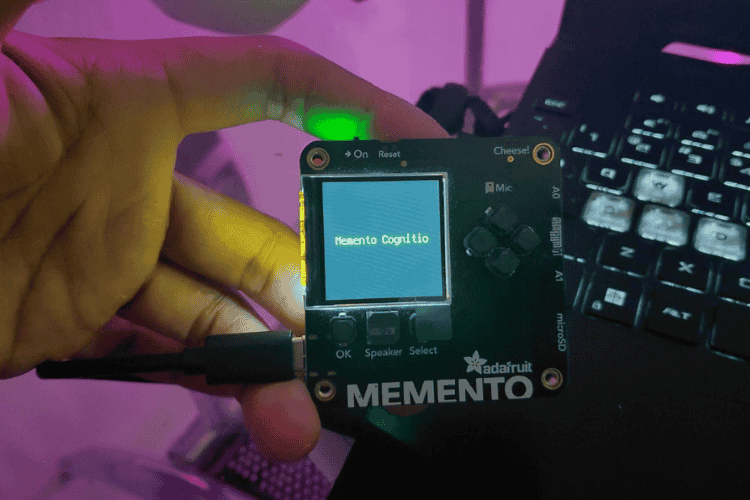
Memento Cognitio is a hardware-software project that enables users to capture images with an Adafruit MEMENTO Camera Board, analyze them using AI (Google Gemini), and receive concise spoken descriptions via Bluetooth on a desktop computer.
Why was it made?
This project was created to provide accessible, real-time visual understanding for users, especially those with visual impairments. By combining image capture, AI-powered analysis, and text-to-speech, it delivers instant, context-aware feedback about the user's surroundings in a simple, hands-free way.
Key Features
- Image Capture: Use on-board buttons to capture images.
- AI Analysis: Images are sent to Gemini AI for analysis and description.
- Bluetooth Communication: Descriptions are transmitted to a paired desktop receiver.
- Text-to-Speech: The receiver converts received text to speech using PiperVoice.
- Multiple Modes: Different prompts for various analysis modes (object listing, mood, tool usage, OCR, image description).
Components Required
MEMENTO DIY CAMERA MAIN BOARD 1 View Datasheet
USE-803048-1100 mAh Battery 1 View Datasheet
Hardware Assembly
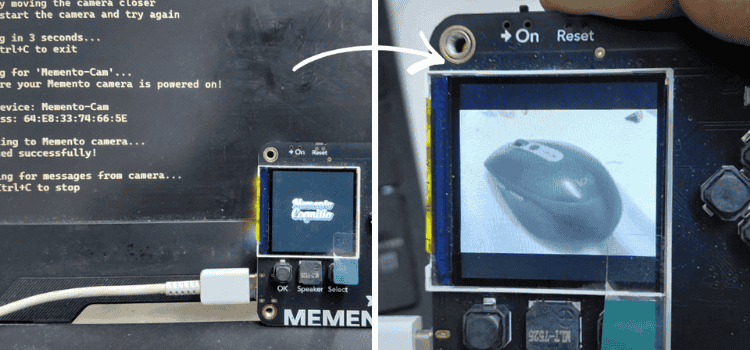
This project uses the official enclosure design provided by Adafruit on printables. These are optional, 3D printed protective cases that allow you to safely carry the board with you at all times, providing durability, portability and everyday usability.
Simply print one of the two provided designs and place the board inside the enclosure for a secure, well-fitted setup.
Code Explanation
Firmware (Camera Board)
Main Files
- firmware/code.py: The entry point for the camera's firmware. Handles button input, image capture, BLE communication, and interaction with the AI service.
- firmware/constants.py: Defines constants for prompt modes, button mappings, and other configuration values.
- firmware/settings.toml: Stores WiFi credentials and Gemini API key. Must be customized for each device.
- firmware/manager: Contains scripts for managing subsystems like LLM (AI), buzzer feedback, Bluetooth, and WiFi.
- firmware/lib/: Contains CircuitPython libraries (e.g., for BLE, image handling, HTTP requests).
Core Logic
1. Startup:
- Initializes hardware (camera, buttons, BLE, WiFi).
- Loads settings from `settings.toml`.
2. Button Handling:
- Listens for button presses.
- Each button maps to a specific prompt mode (see table below).
3. Image Capture & Analysis:
- Captures an image when a button is pressed.
- Sends the image and selected prompt to Gemini AI via WiFi.
- Receives a text description from the AI.
4. Bluetooth Transmission:
- Sends the AI-generated description to the paired desktop receiver over BLE.
5. Feedback:
- Provides user feedback via buzzer or display.
Desktop Receiver
Main Files
- bt-receiver/main.py: The entry point for the desktop receiver. Handles BLE scanning, connection, and text-to-speech.
- tts_models/en_US-libritts_r-medium.onnx: Piper TTS model used for speech synthesis.
- bt-receiver/tts_models/en_US-libritts_r-medium.onnx.json: Metadata/configuration for the TTS model.
Core Logic
1. Bluetooth Scanning & Connection:
- Scans for the camera device.
- Connects and listens for incoming text descriptions.
2. Text-to-Speech (TTS):
- Uses PiperVoice (with the provided ONNX model) to convert received text to speech.
- Plays the audio output on the desktop.
Project Structure
firmware/
├── code.py # Main firmware logic for ESP32S3 Camera
├── constants.py # Prompt modes and constants
├── settings.example.toml # Example settings file
├── splash.bmp # Logo splash screen
├── lib/ # manually installed libraries
└── manager/ # scripts for managing llm, buzzer, bluetooth and wifi
bt-receiver/
└── main.py # Python Bluetooth receiver for TTS
Setup
Hardware
Adafruit Memento Camera Board flashed wgith CircuitPython.
Ensure `code.py`, `constants.py`, and `settings.toml` are on the device.
Firmware Configuration
1. Edit `firmware/settings.toml` with your WiFi SSID, password, and Gemini API key.
2. Flash the firmware files to your Adafruit MEMENTO Camera Board.
Desktop Receiver
1. Install Python 3.12.
2. Install dependencies:
pip install bleak pydub piper
3. Place `bt-receiver/main.py` in your working directory.
4. Ensure the Piper TTS model (`tts_models/en_US-libritts_r-medium.onnx`) is present.
Usage
On the Camera
- Power on the device.
- Wait for BLE connection and WiFi setup.
- Use hardware buttons to capture images and select analysis modes.
On the Desktop
1.Run the receiver:
python bt-receiver/main.py
2.The receiver will scan for the camera, connect, and play received descriptions as speech.
Prompt Modes
Shutter: Brief description of the image in 20 words or less
Up: List the objects/items visible in the image
Down: Describe the mood or atmosphere of the image
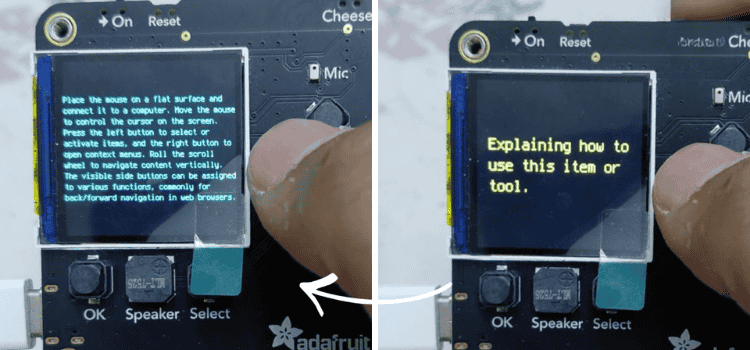
Left: Explain the usage or purpose of the main item/tool
Right: Generate a creative story based on the image
Select: Identify and extract visible text (OCR)
OK: State the main subject or focus of the image
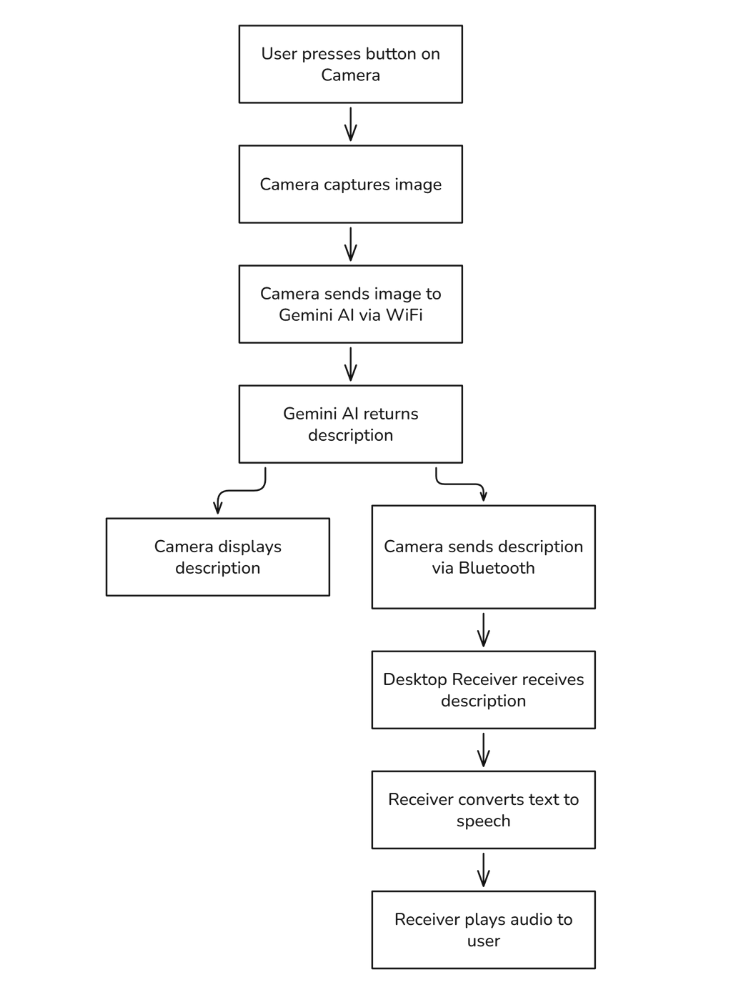
Project Flow
Additional Notes
- The firmware uses Adafruit's CircuitPython libraries for BLE, HTTP, and image handling.
- The desktop receiver uses PiperVoice for efficient, local TTS.
- All communication between camera and receiver is via Bluetooth Low Energy (BLE).
- The system is designed for accessibility and hands-free operation.

Add a comment
No account needed. Your comment appears once a moderator has reviewed it.