



By Aniket vishwakarma
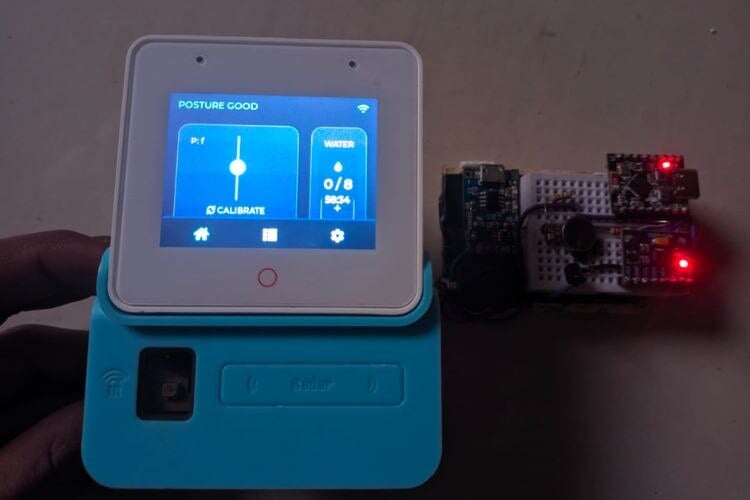
What I made: I built "Core Posture," a bidirectional IoT system designed to fix "tech neck" and poor sitting habits. It consists of two parts: a wearable device worn on the upper back (Sender) and a smart display unit for the desk (Receiver).
Why I made it: Existing posture correctors are often passive or uncomfortable. I wanted a smart solution that gives immediate physical feedback (vibration) when I slouch, while also allowing me to monitor my stats and hydration without needing a smartphone app.
How it works: The wearable uses an MPU6050 accelerometer to detect forward tilt. If the angle exceeds 15 degrees, it vibrates to alert the user. It sends real-time data via ESP-NOW to the ESP32-S3-BOX-3 display, which shows a live "Spine Slider," a hydration tracker, and settings to remotely control the wearable.
Components Required
| Component Name | Quantity | Datasheet/Link |
| Esp32 s3 box 3 | 1 | View Datasheet |
Circuit Diagram

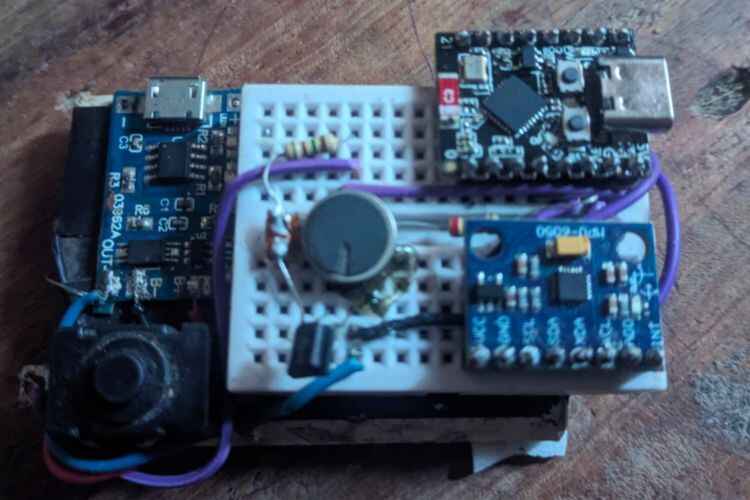
Wearable Connections (ESP32-C3 SuperMini):
1. MPU6050 Sensor:
- VCC -> 3.3V
- GND -> GND
- SDA -> GPIO 6
- SCL -> GPIO 7
2. Vibration Motor:
- Positive -> 3.3V/5V
- Negative -> Collector of NPN Transistor
- Transistor Base -> GPIO 3 (via 1k Resistor)
- Transistor Emitter -> GND
3. Power:
- Battery -> TP4056 B+/B-
- TP4056 OUT+ -> ESP32 5V Pin (via Switch)
- TP4056 OUT- -> ESP32 GND
Hardware Assembly
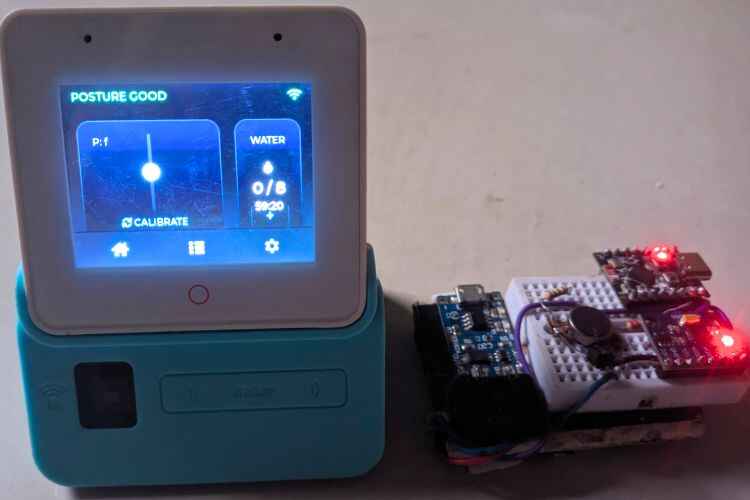
- Prepare the Wearable: I soldered the MPU6050 and ESP32-C3 SuperMini together using short wires to keep the footprint small.
- Motor Driver: I added a small (BC547) or any npn transistor circuit to drive the coin vibration motor safely from GPIO 3.
- Power: I connected the TP4056 module to the LiPo battery and the ESP32, ensuring I used the 5V pin to utilize the onboard voltage regulator.
- Enclosure: The components were secured using a compact DIY case that can be clipped onto a shirt collar or attached via a velcro strap for stability.
- Receiver: The ESP32-S3-BOX-3 required no hardware assembly as it is a ready-to-use development kit.
Code Explanation
1. Sender Code Logic (ESP32-C3 SuperMini)
The Sender is the "brain" on your back. Its main job is to read the angle, detect slouching, and vibrate—but it has to do this intelligently to avoid errors.
A. Data Structures (The "Language")
We defined two specific packet types so the devices understand each other:
- posture_packet_t: Sent from the Wearable to the Display. Contains the Pitch (angle), Roll, and Battery Level.
- command_packet_t: Sent from the Display to the Wearable. It contains a command_id (1 for Calibrate, 2 for Vibration Toggle) and a value (On/Off).
B. The "Blind Mode" Algorithm (Crucial Logic)
This is the most important part of the code.
- Problem: When the vibration motor turns on, it physically shakes the PCB. The MPU6050 accelerometer detects this shaking as "movement," creating massive spikes in data. This would make the UI on the screen jump around wildly every time you slouch.
- Solution: I implemented a specific sequence in the main loop:
- Detect Slouch: If the pitch angle exceeds 15 degrees.
- Vibrate: Turn the motor ON.
- Go Blind: The code deliberately stops reading the sensor for 200ms (vTaskDelay).
- Settle: Turn the motor OFF and wait another 50ms for the physical vibrations to fade.
- Resume: Only then does it read the sensor again.
- Result: The user gets feedback, but the data stream remains smooth.
C. The "Keep-Alive" Calibration
When you press "Calibrate," the device needs to wait 3 seconds for you to sit still.
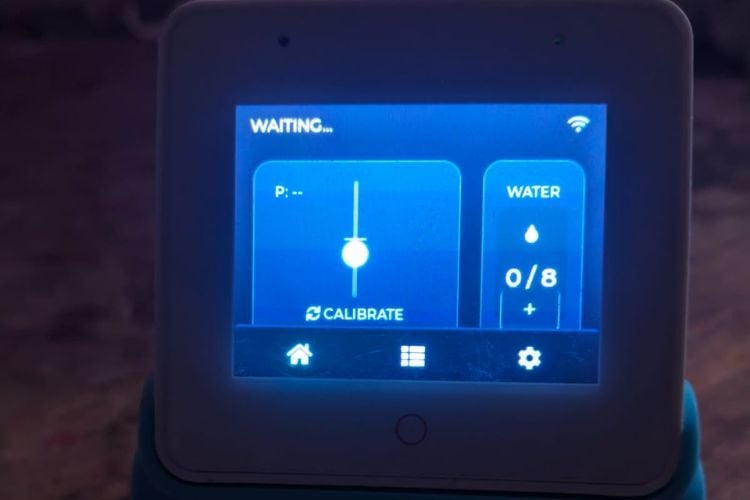
- Problem: If the Sender stops sending data for 3 seconds, the Receiver thinks the device has disconnected (timeout) and shows "SEARCHING...".
- Solution: Inside the 3-second countdown loop, I added esp_now_send(). Even though the data hasn't changed yet, sending these "heartbeat" packets keeps the connection alive so the display stays connected during the process.
2. Receiver Code Logic (ESP32-S3-BOX-3)
The Receiver handles the User Interface (UI) and the logic for the "Water Reminder."
A. LVGL & UI Design
The interface is built using LVGL (Light and Versatile Graphics Library).
- Spine Slider: Instead of a boring number, I mapped the pitch angle to a vertical slider. The code creates a "spine track" and a "posture dot." As the angle changes, the dot's Y-coordinate is updated (lv_obj_align_to).
- State Colors: The code changes the dot's color dynamically: Cyan for Good, Red for Slouch.
B. The Water Timer Logic
Since the ESP32 has no Real Time Clock (RTC) battery, we created a software timer.
- Counting Ticks: The update_loop runs every 30ms. We use a counter variable water_timer_ticks.
- The Math: 120,000 ticks × 30ms ≈ 60 minutes.
- Visual Alert: When the counter hits the threshold, a boolean flag water_alert_active turns True.
- Priority System: The Header Text (label_posture_status) has a priority list:
- Highest Priority: "DRINK WATER!" (Orange) - If the timer expires, this overrides everything.
- Medium Priority: "SLOUCH DETECTED" (Red) - If water is OK but posture is bad.
- Normal: "POSTURE GOOD" (Green).
C. Thread Safety (Queues)
- Problem: ESP-NOW data arrives in an "Interrupt" (very high priority system event), but updating the screen happens in the "Main Task." You cannot update the screen directly from an interrupt, or the device will crash.
- Solution: We use a FreeRTOS Queue (xQueueOverwrite).
- Interrupt: When data arrives, it is quickly pushed into the Queue.
- Main Loop: The UI task checks the Queue. If new data is there, it pulls it out and updates the screen safely.
GitHub Repository






