
By Krishna Chauhan
The Aura AI system is built on a Client-Server architecture that splits the workload between an Edge Device (the physical interface) and a powerful Python Backend (the brain).
1. Firmware (The Edge - aura_firmware.c) The code for the ESP32-S3-BOX-3 is written in C using the ESP-IDF framework. It handles real-time interaction with zero latency.
- Wake Word Detection: Utilizes ESP-SR to listen locally for the trigger phrase ("Hi ESP"). This ensures privacy and saves bandwidth by only streaming audio when active.
- Audio Pipeline: Captures raw audio at 16kHz from the microphone and streams it to the server via WebSockets. It simultaneously buffers incoming PCM audio data from the server to play through the speakers.
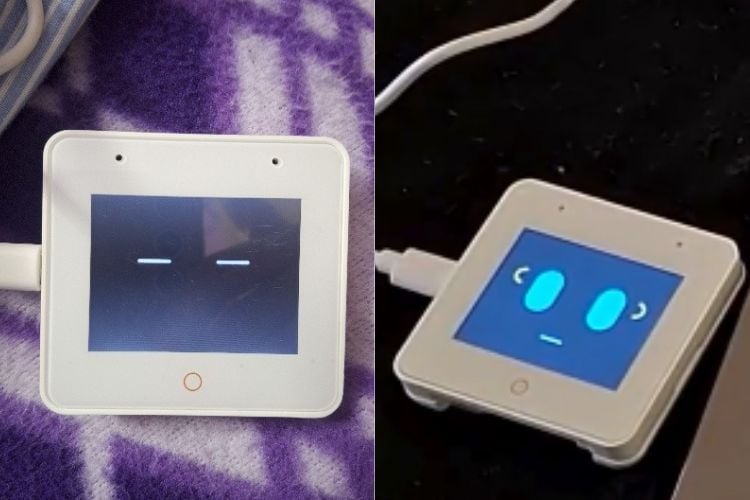
- UI/UX: Implements LVGL to render the dynamic "Face" of Aura. The code switches between states (Sleeping, Listening, Speaking) and updates the eye animations (Blue for listening, Green for speaking) based on WebSocket signals from the server.
2. Backend Server (The Brain - server.py) The core intelligence resides in a Python FastAPI server that manages the WebSocket connections and logic flow.
- Speech Processing: Incoming audio bytes are transcribed into text using Faster-Whisper (STT). Responses are generated and converted back to speech using Edge-TTS.
- Local LLM Integration: The server communicates with a local Llama 3.2 model (via Ollama). A custom SYSTEM_PROMPT instructs the LLM to act as a witty companion and maintains a chat_history list for contextual memory (e.g., remembering names).
- Function Calling & Smart Home: The LLM is engineered to output specific "Action Tags" (like {{LIGHT_ON}} or {{PLAY_RAP}}) within its response. The Python logic parses these tags to trigger real-time events on the Smart Home Dashboard or start the music player.
- Music Streaming: A custom music engine scans the local assets/songs directory. It uses FFmpeg and Pydub to convert MP3 files into raw PCM data on-the-fly, streaming them to the ESP32 for playback.
Working Demo of Aura AI
All components are linked via a persistent WebSocket connection, allowing for full-duplex communication (speaking while listening) and instant control feedback.
Components Required
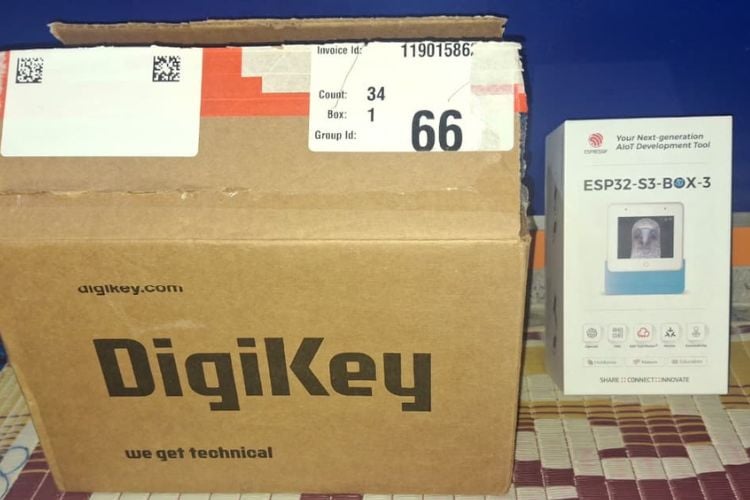
ESP32-S3-BOX-3 - 1 - View Datasheet
Aura AI Architecture
Hardware Assembly
Step-by-Step Instructions
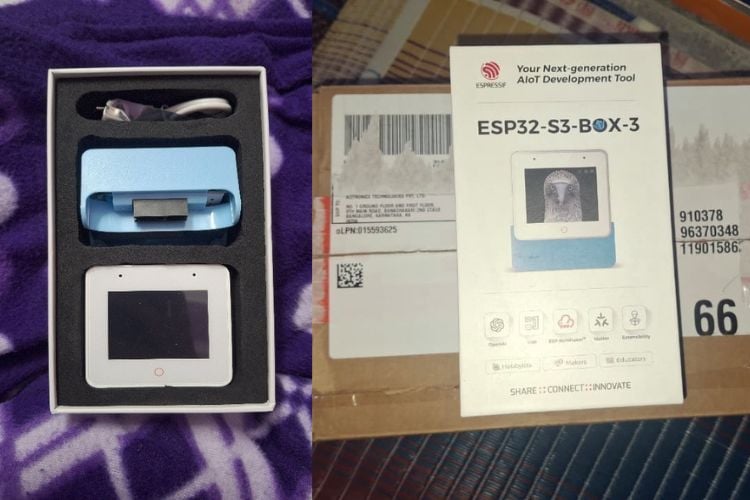
1.Unbox the ESP32-S3-BOX-3
- Remove the device from the packaging.
- Ensure you have the USB-C cable included.
2. Connect Power & USB
- Plug a USB-C cable into the ESP32-S3-BOX-3.
- Connect the other end to your laptop/PC or a 5V USB power adapter.
- The display will turn on once powered.
3. Enable Programming Mode
- Connect via USB-C to your computer.
- No additional drivers are required on Windows 10/11 (CP210x driver auto-installs if needed).
4. Flash the Firmware
- Open ESP-IDF terminal or VS Code ESP-IDF extension.
- Select the correct COM port.
- Flash the aura_firmware onto the device.
- After flashing, the device will automatically reboot.
5. Connect to Wi-Fi
- Firmware will configure Wi-Fi credentials (set inside code).
- The device will show the "Listening / Speaking / Thinking" face UI when connected.
6. Optional Smart Home Outputs
- (If used) Connect relays or smart plugs via Wi-Fi or MQTT.
- In the stock build, smart home commands are virtual and trigger on dashboard display only.
- No soldering or wiring required for the demo setup.
7. Server (Brain) Setup
- Run the Python backend (server.py) on your PC.
- Both PC and ESP32-S3-BOX-3 must be on the same Wi-Fi network.
8. Final Verification
- Speak the wake word: “Hey Aura” or “Ok Aura”
- Device should stream mic audio to the server, receive TTS audio back, and display facial reactions.
Notes
- No external soldering, breadboards, or wiring are required for this build.
- All compute-heavy tasks (LLM, STT, TTS) run on the server, not on ESP.
ESP32-S3-BOX-3 handles:
✓ Microphone
✓ Speaker
✓ Display UI
✓ Wake-word
✓ Wi-Fi Communication
Included Hardware
- ESP32-S3-BOX-3 Development Kit
- USB-C Cable (for power & flashing)
Code Explanation
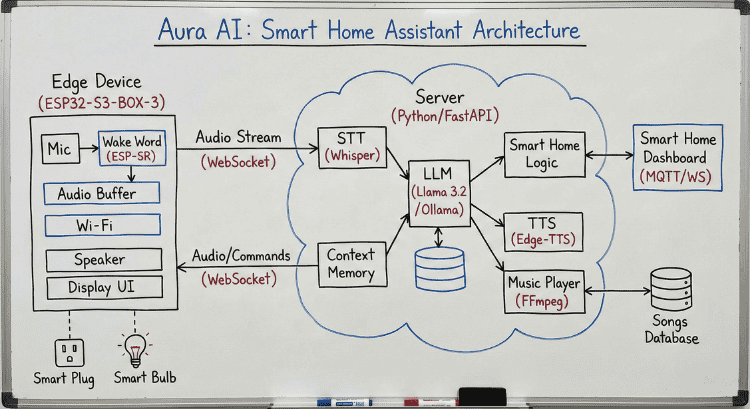
The Aura AI system operates on a robust client-server architecture, divided into an Edge Device and a central Python Server.
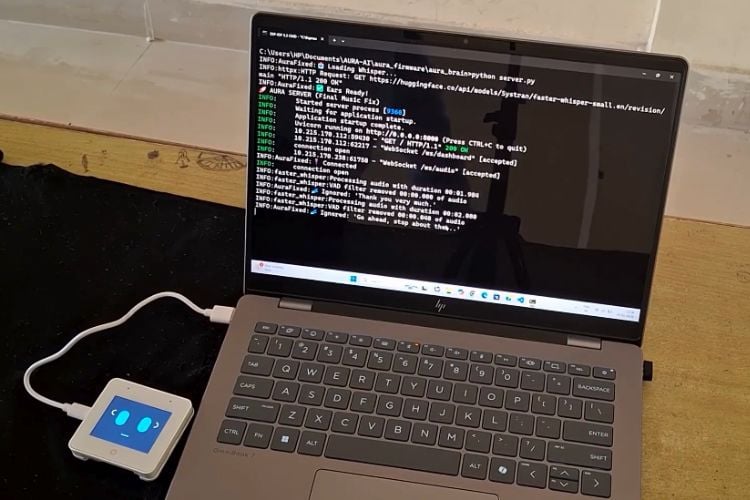
- Edge Device (ESP32-S3-BOX-3): The ESP32 handles real-time interactions. It uses ESP-SR for on-device wake word detection ("Hi ESP"). Once triggered, it streams raw audio from the microphone to the server via WebSockets. It also receives audio streams (for TTS and music) to play through its speaker and updates its display UI to reflect its current state (listening, speaking, etc.).
- Backend Server (Python/FastAPI): This is the system's "brain," processing all data.
- AI & Processing: Incoming audio is transcribed by Whisper STT. The text is processed by a local Llama 3.2 LLM (via Ollama), which uses a Context Memory module for natural, multi-turn conversations. Responses are converted to speech using Edge-TTS.
- Smart Home Control: The LLM identifies commands (e.g., "turn on the light") and outputs specific action tags. The server's logic parses these tags and updates the Smart Home Dashboard (seen in the "Aura Control" image) in real-time.
- Music Player: The server manages a local music library organized by genre in the assets/songs directory (as shown in the folder structure image). It uses FFmpeg to process and stream selected songs back to the ESP32.
1. Firmware Logic (aura_firmware.c)
The firmware operates as a high-performance audio bridge, designed to capture voice and render responses with minimal latency.
- Audio Streaming (feed_task): Instead of processing the wake word on the device (which limits you to "Hi ESP"), this task continuously captures raw audio samples from the microphone. It buffers this data and streams it directly to the server via WebSockets. This allows the powerful server to listen for your custom wake word, "Aura."
- Efficient Networking: The firmware maintains a persistent, full-duplex WebSocket connection.
- Upstream: Sends raw PCM audio data (User voice) to the Brain.
- Downstream: Receives raw PCM audio (AI Voice) and JSON command strings (e.g., "speaking", "listening") to control the interface in real-time.
- Dynamic UI (LVGL): The visual interface is reactive. The code parses incoming text commands from the server to switch animations instantly - displaying Green Eyes when the AI is speaking and Blue Eyes when it is ready for your next command.
2. Backend Logic (server.py)
The Python server is the true "Brain," handling both the wake word detection and the intelligence.
- The "Ear" (Server-Side Wake Word):
- Continuous Transcription: The audio_websocket function receives the audio stream. It uses Faster-Whisper to transcribe everything it hears into text.
- Wake Word Engine: The extract_command function scans this transcribed text for your specific triggers: ["aura", "ora", "hey aura"]. Some other words also have been added which are generally misinterpreted by stt.
- Command Extraction: Once "Aura" is detected, the server isolates the rest of the sentence (e.g., "turn on the lights") and passes it to the intelligence layer.
- The "Brain" (Intelligence & Safety):
- Safety Net Logic: Before asking the AI, the check_for_keywords function looks for critical commands like "Stop Music" or "Play Rap." If found, it executes them immediately, bypassing the LLM for speed.
- Contextual Memory: The AuraState class keeps a history of the conversation. This history is sent to Ollama (Llama 3.2) with every request, allowing Aura to remember your context from previous turns.
- The "Hands" (Action Execution):
- Smart Home: The system parses the AI's response for hidden tags like {{LIGHT_ON}}. If found, it broadcasts a signal to your Smart Home Dashboard to toggle the virtual devices.
- Music Player: If a music intent is detected, the server's play_music_task uses FFmpeg to convert MP3s from your assets/songs folder into raw audio and streams it back to the ESP32.
GitHub Repository
Access the complete source code at GitHub repository link given below



Add a comment
No account needed. Your comment appears once a moderator has reviewed it.